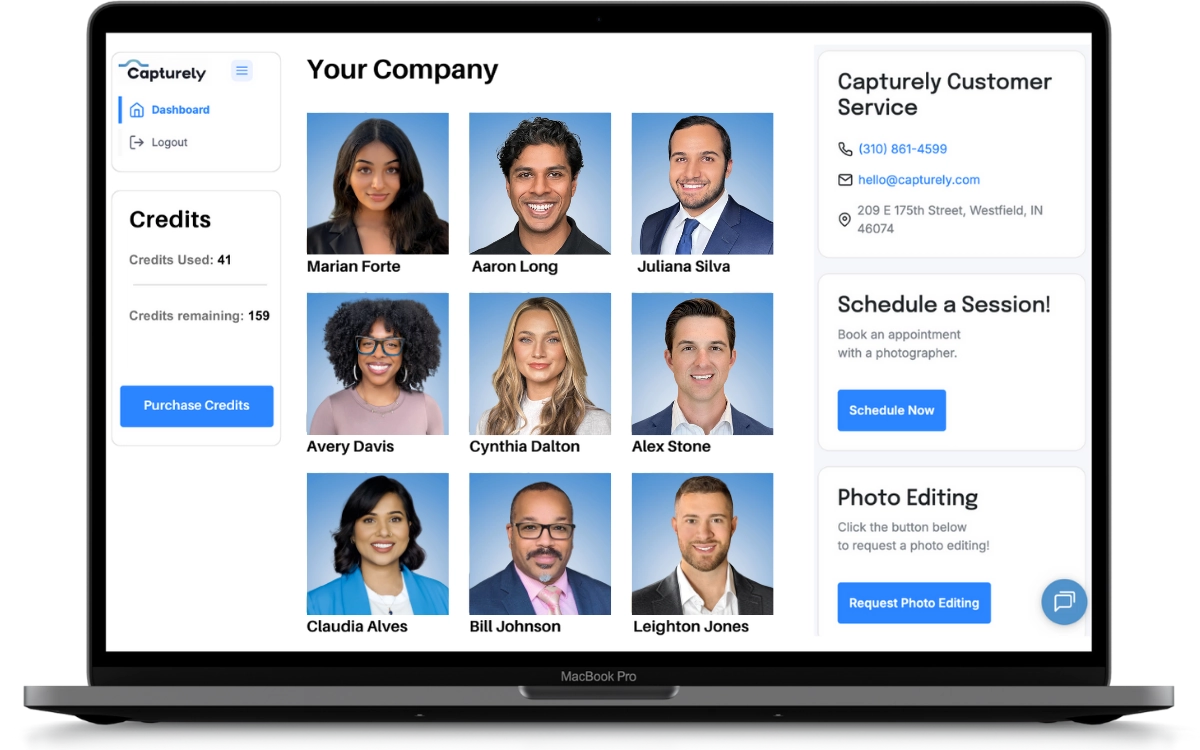
Company team photos are a coordinated set of individual headshots, shot with matching backgrounds, lighting, and crop, that represent every person on a team as one visual system instead of a pile of random snapshots. Used well, the same set runs across the About page, LinkedIn, the internal directory, and sales decks without looking like five different photographers took them. Capturely builds that consistency into every session.
Last updated: July 2026
That’s a different job than “team-building photos” (candids from a retreat) or a project team’s group shot for one deliverable. A company team photo set is durable. It’s the same 12, 40, or 400 headshots doing double duty for the next year or two, until the roster changes enough to need a refresh. If you haven’t read our broader professional headshots guide or our corporate headshots guide, start there for the fundamentals of a single great headshot. This post is about the layer most companies get wrong: making forty individual sessions look like they came from one coordinated shoot.

What Counts as a Company Team Photo?
A company team photo is a set of individual headshots, not a single group shot everyone squeezes into for one afternoon. For a 15-person startup that might mean 15 photos on the same background. For a 3,000-person distributed company, it means thousands of photos that still read as one brand. The old model, herding everyone into a studio or a gym on “picture day,” only ever worked for companies small enough or centralized enough to actually get everyone in a room. Most companies today aren’t either.
Capturely built its virtual model for exactly this gap: employees scattered across cities, time zones, and home offices, all needing to show up in the same photo set without ever standing in the same building.
This guide is for the person who owns that project, usually someone in HR or marketing, not the photographer taking the shots. If you’re looking for posing tips for your own individual headshot, our professional headshots guide covers that. This one is about getting forty, four hundred, or four thousand people into one consistent set without losing a month to logistics.
Why the Old Picture-Day Model Doesn’t Scale
The traditional approach books a photographer, picks a conference room or a rented studio, and marches employees through on a single day. It works fine for a 20-person office where everyone’s on-site anyway. It falls apart fast once a company crosses a few hundred people or has even a handful of remote employees, for three predictable reasons. First, scheduling: getting 300 people through one room in one day means 10-minute slots back to back for hours, and anyone who’s sick, traveling, or in a different office that week gets left out of the set entirely. Second, consistency: a photographer working an 8-hour marathon session drifts. Morning light isn’t afternoon light, and photo 40 doesn’t look like photo 4 even with the same backdrop. Third, cost: flying a photographer and renting a studio for one day, then repeating the whole production every time someone new is hired, is expensive in a way that never shows up as a single line item people notice until someone adds it up.
What Makes Team Photos Look On-Brand Instead of Piecemeal?
Most “team photo” failures aren’t about any single bad photo. They’re about variance. One person shot in a home office with a window behind them, another against a hotel conference-room wall, a third using a five-year-old LinkedIn photo because they missed the shoot. Put those on one page and the eye clocks the mismatch before it registers a single face.
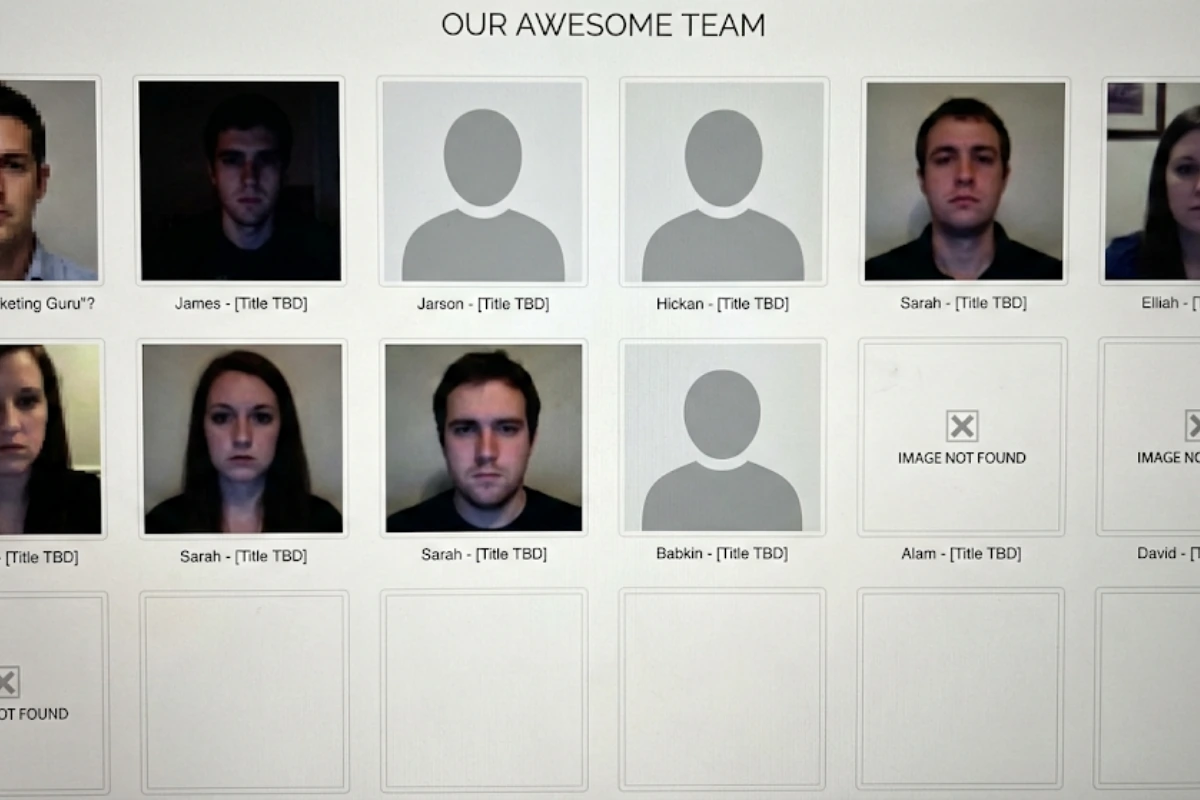
Five variables decide whether a set reads as coordinated or accidental:
| Element | Where it breaks | The fix |
|---|---|---|
| Background | Different rooms, different colors, visible clutter | One approved background, or a small approved set, for every session, no exceptions |
| Lighting | Window light, overhead fluorescents, phone flash | A consistent lighting standard applied the same way in every session, studio or virtual |
| Crop | Some shoulders-up, some full torso, some cropped too tight | One crop ratio and framing rule applied to every photo in the set |
| Expression | Some smiling, some serious, some candids pulled from Slack | A directed session so nobody submits their own “good enough” photo |
| Wardrobe palette | Bright colors next to muted neutrals, patterns fighting each other | A simple wardrobe guideline sent before the shoot. See our what-to-wear guide |

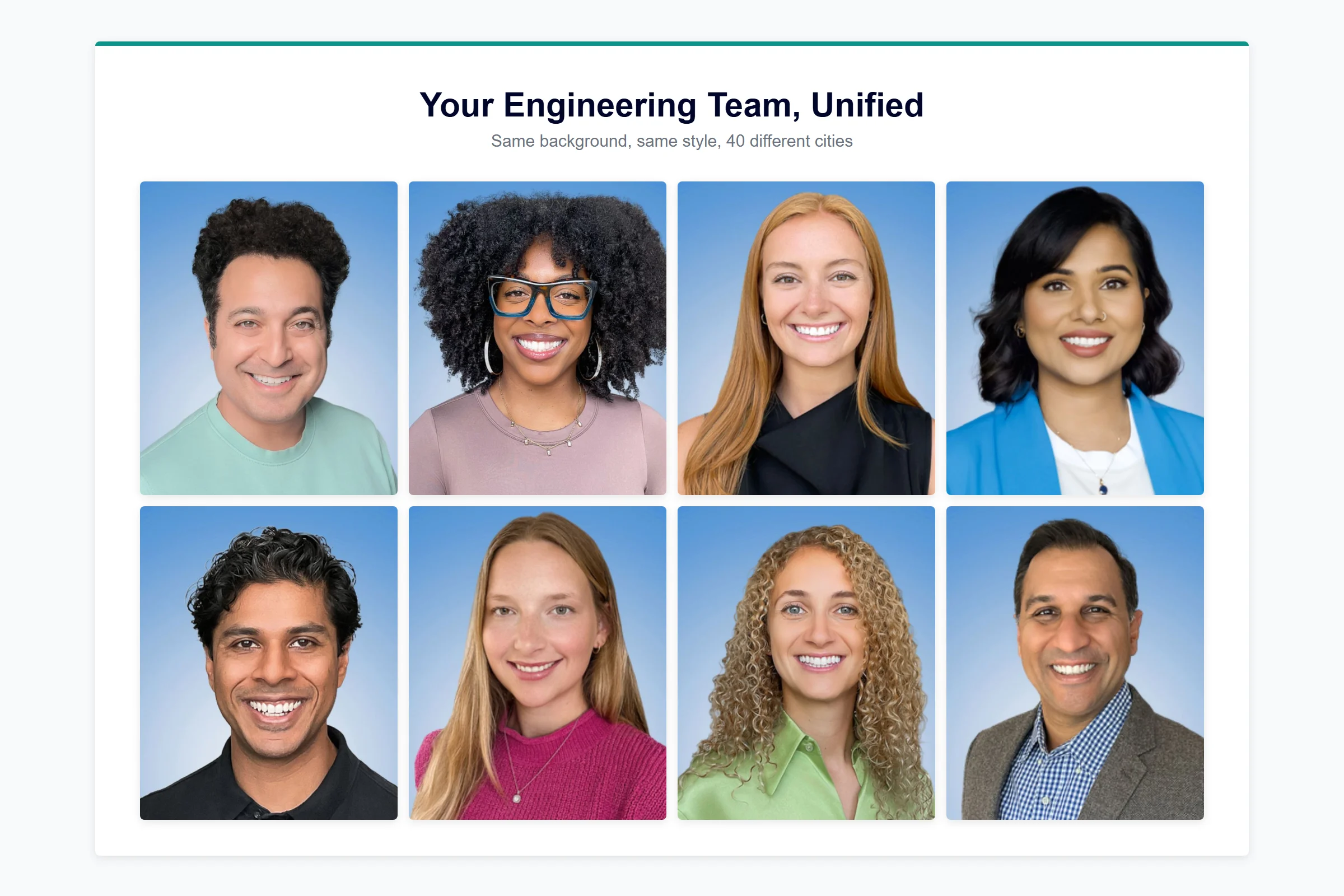
The fix for all five is the same: one photographer (or one directed process) applying one standard, instead of forty people each making their own call about what “professional enough” looks like.
According to Jeff Maldonado, VP of Marketing at AmeriLife, which manages a national network of insurance agents: “Our agents are everywhere. They’re national. We had no mechanism to ensure their headshots met our brand standards. Capturely solves that. We now have standards of formatting, consistent delivery, and everyone’s been on the nose of where we needed to be.”
Where Do Company Team Photos Actually Get Used?
Team photos aren’t a one-time deliverable that sits in a folder. The same set gets reused across four places, and each one has a different reason to care about consistency.
| Where | What it’s doing for you | What breaks if it’s inconsistent |
|---|---|---|
| About / team page | First trust signal for prospects and candidates researching your company | Mismatched photos read as disorganized before anyone reads a word |
| LinkedIn (personal and company page) | Where buyers and candidates actually check you out before a call | An outdated or missing photo cuts profile views and messages |
| Internal directory, Slack, Teams | How a distributed company recognizes each other on a video call | New hires and remote teammates stay strangers longer |
| Sales proposals and pitch decks | The “who you’ll actually work with” slide every deal reviewer flips to | A slide of headshots from three different eras undercuts an otherwise polished proposal |
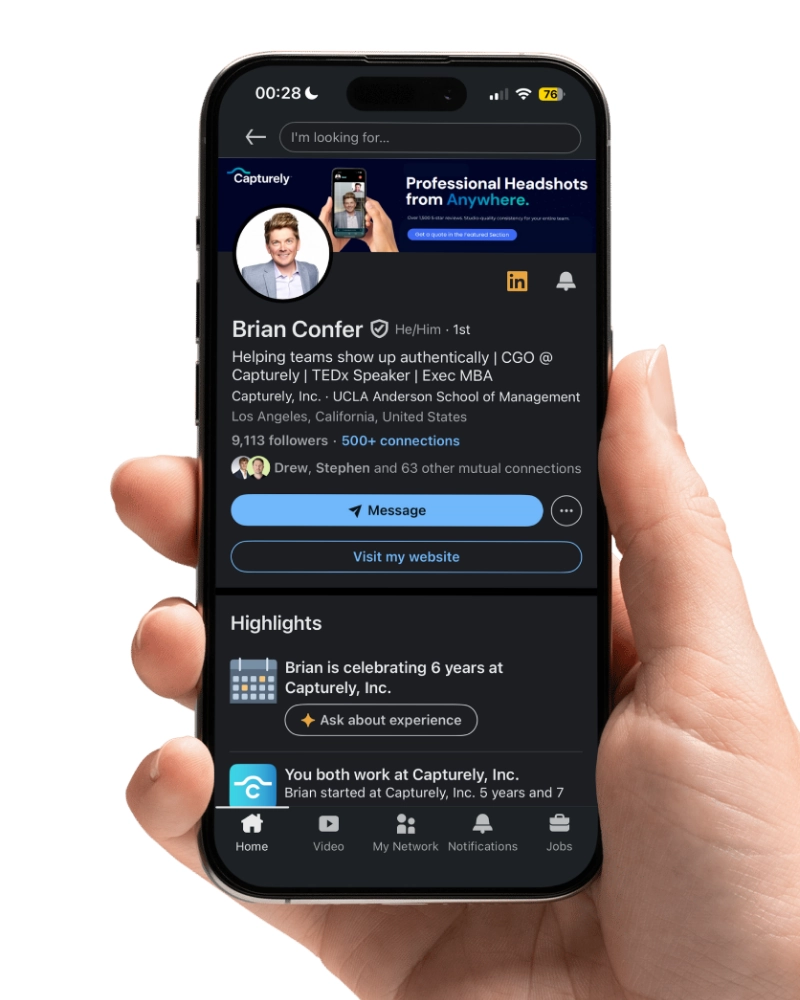
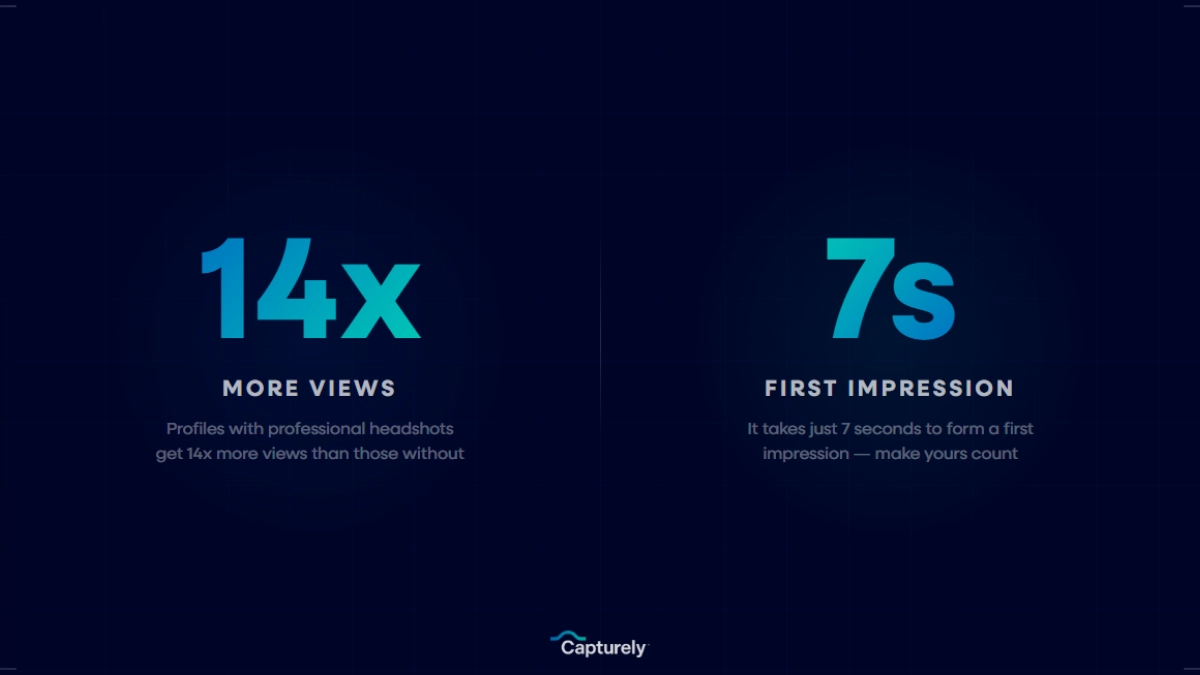
The LinkedIn line item isn’t cosmetic. Profiles with a professional photo get 21x more views and 9x more connection requests than profiles without one (LinkedIn, 2020), and every employee whose headshot doesn’t match the rest of the team page is a weaker version of that same signal on your company’s own site. If you’re deciding what that individual photo should even look like, our LinkedIn profile picture guide covers the specifics.
Brand consistency has a revenue number attached to it too: companies with consistently presented branding see revenue increases of up to 33% (Marq, 2019). A team photo page is one of the most visible, least defended places that consistency either holds or falls apart. For a deeper look at how a coordinated set reflects team dynamics rather than just individual likeness, see our guide to group headshots and team unity.
The perception gap is measurable at the individual level too: on the PhotoFeeler platform, professional headshots scored 75.93% higher in perceived competence than casual, self-taken photos (PhotoFeeler, 2023). One inconsistent photo in an otherwise polished team set drags the whole page toward that lower end.
The sales-deck use case is the one that gets overlooked most often, because nobody owns it the way marketing owns the website. A rep pulls three headshots from LinkedIn, one from an old company badge photo, and one that’s just a cropped video-call screenshot, and drops them onto the “meet your team” slide an hour before a pitch. The deal doesn’t die over it, but it’s one more small thing a prospect notices at exactly the moment they’re deciding whether this company has its act together.
How Do You Get Consistent Team Photos From a Distributed or Remote Team?
52% of remote-capable employees now work hybrid and 27% are fully remote (Gallup, 2025). That’s the entire premise a “picture day” model can’t survive: you can’t fly a photographer to forty home offices, and you can’t make remote employees fly to one. Capturely’s virtual headshot process was built around that exact problem. The process:
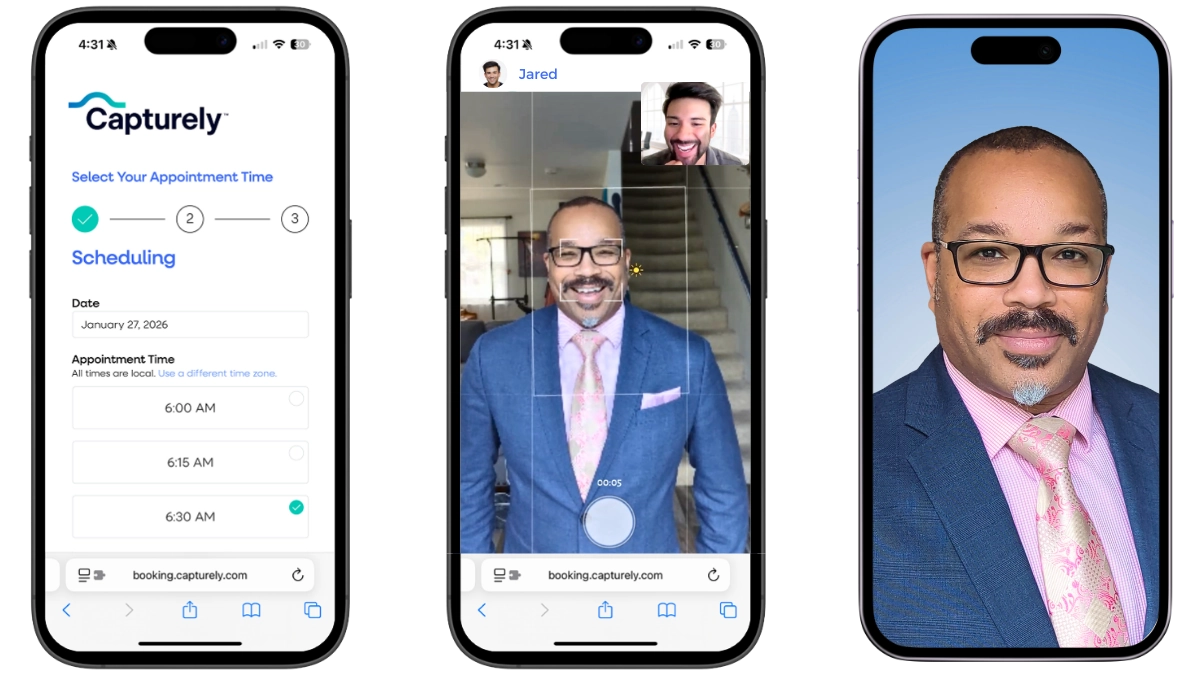
- An admin sends one scheduling link to the team. No app download, no software to install.
- Each person books a 10-minute session from wherever they are, on their own phone.
- A live photographer directs pose, framing, and expression over the session in real time, using the phone’s own rear camera.
- Everyone gets the same background, crop, and retouch style, whether they’re in a downtown office or working from a kitchen table three states away.
- Retouched photos land within 24 hours, ready for the directory, LinkedIn, and the About page at the same time.
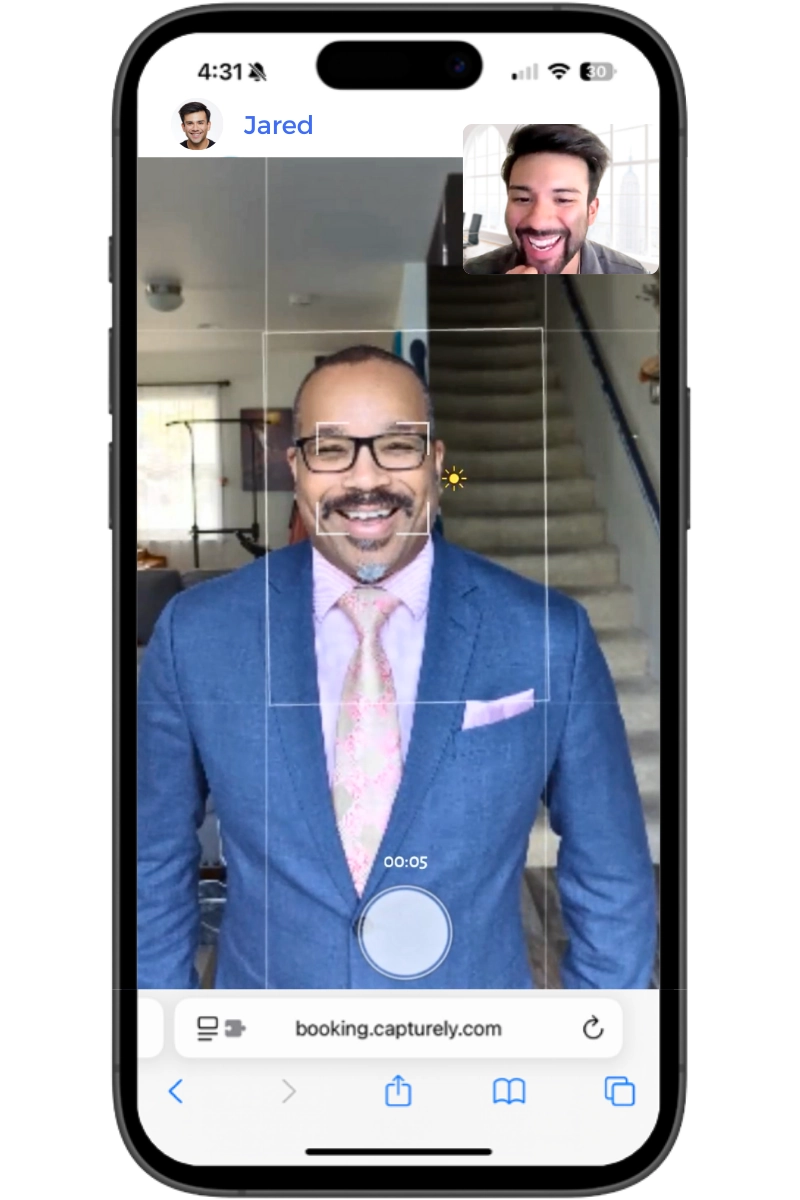
The same model works for a fully in-office team too. It just removes the coordination problem for the distributed case, which is where “team photo day” traditionally broke down. For employees working from home specifically, our at-home headshot guide covers what a good setup actually needs.
Virtual Team Photos vs. Traditional Studio Team Photos
| Traditional studio day | Virtual, live-directed session | |
|---|---|---|
| Scheduling | Everyone blocked out for one day, one location | Self-service booking over 1–2 weeks, any location |
| Consistency | Drifts over an 8-hour shoot as light and photographer fatigue change | Same directed standard applied to every session |
| New hires and stragglers | Left out until the next scheduled shoot, sometimes a year later | Booked individually as they’re hired, no waiting for a batch |
| Cost structure | Studio rental, travel, and day rate, repeated per shoot | Flat per-session pricing, no travel or studio overhead |
| Turnaround | Days to weeks for retouched delivery | 24 hours |
None of this means an in-person photographer produces a worse individual photo. The difference is entirely about what happens when you need the same result forty or four thousand times over, across locations a single photographer can’t physically visit in one day.
Rolling out team photos for a distributed team? Capturely runs every employee through the same directed virtual session, on the same background, delivered in 24 hours. Get an instant quote →
Sarah DiVito at Allucent put it plainly: “It’s been a really helpful way to close some gaps in getting consistent images for our website and other collateral that we use. So it’s been really great. We’ve been really happy.”
How Often Should You Refresh Company Team Photos?
There’s no single study that hands you an exact refresh percentage, so treat the following as trigger points, not laws. What matters is having a rule at all, instead of waiting until someone in leadership notices the About page looks embarrassing in a board deck.
| Trigger | Why it matters |
|---|---|
| 18–24 months since the last shoot | Faces change and styles date a photo. A stale set reads as neglect even when nothing else about the company changed |
| Headcount change of roughly 20% or more | At that point the “team” the photos represent isn’t the team actually on the page anymore |
| A rebrand or new visual identity | Old backgrounds and crops fight the new brand system instead of reinforcing it |
| A merger or acquisition | Two companies’ worth of mismatched headshot styles collide into one roster overnight. See our merger and rebrand guide |
Put the headcount trigger in concrete terms: a 150-person company that hires 35 people in a year has crossed the 20% threshold, and roughly a quarter of the faces in the current photo set no longer work there or were never photographed at all. Nobody schedules a refresh the day that math tips over. Most companies notice six months later, when someone building a careers page or an investor deck realizes half the “team” section is people who left.
Three Situations That Force a Team Photo Refresh
The merger refresh. Two rosters, two headshot styles, one combined directory that has to look like it was always one company. This is the single most common reason we hear from HR and marketing leads for an urgent reshoot. See the full playbook in our merger and rebrand guide.
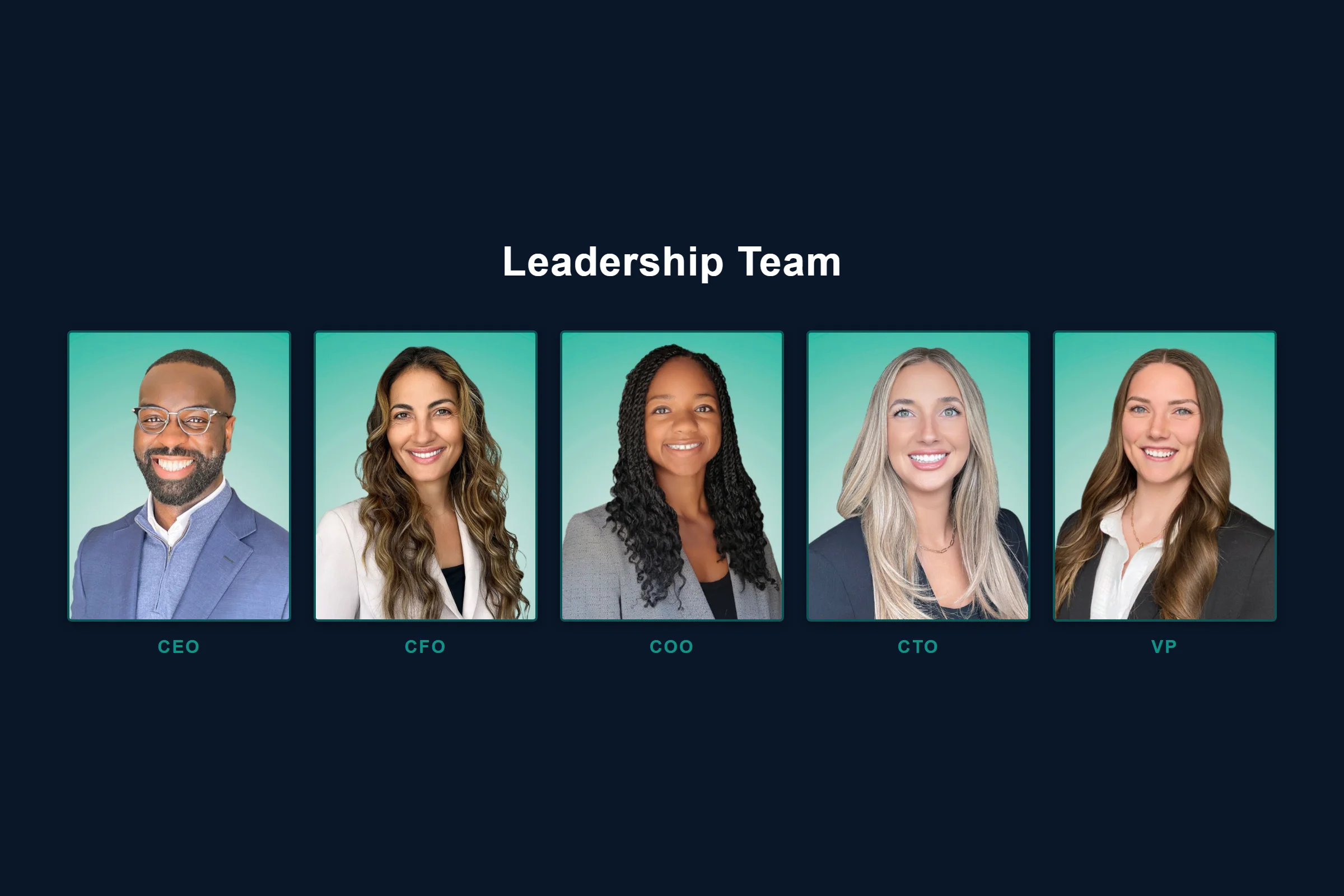
The annual report or investor deck. Leadership team photos get pulled into a new deck every cycle, and a five-year-old executive photo next to four current ones is the kind of small inconsistency a board member actually notices.
The new website launch. A new site design exposes old, mismatched photos instantly, because the new layout has nowhere to hide inconsistency the old design used to bury in dense text.
Going through a merger, rebrand, or site relaunch? Refresh the whole team’s headshots on one background and one timeline, without scheduling a single in-person shoot. Book a free demo →
How Do You Roll Out a Company-Wide Team Photo Project?
The logistics, not the photography, are what actually derail most team photo projects. A working rollout looks like this:
- Pick one background, one crop ratio, one lighting standard, and write it down before scheduling a single session.
- Send the wardrobe guideline days ahead, not the morning of the shoot.
- Give every employee a scheduling link and a deadline, not a single mandatory picture day.
- Assign one owner, usually HR or a marketing coordinator, to track who’s done and chase stragglers.
- Centralize delivery so every finished photo lands in one shared folder or dashboard, not forty separate email attachments.
A bad rollout usually isn’t the photographer’s fault. It’s a mandatory-day calendar invite sent two days out, a wardrobe note nobody read, and a spreadsheet nobody’s updating, so three weeks later someone’s still chasing the 12 people who never showed up. The fix isn’t better photography. It’s fewer moving parts.
Julia Smyth-Young at MAS Labor H-2A summed up why a standardized process matters more than any single photo: “That’s fantastic. I love it. I just love the idea of consistency.”
For a more detailed operational framework, our HR guide to team headshot programs and our company-wide headshot program playbook both walk through the rollout in more depth than fits here.
What Does It Cost to Get Professional Team Photos?
Capturely runs $79 per session for an individual, and teams save up to 45% depending on size, which typically lands between $45 and $79 per person. There’s no separate “team photo” line item and no in-person day rate to negotiate. Every session includes a live photographer-guided direction, edited images, and 24-hour delivery. For a full breakdown against traditional studio day rates, see our professional headshot cost guide.
That price covers the whole reason a consistent set is achievable in the first place: one vendor, one rate, one delivery pipeline, instead of negotiating a studio day rate for the main office and a separate freelance photographer for every remote hire in between. Volume pricing means the math gets better, not worse, as the team grows. That matters most for companies that treat team photos as an ongoing program rather than a once-every-few-years event, since new hires need the same photo the rest of the team already has, not a stopgap until the next batch shoot.
None of this is worth doing for its own sake. A five-person founding team meeting in one room every day can probably still get away with a single afternoon and one photographer, and a company running a one-off event photo doesn’t need a standing program built around it. The framework in this guide earns its keep once a team is distributed, growing, or big enough that nobody can personally vouch for what every employee’s current headshot looks like.
The throughline across all of this is simple: a company team photo isn’t one deliverable, it’s a standard applied consistently and reapplied on a schedule. Get the background, lighting, crop, and wardrobe rule right once, put a refresh trigger on the calendar, and the About page, LinkedIn, the directory, and the next pitch deck all take care of themselves.
Frequently Asked Questions
What makes a good company team photo?
A good company team photo is consistent, not just individually flattering. The background, lighting, crop, and expression should match across every person in the set, so the team reads as one coordinated group instead of forty unrelated snapshots stitched onto one page.
What’s the difference between team photos and team-building photos?
Team photos are a durable, reusable set of individual headshots meant for the About page, LinkedIn, and directories. Team-building photos are candid shots from a retreat or event, meant to capture a moment, not to serve as a professional profile photo for a year or two.
How much should a company team photo cost per person?
Virtual sessions like Capturely’s run $79 per person individually, dropping to $45–$79 per person for teams depending on size. Traditional studio day rates for on-site team shoots typically run higher once travel, studio rental, and coordination time are factored in.
What are good poses for a corporate team photo?
For individual headshots that make up a team set, a slight shoulder angle toward the camera with a direct, engaged expression photographs better than a straight-on, stiff pose. The specific pose matters less than every person in the set using the same one.
How often should a company update its team photos?
Plan on a refresh every 18–24 months, or sooner if headcount changes by roughly 20% or more, the company rebrands, or a merger combines two teams’ worth of mismatched headshot styles into one roster.
Can a fully remote company get consistent team photos?
Yes. A live-guided virtual session applies the same background, lighting, and direction to every employee regardless of location, which solves the coordination problem that used to make remote team photos look inconsistent in the first place.
What should employees wear for team photos?
Solid colors in one general tone family, nothing with visible logos or busy patterns. A shared wardrobe guideline sent a few days before the shoot prevents the mismatched-palette problem that makes an otherwise good photo set look uncoordinated.
Do team photos need to match the company’s brand colors?
The background and overall styling should feel intentional and consistent with brand guidelines, though the photos themselves don’t need to literally use brand-color backgrounds. What matters most is that every photo in the set uses the same background and treatment, so the page reads as one system whether or not that background is a brand color.
Can you combine remote employees’ photos into one composite team photo?
Yes, and this is exactly the problem a coordinated headshot set solves. Instead of splicing together photos taken in different rooms with different cameras, each employee sits for an individually directed session on the same background and lighting standard, so the resulting “composite” team page looks like it was shot in one place even though nobody was ever in the same room.
Ready to fix your team’s headshot inconsistency? Capturely delivers a coordinated, on-brand team photo set for teams of 15 to 5,000, wherever your people are. Get an instant quote →