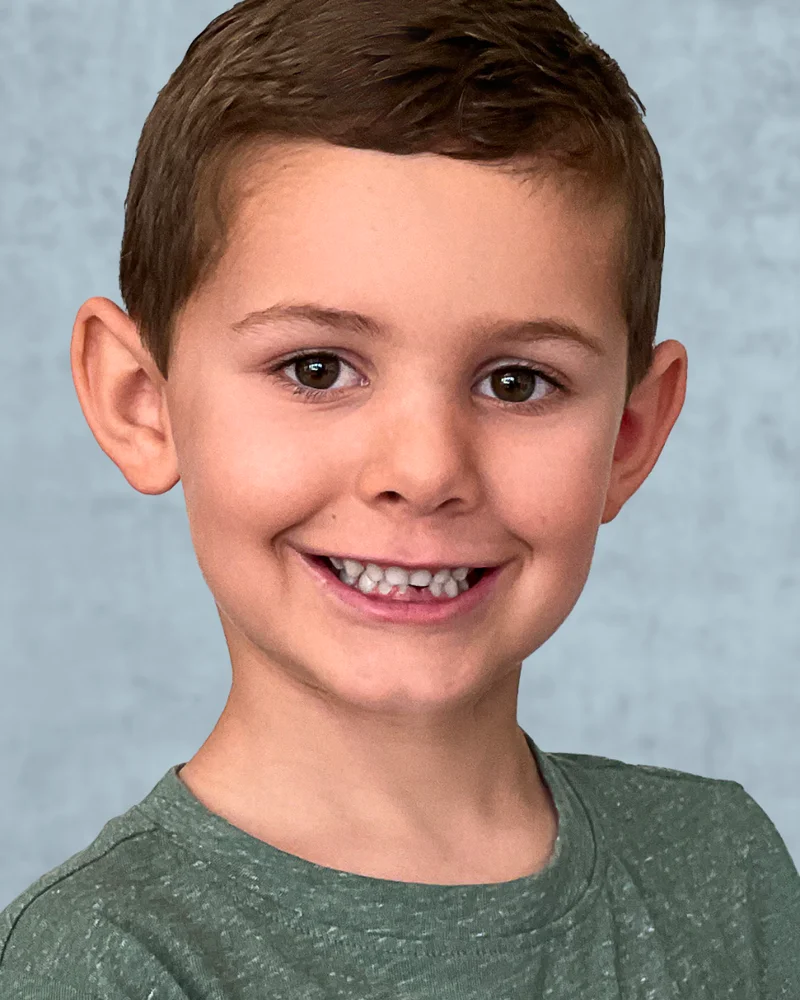
A LinkedIn profile picture is a square head-and-shoulders photo, displayed as a circle, that must reflect your actual likeness under LinkedIn’s 2026 policy. The version that performs: 400 x 400 pixels or larger, your face filling about 60 percent of the frame, a teeth-showing smile, soft front lighting, a clean solid background, and clothing one level above your daily norm. Capturely has delivered over 100,000 of these for teams at Google, Netflix, and McKinsey.
Last updated: May 2026 · Written by Brian Confer, Co-founder at Capturely
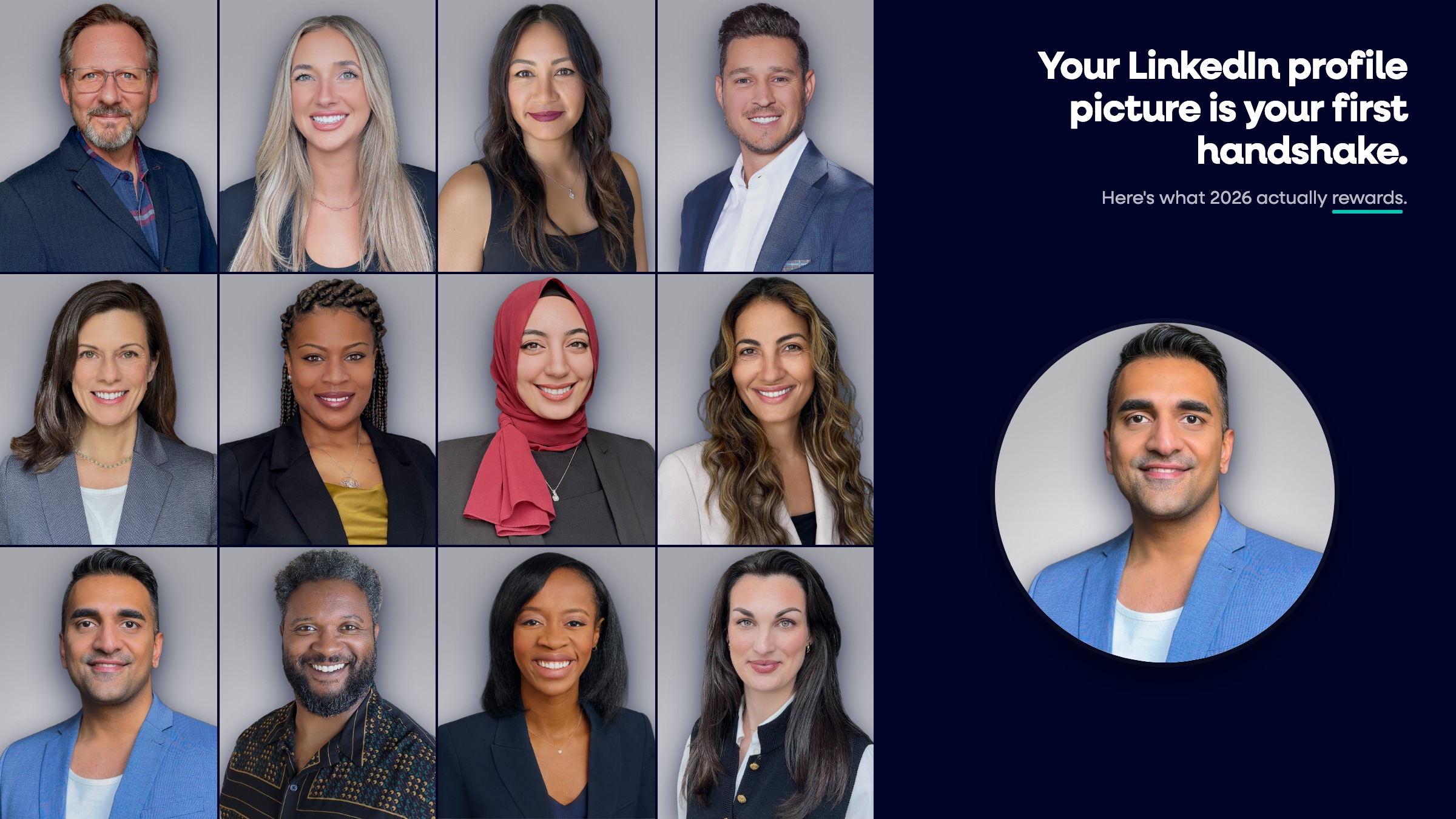
Most LinkedIn profile picture advice is recycled from 2018. The dimensions get repeated wrong, LinkedIn’s actual policy almost never gets quoted, and the AI-photo question is either dodged or answered with a guess. This guide fixes that. It covers what LinkedIn officially allows, the exact 2026 specs, what the research says actually drives views, and how to get a profile picture that holds up to LinkedIn’s newest content rules.
Does a LinkedIn Profile Picture Actually Matter?
Yes. LinkedIn’s own published numbers say profiles with a photo get 21x more views, 9x more connection requests, and 36x more messages than profiles without one (LinkedIn, 2017). That is not a minor lift. It is the single highest-impact edit you can make to a profile.
The reason is timing. People form trait judgments from a face in roughly 100 milliseconds. Princeton psychologists Janine Willis and Alexander Todorov measured this in a 2006 study published in Psychological Science, and the finding has held up across follow-up research (Willis & Todorov, Psychological Science, 2006).
“We have done studies where we could see a face you’ve never seen before for as little as less than one tenth of a second, and that gives enough time to most people to form complex impressions like whether the person appears trustworthy, whether the person appears competent, whether the person appears aggressive.”
According to Alexander Todorov, Ph.D., Professor of Psychology at Princeton University, in a 2019 lecture on face perception.
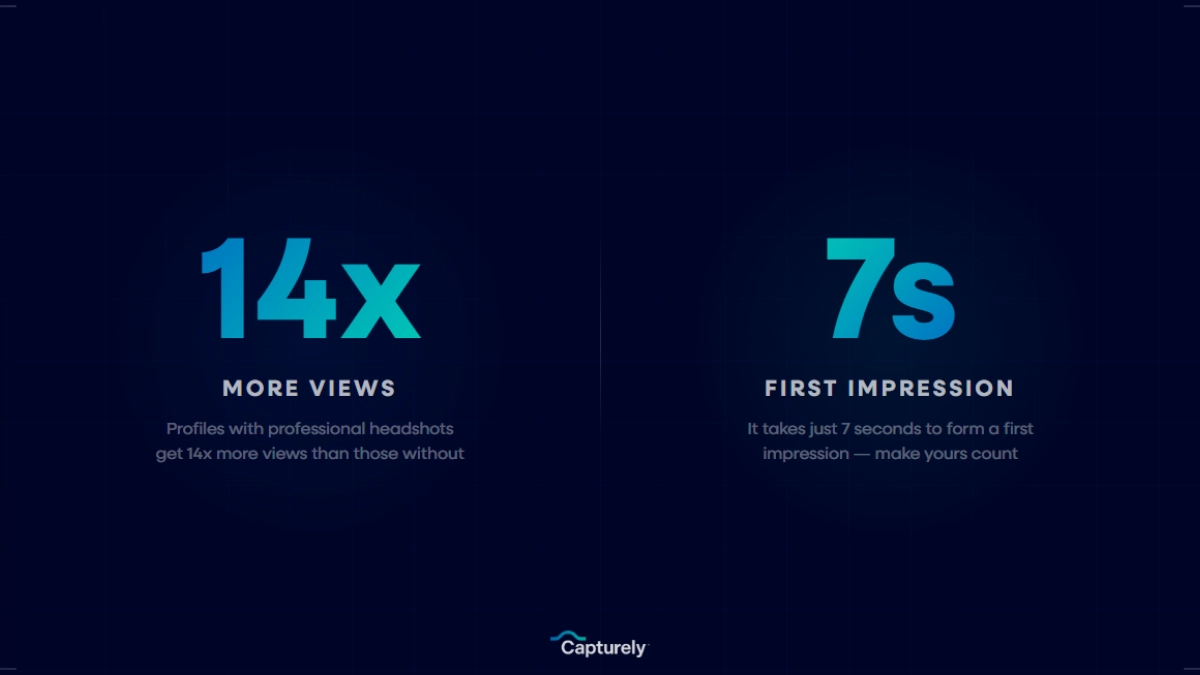
The recruiter side is just as one-sided. A 2024 Ringover survey of 1,087 US-based recruiters found 88 percent want to know if a candidate’s headshot is AI-generated, and only 39.5 percent can reliably tell on first look (Ringover, 2024). The implication: your profile picture is doing more work than you think, with people who are paying closer attention than you assume.
Peter Hurley, the photographer who basically named the modern headshot category, puts it cleanly:
“Lookability is the image’s ability to secure attention from an onlooker. I want them to stop the scroll, stop the feed, look at the LinkedIn profile, click on it, make it bigger, let’s see what this person’s all about.”
According to Peter Hurley, professional headshot photographer and author of The Headshot, in a 2022 Good Morning America interview.
What Does LinkedIn’s Profile Picture Policy Actually Say?
LinkedIn’s policy is shorter than most people think, and it has one core rule: your profile photo must reflect your likeness. That single line, from LinkedIn’s Help Center, is what every other rule extends from. You are allowed an illustration, caricature, or other artistic rendering of yourself. You are not allowed to use someone else.
LinkedIn will remove profile photos that consist solely of:
- Company logos
- Avatars, emojis, or cartoons
- Landscapes
- Animals or pets
- Words, phrases, or flags
- Childhood or baby photos
- Other people’s likenesses, including stock imagery, celebrities, and fictional characters
The enforcement edge most users do not know about: after three removals, LinkedIn permanently revokes your ability to upload a profile photo. That is in the same help article. If you cycle through three policy-violating images, you lose the photo slot entirely.
There is also a broader rule in the Professional Community Policies: no synthetic or manipulated media depicting a person saying or doing something they did not, without clear disclosure. That rule is what gives LinkedIn cover to remove a fake or impersonating profile picture, even one that is technically a real photo of someone.
What Size Should a LinkedIn Profile Picture Be in 2026?
The LinkedIn-recommended size for a profile picture is 400 x 400 pixels, with a hard minimum of 200 x 200 pixels and a maximum upload of 7680 x 4320 pixels at 8 MB. The image is a 1:1 square on upload and displays as a circle on every device. Supported formats are JPG, PNG, and GIF.
| Specification | 2026 Requirement |
|---|---|
| LinkedIn-recommended size | 400 x 400 pixels |
| Practical upload recommendation | 800 x 800 pixels (sharper on Retina and 4K screens) |
| Minimum size | 200 x 200 pixels |
| Maximum size | 7680 x 4320 pixels |
| Aspect ratio | 1:1 (square upload, circular display) |
| Maximum file size | 8 MB |
| Supported formats | JPG, PNG, GIF |
| Profile page display | ~200 pixels diameter |
| Search and comments display | ~56 pixels diameter |
| Banner / cover image | 1584 x 396 pixels (4:1) |
The two numbers that matter for design choices are the display sizes, not the upload size. Your photo lives at 200 pixels on your profile and 56 pixels in search results and comments. At 56 pixels, your face is the entire image. There is no room for a busy background or a body shot. That is the single biggest reason “face fills 60 percent of frame” comes up in every headshot guide. It is the only crop that survives the mobile thumbnail.
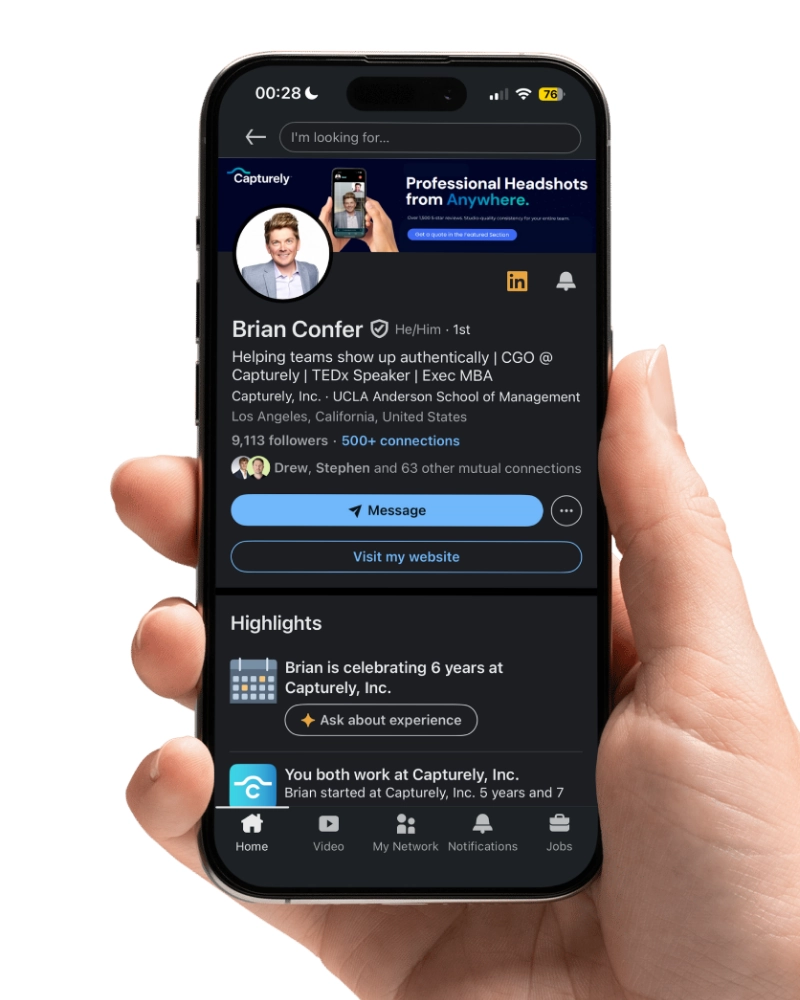
One practical tip the official specs do not mention: PNG holds up better than JPG after LinkedIn’s server-side compression, especially at the edge of the face against a contrasting background. If you have the option, upload PNG.
What Makes a LinkedIn Profile Picture Actually Work?
The research on this is more settled than most career advice would suggest. PhotoFeeler analyzed roughly 60,000 ratings across 800 business profile photos and published the variable-by-variable impact (PhotoFeeler, 2013). The HeadShots Inc. follow-up study, run through the same PhotoFeeler platform with 243 participants and 240 reviewers, measured a +75.93 percent perceived competence lift from a professional headshot versus an amateur photo (HeadShots Inc., 2019).
Across both studies, the same six variables show up:
- Teeth-showing smile. Largest single positive effect of any variable PhotoFeeler tested. Plus 1.35 likability, plus 0.33 competence, plus 0.22 influence.
- Squinching eyes. A slight narrowing of the lower lids. Plus 0.33 competence, plus 0.37 influence.
- Formal dress. Biggest competence and influence drivers. Plus 0.94 competence, plus 1.29 influence.
- Face fills the frame. Full-body shots cost 0.29 in both competence and influence. Extreme close-ups cost 0.21 likability.
- Clear, visible eyes. Sunglasses cost 0.36 likability. Anything obscuring the face (hair, shadow, glare) costs 0.29 competence and 0.31 influence.
- Clean, simple background. Background color does not significantly move scores. Background clutter does. Solid backgrounds win.
Ann Pierce, who co-founded PhotoFeeler, framed why this matters more than people realize:
“Photos create very strong impressions instantly, so people should care a little bit more, maybe think a little bit more before changing their photo. People Google you, maybe an acquaintance, maybe a job recruiter, and they’re forming this impression instantly.”
According to Ann Pierce, Co-founder of PhotoFeeler, in a 2014 on-camera interview.

This guide is the broad overview. For a deeper element-by-element breakdown with examples, see our companion post on the best professional headshot for LinkedIn. For the wardrobe rules behind “formal dress,” see our guide on what to wear for professional headshots.
Are AI-Generated Profile Pictures Allowed on LinkedIn?
LinkedIn allows AI-enhanced profile photos as long as they still reflect your actual likeness. Fully synthetic images that do not look like you violate the “must reflect your likeness” rule and are removable. This is the most current official stance, from a LinkedIn spokesperson to CBS News in February 2026:
“We recommend being authentic in your profile picture as this helps maintain trust. We do allow the use of tools, including AI, to enhance or create profile photos. However, the photo must reflect your likeness. LinkedIn can remove photos that don’t comply with their policies.”
According to a LinkedIn spokesperson, quoted by CBS News in February 2026.
That last sentence does most of the work. AI editing on a real photo is fine. A fully fabricated face that does not match the person on the Zoom call is not. The line is likeness, not technology.
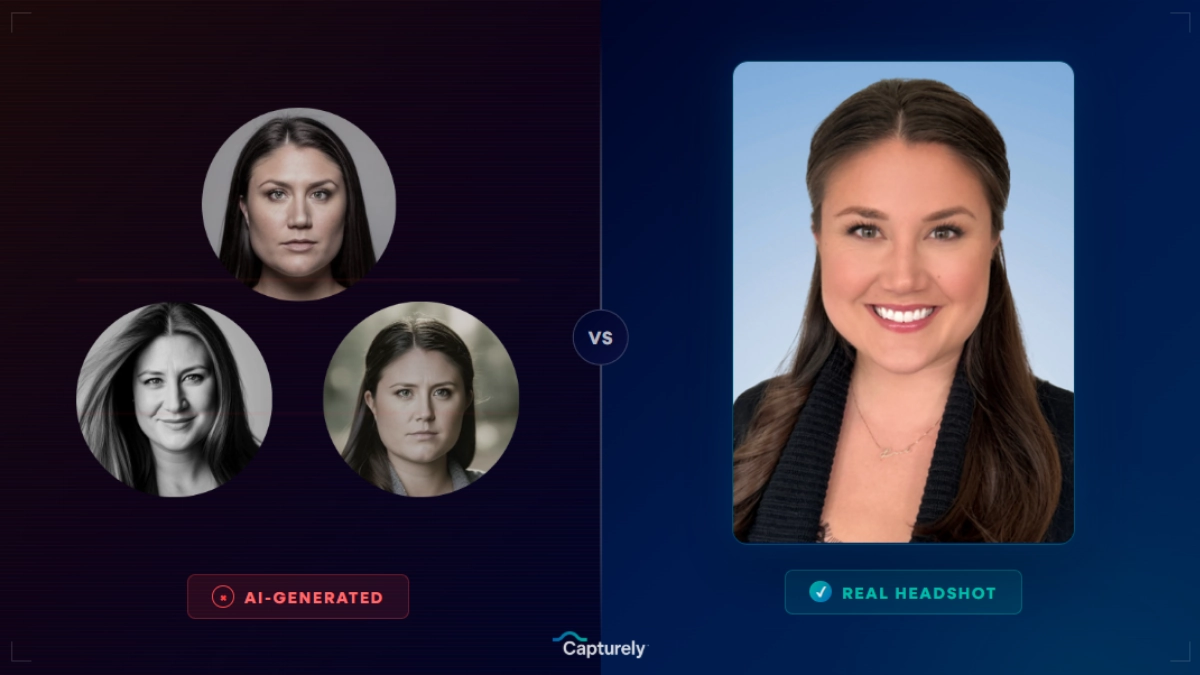
The bigger problem with fully AI-generated profile pictures is not legal, it is reputational. The Ringover study of 1,087 recruiters found 66 percent react negatively when they learn a profile photo is AI-generated, even when they could not detect it on first look (Ringover, 2024). Capturely’s own 2026 survey of 1,600 professionals found 38 percent described AI-generated headshots as “soulless” (Capturely, 2026). The risk is not getting banned. The risk is showing up to a video call looking obviously different from your photo, and watching the trust evaporate.
There is also a regulatory layer worth knowing about. The EU AI Act’s Article 50 transparency rules take effect on August 2, 2026, requiring providers of generative AI to mark outputs in machine-readable format and deployers to visibly disclose deepfakes (European Commission, 2026). Profile pictures sit in a gray area, but the trend is clear: synthetic faces are getting more scrutiny, not less.
If you want the deeper comparison, our guide on AI headshot generators for LinkedIn walks through how the major tools work and where they fail.
Real photos, no synthetic faces. Capturely delivers professional LinkedIn profile pictures from a 10-minute virtual session with a real photographer. Three edited images in 24 hours. Get your instant quote →
What Should You Wear for a LinkedIn Profile Picture?
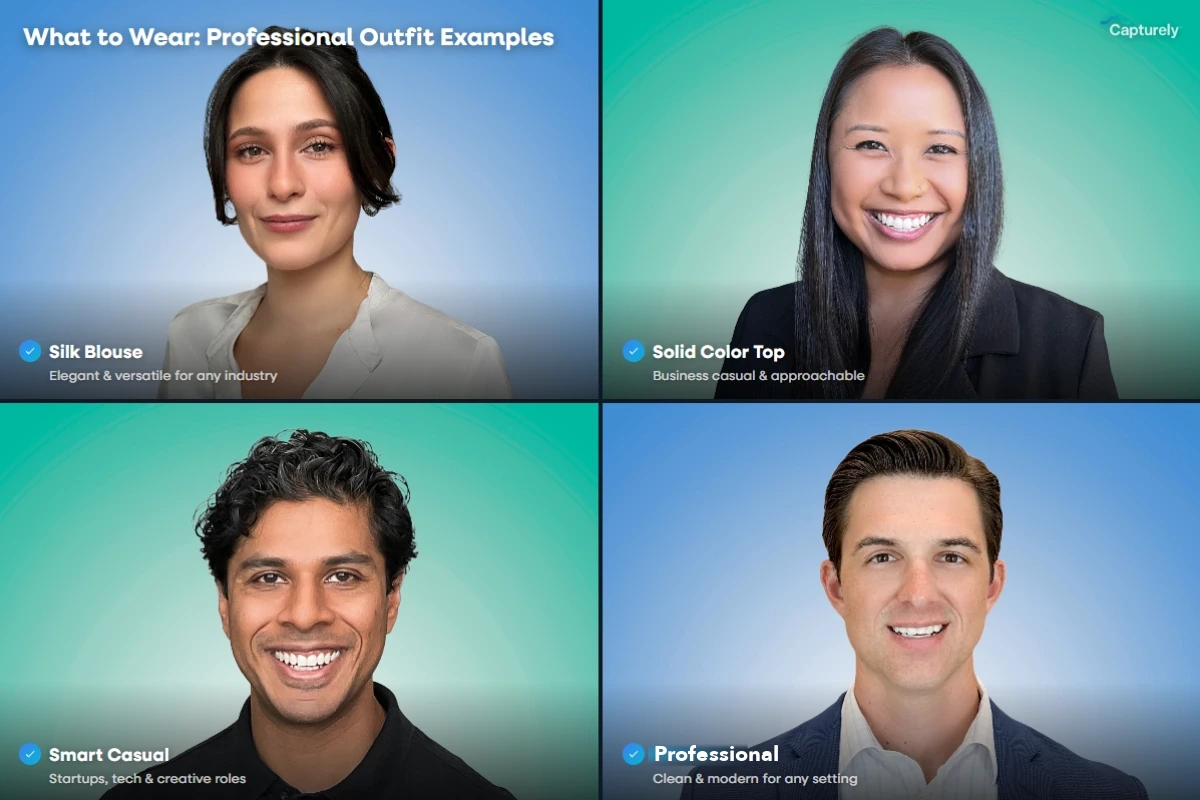
Dress one level above what you wear to work on a normal day. That is the universal rule. The execution shifts by industry, and the differences are not trivial. A look that signals trust in finance reads as overdressed and stiff in tech. A look that signals approachability in healthcare reads as underdressed in law.
| Industry | Attire | Background | Expression |
|---|---|---|---|
| Finance / Banking | Tailored navy or charcoal suit, neutral tie or blouse, minimal accessories | Neutral gray, slate blue, or white | Composed, confident, light smile |
| Law / Legal | Conservative dark suit, polished, direct eye contact | Dark gray, navy, or muted gradient | Direct, authoritative, slight smile |
| Technology / Startup | Smart casual to business casual, solid blues and grays, no logos | Lighter gray, soft blue, or branded teal | Approachable, natural smile |
| Healthcare | Professional attire or white coat for clinicians, jewel tones | Warm neutral, soft blue, or off-white | Warm, genuine, teeth showing |
| Consulting / Professional Services | Blazer over solid-color shirt or blouse, no patterns | Mid-gray, navy, or branded color | Confident, approachable smile |
| Real Estate | Branded blazer or polished business casual | Brand color or outdoor neutral | Warm, trustworthy, friendly |
| Creative / Marketing | Smart casual with personality (color, texture) | Soft white, gradient, or environmental | Natural, expressive smile |
Two rules hold across every industry. Solid colors photograph better than patterns. Long sleeves always beat short sleeves at the head-and-shoulders crop. Anything loud or logo-heavy steals attention from your face, and the face is the entire point of the image.
How Often Should You Update Your LinkedIn Profile Picture?
Update your LinkedIn profile picture every two to three years, or sooner if your appearance has changed in a way someone meeting you in person would notice. New glasses, a meaningful weight change, a different hairstyle, a beard you grew or shaved, going gray. Any of those is a reason to refresh. There is no LinkedIn-published rule on cadence, but the industry consensus across photographers and career coaches is two to three years on the outer edge.
LinkedIn Career Expert Andrew McCaskill has put it more bluntly:
“A LinkedIn profile that has a picture on it gets viewed 21 times more than a LinkedIn profile without a picture. Your LinkedIn profile photo should show you wearing the same kind of clothes that you would wear to a job interview.”
According to Andrew McCaskill, Career Expert at LinkedIn, on NBCU Academy.
The roles that should update more often:
- Sales, business development, account management. Annual refresh. Your photo is part of every cold outreach you send.
- Consultants and client-facing professional services. Annual or every 18 months. Prospects look you up before every meeting.
- Executives and board members. Annual, with versions that match different board, investor relations, and conference contexts.
- Recruiters and hiring managers. Annual, since candidates judge you the same way you judge them.
- Job seekers in any active search. Within the last 12 months, no exceptions.
The trap is the time capsule photo. A photo more than five years old does not protect you from looking older. It just creates a credibility gap the first time someone meets you on video. The goal is to look like you on a good day, not like you ten years ago.
What Are the Worst LinkedIn Profile Picture Mistakes?
The single biggest mistake is not having a profile picture at all. Roughly half of LinkedIn’s 1.2 billion members still have a default avatar or no photo. Those profiles eat the full 21x view penalty (LinkedIn, 2017). Any clean photo beats no photo.
After that, the recurring patterns:
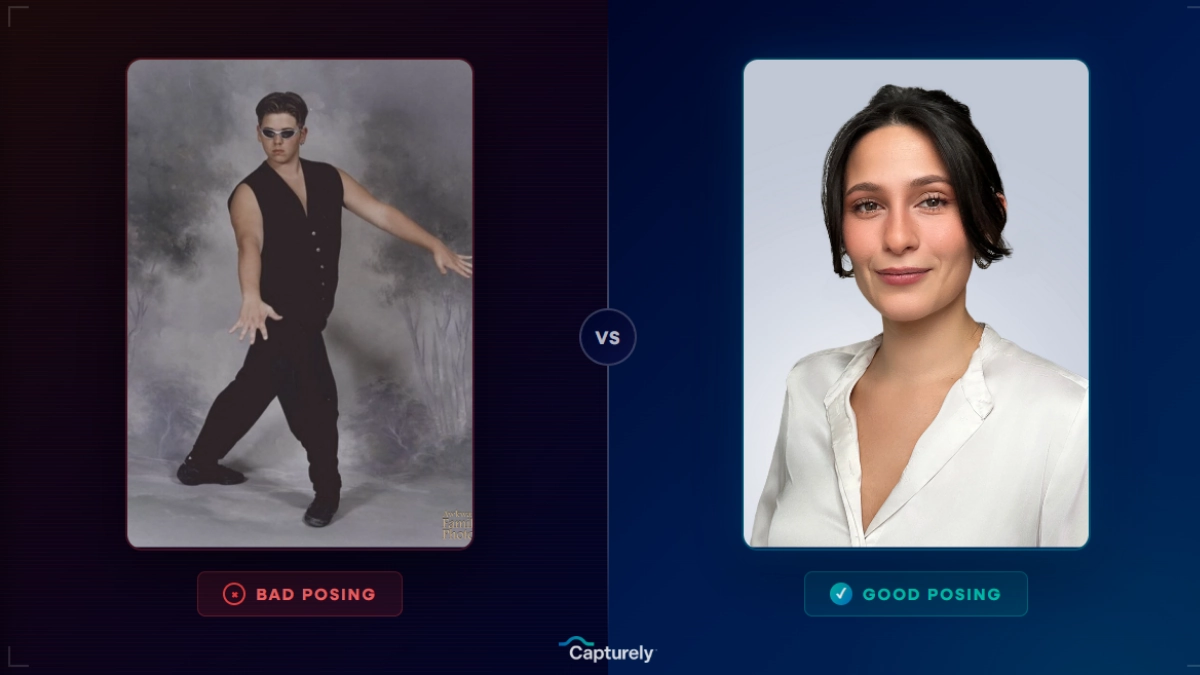
- The selfie. Front-facing phone cameras distort facial proportions at close range. A 2024 CV-Library survey found 61.2 percent of recruiters say selfies are unacceptable for LinkedIn (CV-Library, 2024). If you have to use a phone, always use the rear camera.
- The cropped wedding photo. Recruiters spot the formal attire, the outdoor lighting, and the mystery arm draped over a shoulder. It signals you did not care enough to take a real headshot.
- The cropped group shot. Someone else’s shoulder in frame, resolution shot from the enlarge, off-center composition. JDP’s analysis of 2,000 LinkedIn profiles found 15 percent used cropped group photos (JDP, 2021).
- The car selfie. Seatbelt, rearview mirror, drive-through parking lot. Reads as “I grabbed this between meetings,” which is exactly how it reads.
- The vacation shot. Beach, restaurant, landmark. Even if you look great, the context undermines the professionalism.
- The over-filtered portrait. Heavy skin smoothing, dramatic color grading. PhotoFeeler measured a 0.31 competence hit and 0.35 influence hit from high color saturation (PhotoFeeler, 2013).
- The time capsule. If the photo predates your current hairstyle by more than three years, it is working against you.
- The company logo. Violates LinkedIn’s policy. Will be removed if reported.
How Do You Get a Professional LinkedIn Profile Picture?
You have four realistic options in 2026. Each one is right for a different situation.
| Method | Cost | Time to delivery | Team consistency | Trade-off |
|---|---|---|---|---|
| Traditional studio | $150 to $450 per person | 1 to 3 weeks | Hard (everyone has to travel) | High quality, painful logistics |
| AI headshot generator | $29 to $59 per person | 30 to 60 minutes | Variable | Fabricated face, in-person disconnect risk |
| Virtual session (Capturely) | $45 to $79 per person | 24 hours | High (same direction, same retouching) | Phone-based, real photographer, real photo |
| DIY at home | $0 | 10 minutes | None | Free, but emotionally flat without direction |
Traditional Photography Studio
Book a local photographer, go to a studio, get photographed. The gold standard for a single individual who wants maximum control over lighting, backdrop, and wardrobe. Expect $150 to $450 depending on the city, and one to three weeks for edited files. Works for solo professionals. Falls apart for any team with people in different cities. For the full pricing breakdown, see our professional headshot cost guide.
AI Headshot Generator
Upload 10 to 15 selfies, get AI-generated images in minutes. Services like HeadshotPro and BetterPic charge $29 to $59. Fast and cheap, but the output is a fabricated face, not a photograph. Even if it passes the LinkedIn likeness rule, the in-person disconnect on the first video call eats the credibility you were trying to build.
Virtual Session With a Real Photographer
The option most people do not know exists. A live photographer connects to your phone through a secure link, directs the shoot in real time using the rear camera, and a retouching team delivers three edited images within 24 hours. No app download, no studio visit, ten minutes from start to finish. This is what Capturely built. $79 per session for individuals, with team rates from $45 to $79 per person depending on volume.
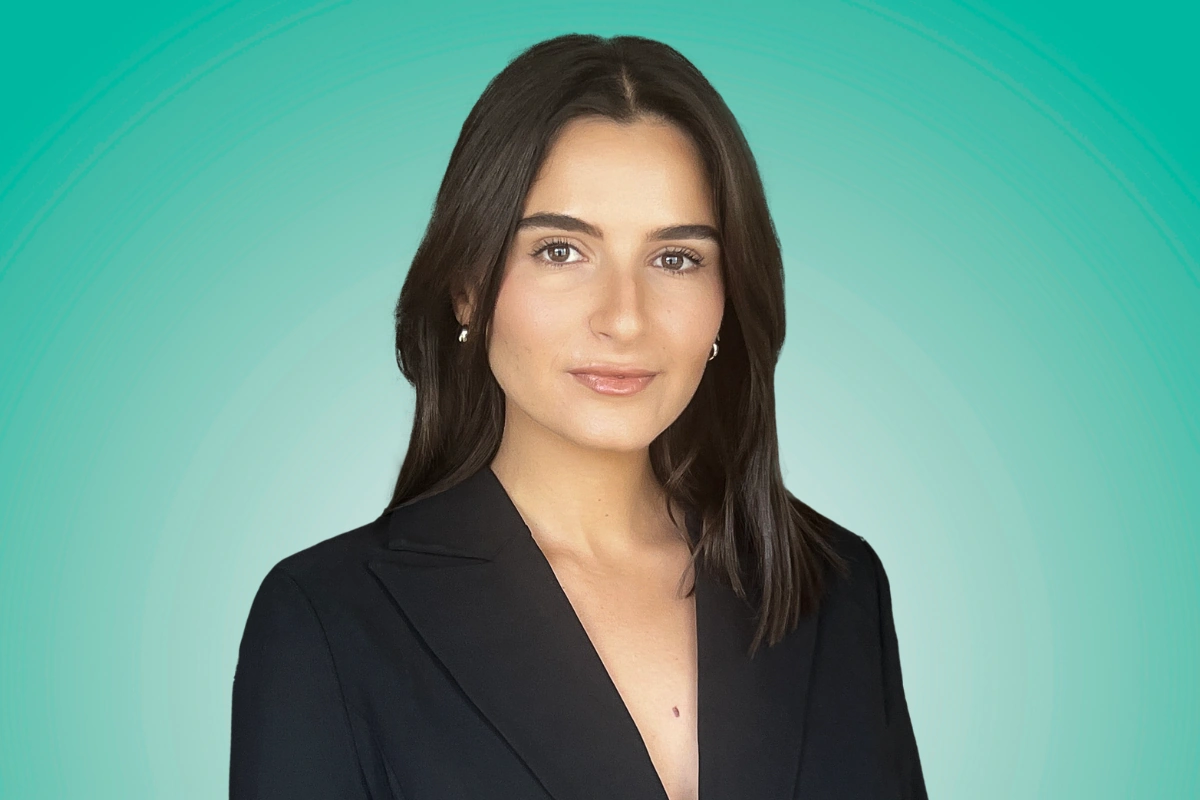
Works for anyone who wants real photos without leaving home, and especially for teams that need consistent profile pictures across distributed offices.
DIY at Home
Find a window with soft, indirect natural light. Stand against a plain wall. Have someone else hold your phone at arm’s length, using the rear camera, and take 50 to 100 shots. Pick the three best. Free, and the technical quality can be decent if the light is right. The hard part is the direction. Without a photographer catching the head tilt, the shoulder angle, and the micro-expression difference between “confident” and “tense,” most DIY photos end up technically fine but emotionally flat. If you go this route, our guide on how to take professional headshots at home walks through the setup.
How Do You Standardize LinkedIn Profile Pictures Across a Team?
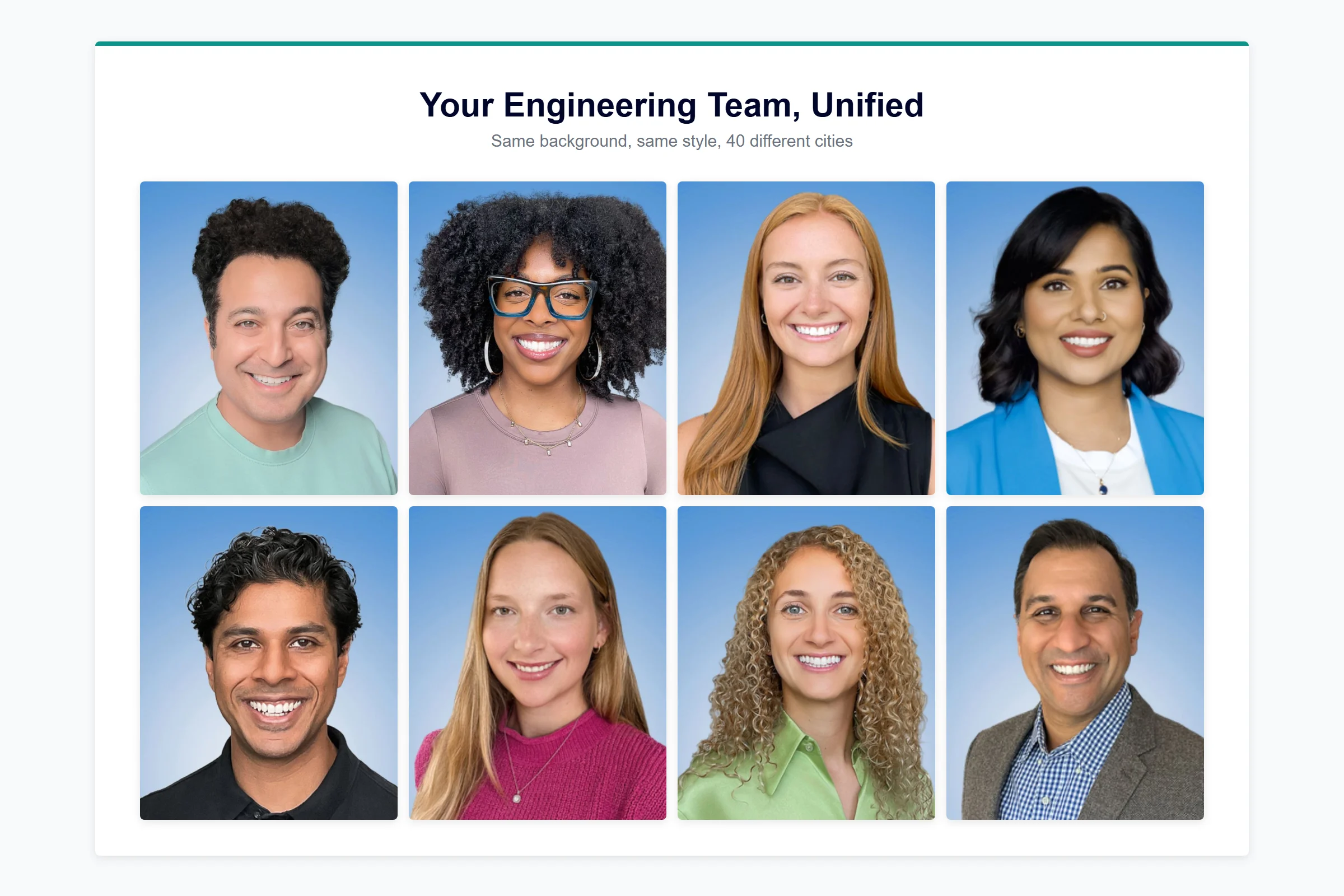
If you are a Marketing Director or HR leader, your team’s LinkedIn profiles are an extension of your company’s brand. Right now most of them are inconsistent. Different backgrounds, different decades, different framing. One person has a studio headshot from 2019. Another has a cropped Zoom screenshot. Two people have no photo at all.
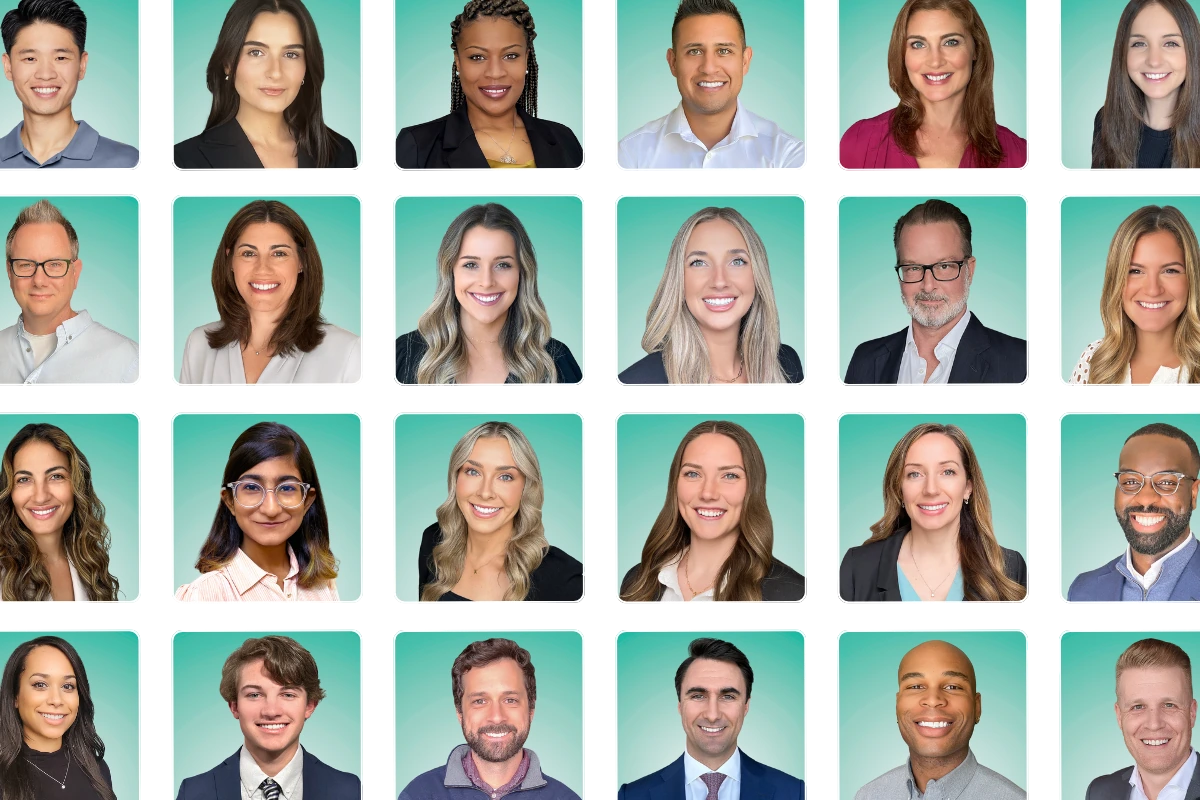
The reason this matters: employee-shared content on LinkedIn drives roughly 8x the engagement of the same content posted by a company page. When your team posts, comments, and connects, their profile pictures are the first impression your brand makes. A mismatched team page is a mismatched brand.
Standardizing means choosing one background style, one framing standard, and one retouching level, then getting every employee photographed against those exact specs. The logistics of doing that across a distributed team is the entire reason virtual headshot services exist.
“We’re really in the first impressions business if I’m being honest, because what we do is help folks to be able to essentially have their digital version of themselves online. And in this Zoom era, it needs to look like the person that I meet on Zoom or person in person.”
According to Brian Confer, Co-founder of Capturely, on the Sales and Marketing Podcast in March 2026.
For deeper play-by-play on running a team headshot program, including budget framing for leadership and rollout templates, see the best professional headshot for LinkedIn guide and our LinkedIn photo tips article. For broader context on professional headshot use cases beyond LinkedIn, the complete professional headshots guide covers the full picture.
What Are the Latest LinkedIn Profile Picture Trends?
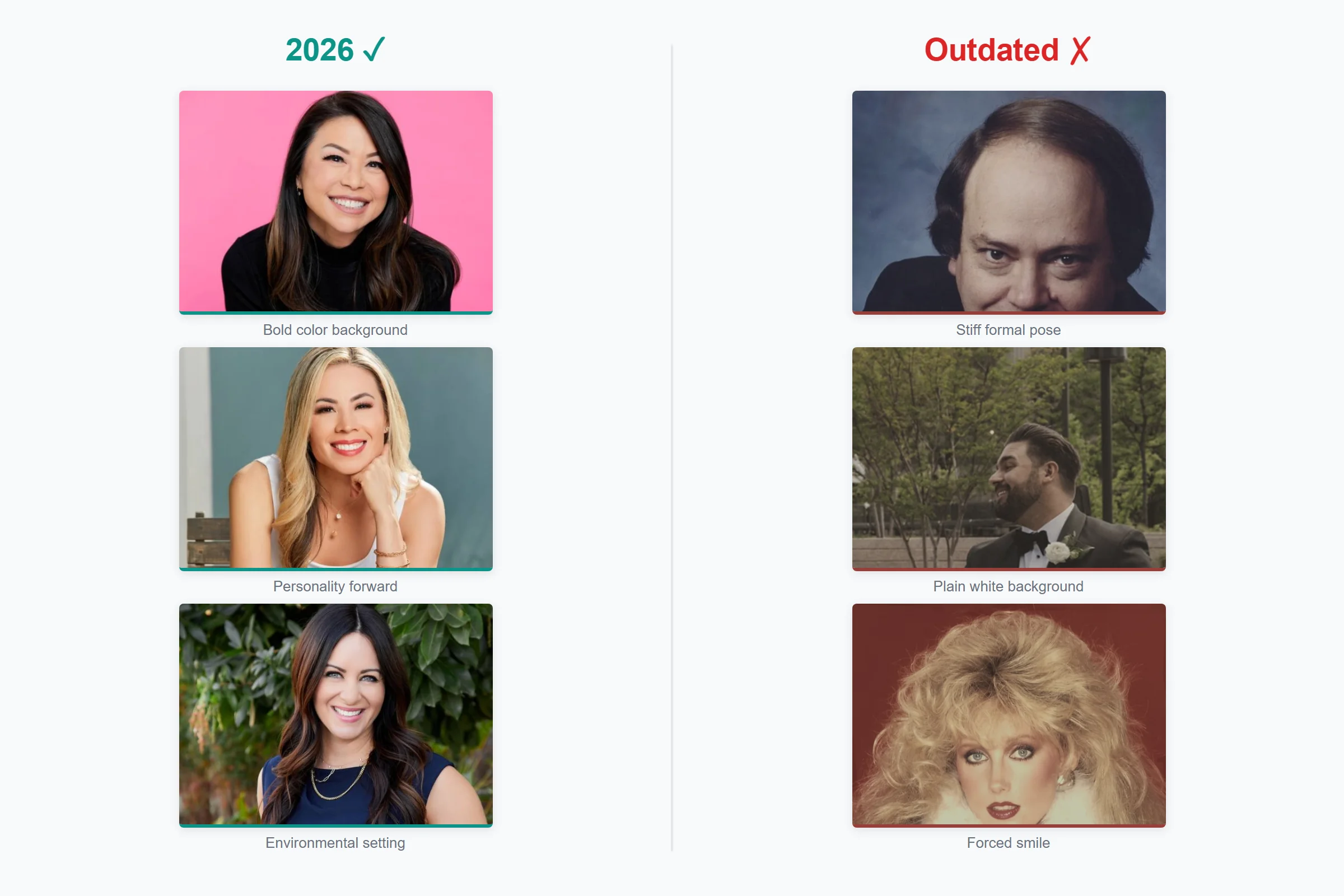
Three shifts are visible in the 2026 data. Warmer, less-formal looks are gaining ground in tech, marketing, and creative industries. Branded backgrounds (a brand color rather than gray or white) are showing up more on company-coordinated team pages. The “professional but not stiff” expression, a soft genuine smile with relaxed shoulders, is replacing the closed-mouth corporate stare across most non-finance roles.
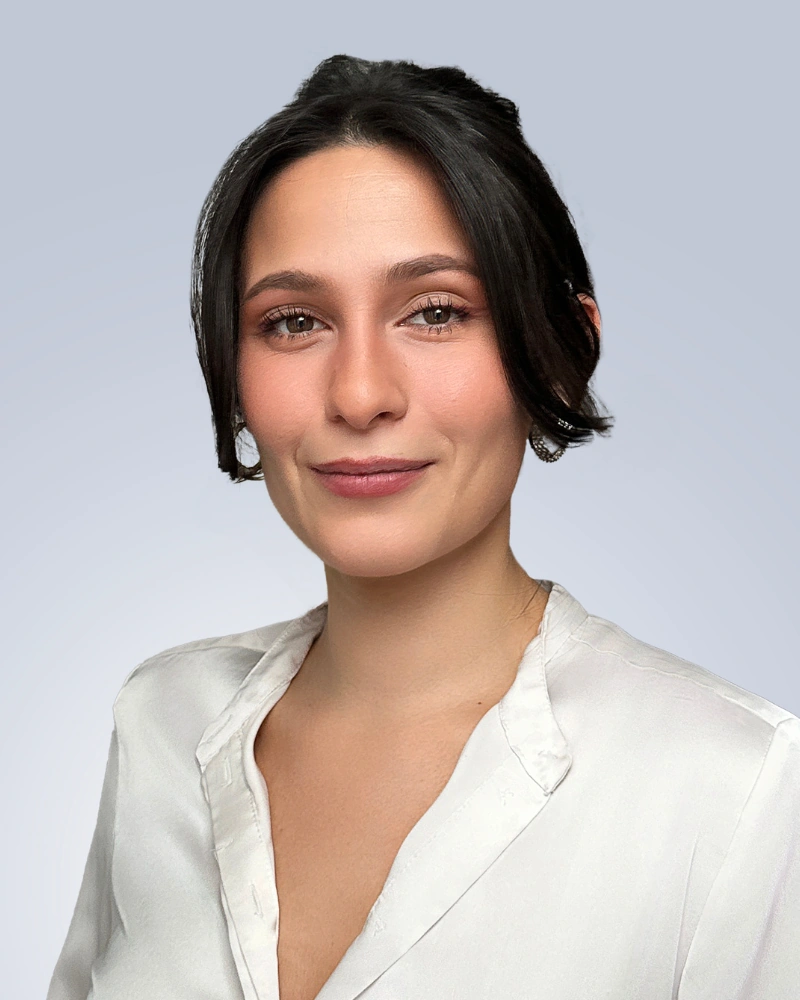
What is going away: the stiff black-and-white corporate portrait outside of law and finance, the overly retouched glamour-style headshot, and any photo that looks like a stock image. The general direction is “real, but elevated.” For more on what is in and out this year, see our 2026 professional headshot trends guide.
Need consistent LinkedIn profile pictures for your entire team? Configure your look, see volume pricing, and book sessions in under 30 seconds. Real photographers. 24-hour delivery. Used by Google, Netflix, and McKinsey. Get your team quote →
Frequently Asked Questions
What size should a LinkedIn profile picture be in 2026?
LinkedIn recommends 400 x 400 pixels in a 1:1 square aspect ratio, with a minimum of 200 x 200 pixels and a maximum of 7680 x 4320 pixels at 8 MB. Supported formats are JPG, PNG, and GIF. For the sharpest display on Retina and 4K screens, upload at 800 x 800 pixels in PNG format, since PNG holds up better than JPG after LinkedIn’s server-side compression (LinkedIn, 2026).
Is it OK to use an AI-generated photo on LinkedIn?
LinkedIn allows AI-enhanced profile photos as long as they reflect your actual likeness, per a February 2026 spokesperson statement to CBS News. Fully synthetic images that do not look like you violate the “must reflect your likeness” rule and can be removed. The practical risk is reputational. 66 percent of recruiters react negatively when they learn a profile photo is AI-generated, even when they cannot detect it on first look (Ringover, 2024).
Should I smile with teeth in my LinkedIn profile picture?
Yes, for nearly every industry. PhotoFeeler’s analysis of 60,000 ratings across 800 business photos found a teeth-showing smile produces the largest single positive effect of any variable tested: plus 1.35 likability, plus 0.33 competence, plus 0.22 influence (PhotoFeeler, 2013). The narrow exception is senior finance, law, and certain authority-heavy roles, where a confident closed-mouth expression can work. For most professionals, show your teeth.
How often should I update my LinkedIn profile picture?
Every two to three years, or sooner if your appearance has changed in a way someone meeting you in person would notice. Sales, consulting, executive, and any job-search-active role should update annually. There is no LinkedIn-published rule on cadence, but the industry consensus across photographers and career coaches is two to three years on the outer edge. A photo more than five years old creates a credibility gap on the first video call.
What is the best background color for a LinkedIn profile picture?
The specific background color does not significantly move competence, likability, or influence scores, per PhotoFeeler’s 60,000-rating analysis. What matters is keeping it clean and uncluttered. The most common choices are white or light gray (universal), navy or charcoal (authority, common in finance and law), and blue or teal (distinctive without being distracting). Pick a color that contrasts with your clothing and skin tone, and skip anything busy.
Can I use a selfie as my LinkedIn profile picture?
You can, but recruiters will notice. A 2024 CV-Library survey found 61.2 percent of recruiters say selfies are unacceptable for LinkedIn (CV-Library, 2024). Front-facing phone cameras distort facial proportions at close range, making the face appear wider with a larger nose. If you have to use a phone, always use the rear camera, which captures at 36 to 48 megapixels with better lenses and less distortion, and have someone else hold the phone at arm’s length.
Why does LinkedIn show my profile picture as a circle?
LinkedIn crops all profile photos into a circle to create a consistent visual rhythm across the platform, but the actual image is stored as a 1:1 square. The corners of your uploaded image disappear behind the circular crop. This means you should center your face in the frame and keep important details (top of head, shoulders) away from the corners. The image displays at roughly 200 pixels on a profile page and only 56 pixels in search results and comments.
Will LinkedIn remove my profile picture if it violates the rules?
Yes. LinkedIn will remove profile photos consisting solely of company logos, cartoons, landscapes, animals, words, flags, childhood photos, or other people’s likenesses, per the official photo guidelines. After three removals, LinkedIn permanently revokes your ability to upload a profile photo. If you want to use anything other than a recent photograph of yourself, the only allowed alternative is an illustration, caricature, or other artistic rendering of you specifically.
Your Profile Picture Is the First Sentence of Your LinkedIn Profile
Before anyone reads your headline, scans your experience, or notices the mutual connections, they have already looked at your photo and formed an impression. Princeton put a number on it (100 milliseconds), LinkedIn put a number on it (21x more views with one), and a long line of photographers and recruiters have been saying the same thing in different words for two decades.
The technical bar is low. Real photo, 400 x 400 pixels or larger, head-and-shoulders crop, clean background, good light, recent. The strategic bar is higher. The photo has to look like you on a real day, hold up to LinkedIn’s 2026 policy, and survive the 56-pixel thumbnail in someone’s search results.
For one person, any of the four options above will get you there. For a team, the only path that scales without becoming an HR project is a virtual session with a real photographer. That is the gap Capturely was built to close.
Ready for a LinkedIn profile picture that does the job? Get a free instant quote in under 30 seconds. Real photographers, real photos, 24-hour delivery, used by Google, Netflix, McKinsey, and Capital One. Over 1,500 five-star reviews at 4.9 stars. Get your instant quote →