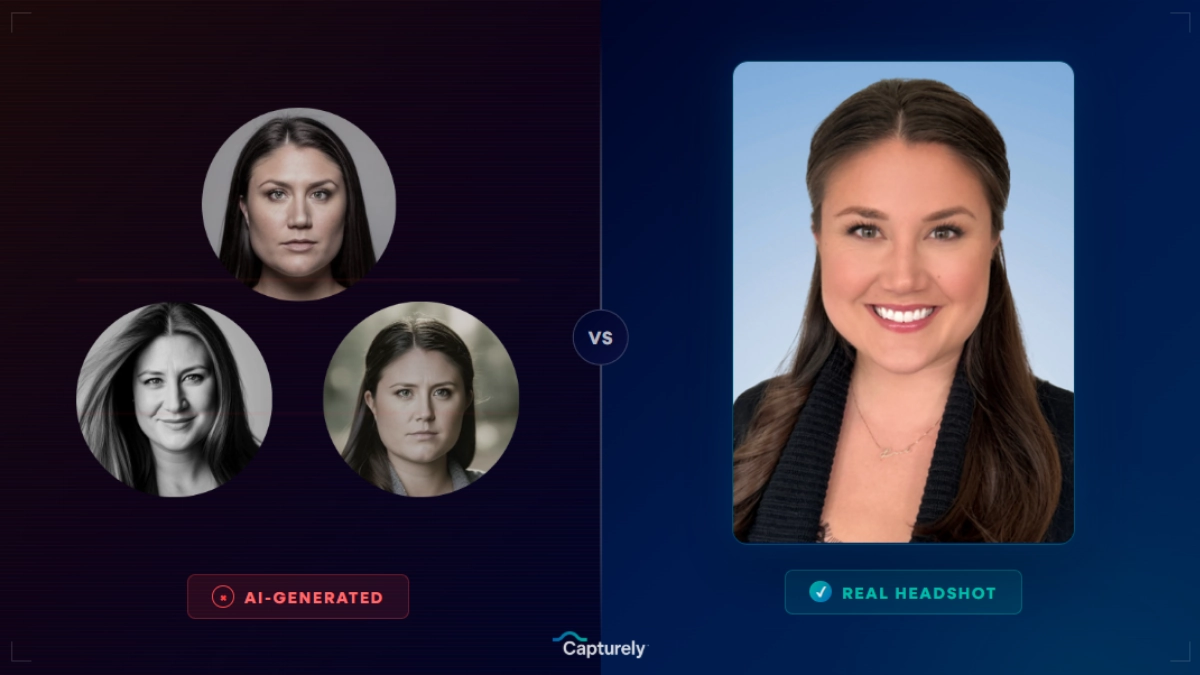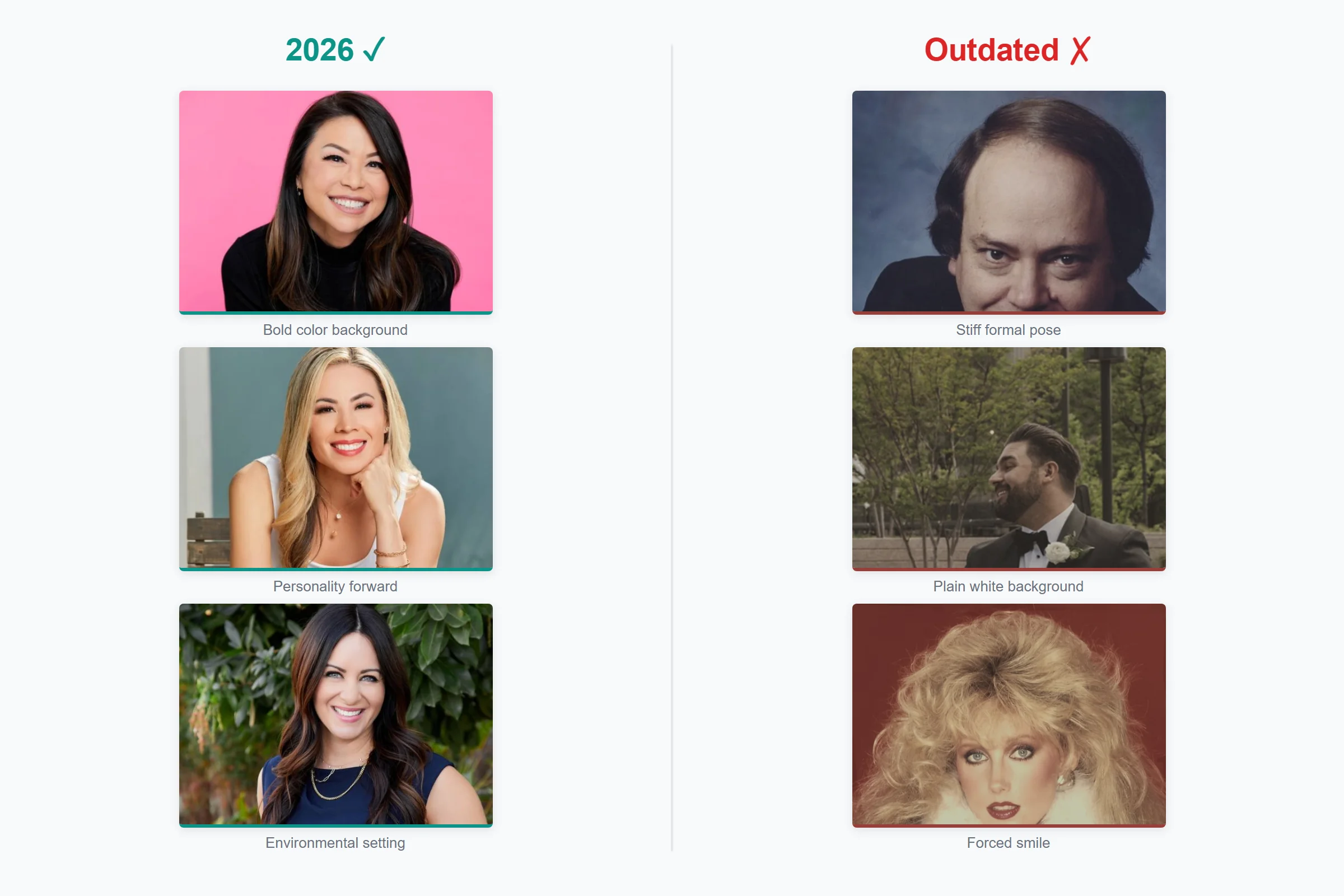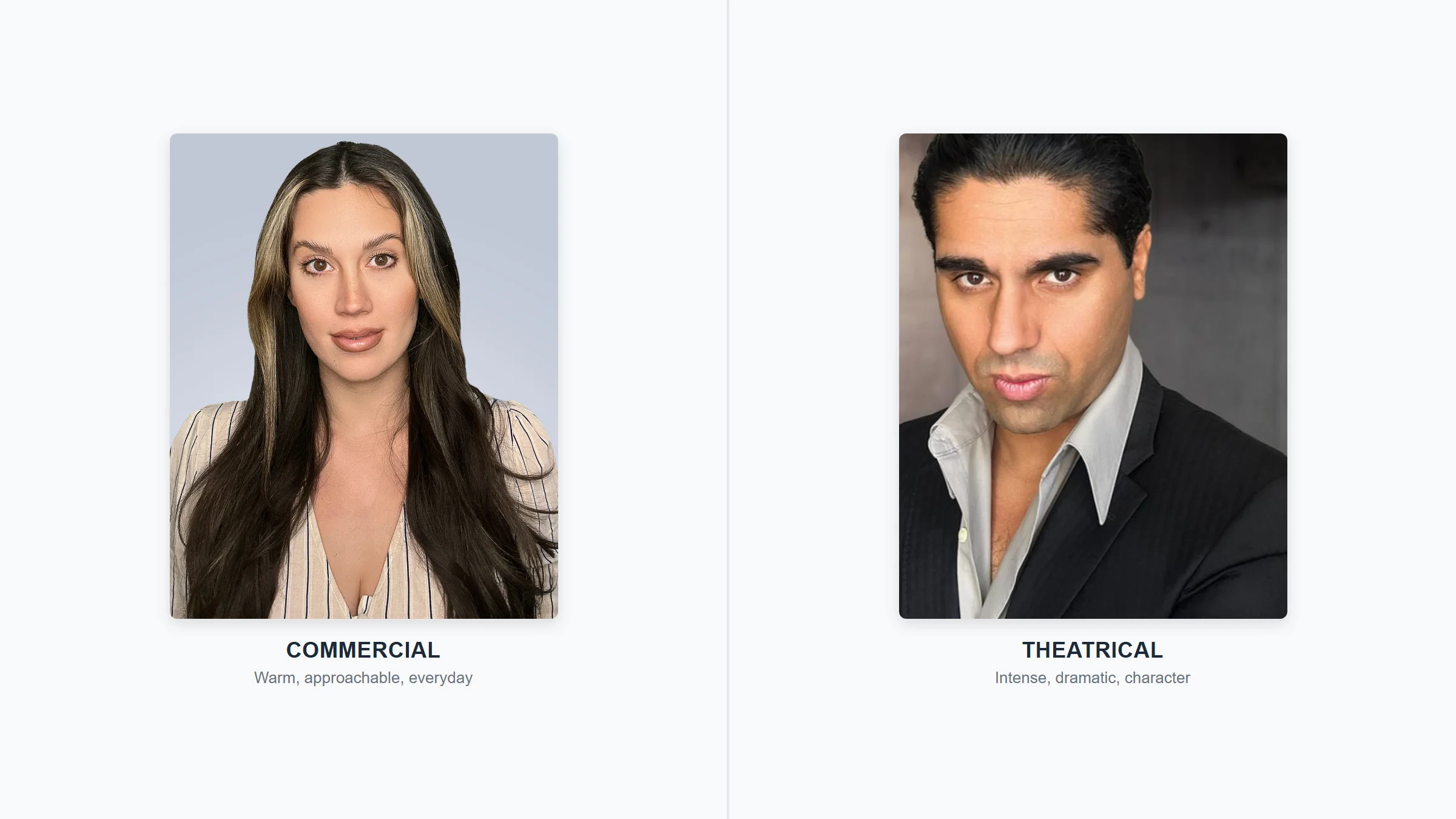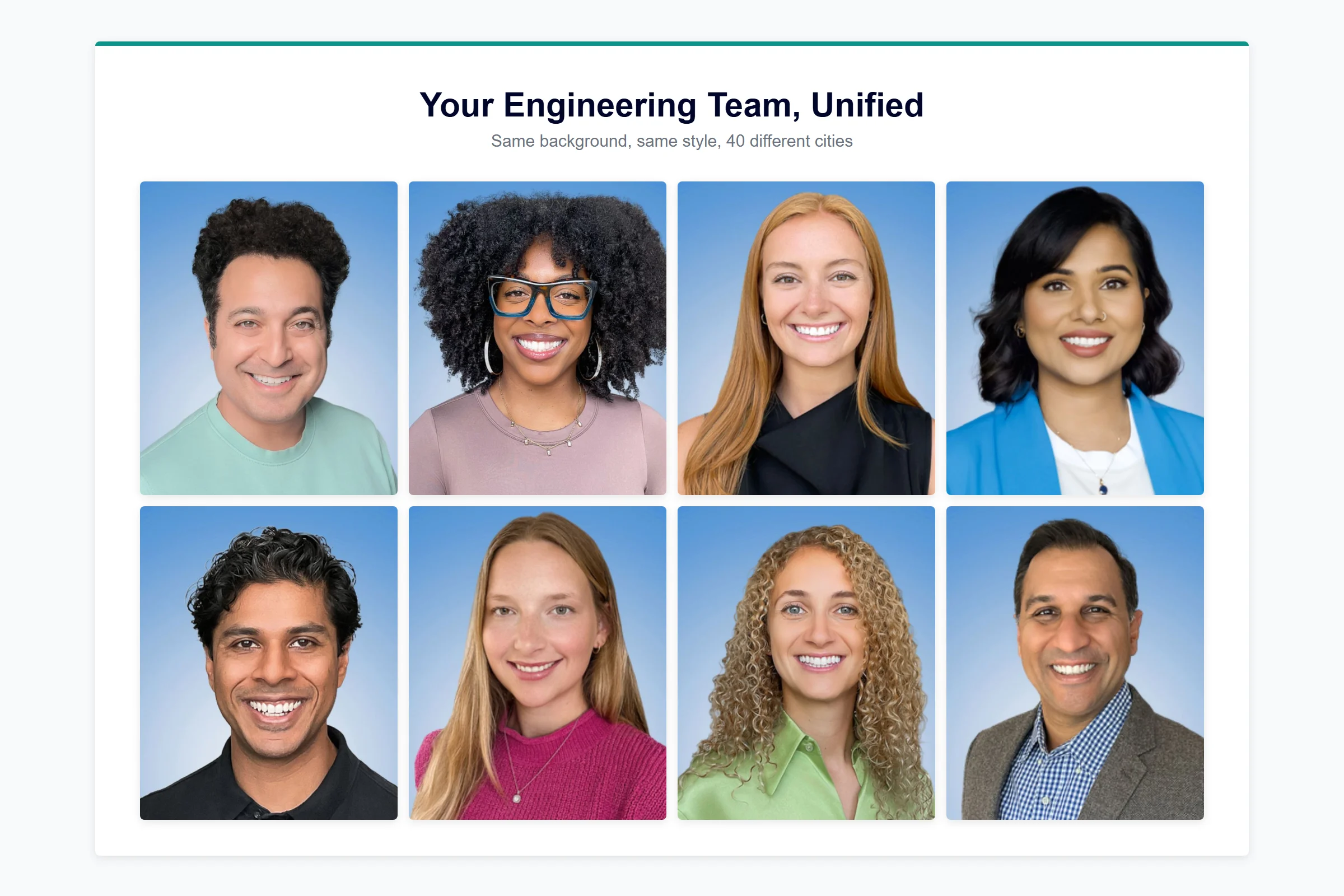
Rebrand headshots are the professional photos a company captures for every employee after a merger, acquisition, or brand identity change — ensuring the entire team’s visual presence matches the new brand from day one. When two companies become one (or one company becomes something new), headshots are the most visible and most overlooked piece of the puzzle.

Last updated: March 2026
With over 14,000 M&A deals completed annually in the U.S. alone (S&P Global, 2024) and 74% of acquired businesses rebranded within their first seven years (Landor, 2017), this scenario plays out thousands of times per year. Companies invest $50,000 to $500,000+ on a rebrand (Frontify, 2025), redesign the logo, update the website, print new business cards — then leave 200 mismatched headshots on the team page like a billboard for the old brand. After delivering over 100,000 headshots at Capturely — many during active rebrands and post-merger integrations for organizations like AmeriLife, HCA Healthcare, and Allianz — we’ve seen what separates a brand rollout that looks finished from one that quietly undermines months of strategic work. This is the playbook.
Why Do Team Headshots Matter During a Rebrand?
A rebrand is a promise: we’re something new now. But that promise breaks every time a client, prospect, or candidate lands on your team page and sees a patchwork of old headshots — different backgrounds, different styles, half of them from the previous company’s photo day in 2019.
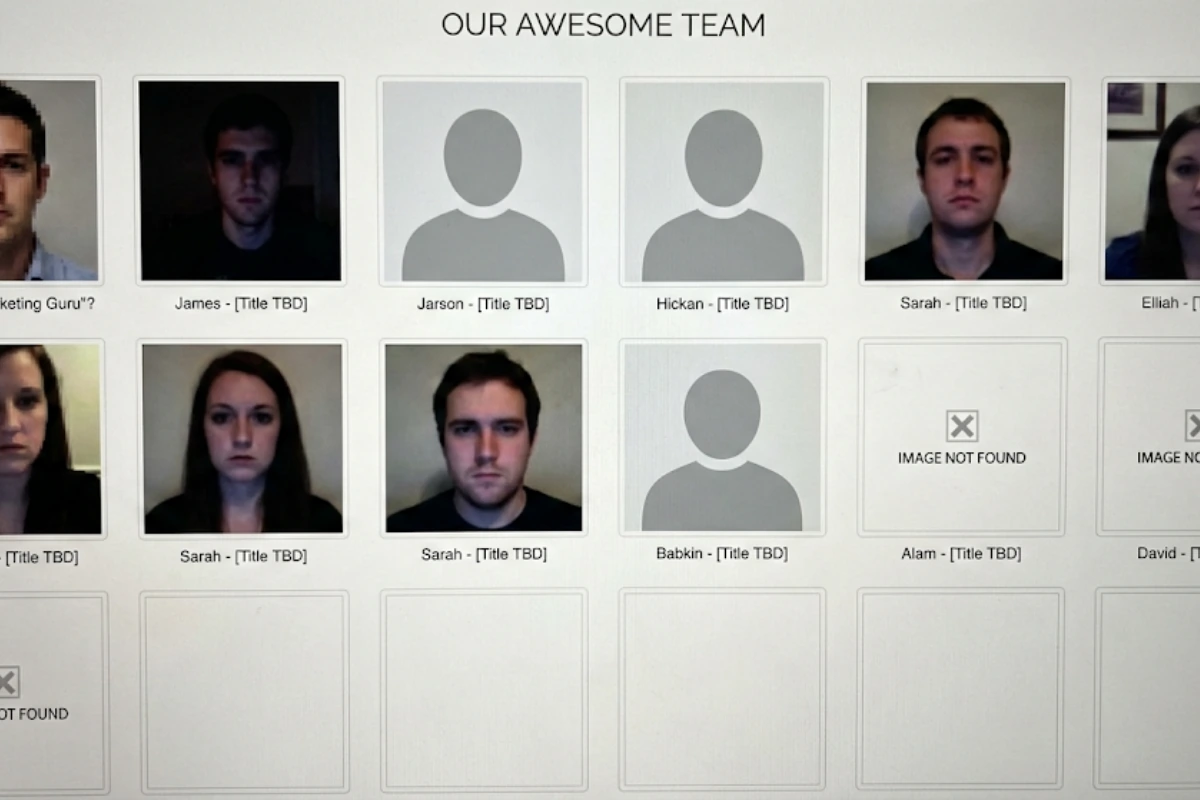
The data backs this up. Brand consistency increases revenue by 10–20% for 60% of companies, with one-third reporting 20%+ revenue growth from consistent branding alone (Marq, 2024). And brands that aren’t consistent need 1.75x more media spend to achieve the same results. When your headshots don’t match your new brand, you’re literally spending more to get less.
According to Howard Breindel, Co-CEO at DeSantis Breindel, a firm specializing in post-merger B2B brand identity: “Brand identity post-merger is far more than an exercise in aesthetics. A logo alone carries weight. It represents the strategic vision, cultural alignment, and operational priorities of the newly combined organization.” (DeSantis Breindel, 2024)
Headshots are the most personal expression of that visual language. Your logo is abstract. Your color palette is decorative. But headshots are people — the human faces representing your brand in directories, proposals, LinkedIn profiles, email signatures, and provider listings. When they’re inconsistent, no amount of logo polish fixes the impression.
When Should You Schedule Rebrand Headshots — Before or After Launch?
This is the first decision, and most companies get it wrong by not deciding at all. Headshots end up as an afterthought — something squeezed in three months post-launch when someone notices the team page still looks like the old brand.
There are two viable approaches. The right one depends on your timeline and how public-facing your rebrand is.
| Approach | When to Use | Pros | Cons |
|---|---|---|---|
| Capture before, release at launch | You have 4+ weeks before brand launch day | Everything goes live at once — website, headshots, collateral. Clean, professional debut. | Requires keeping new photos embargoed. More coordination. |
| Capture in the first 2 weeks post-launch | Fast timeline, or brand guidelines still being finalized | Brand guidelines are locked. No embargo risk. Easier to communicate. | 2-week gap where old headshots remain live. Acceptable if you set expectations. |
The worst option: capturing headshots months after launch. Every week your team page shows the old brand, you’re training clients to associate the new name with the old visual identity. One Capturely client described the limbo perfectly: “The headshots were from the 90s… nobody liked their photos… we spent a tremendous amount of time and money and it was a waste.” That was about their previous vendor — but the sentiment applies any time outdated photos linger during a transition.
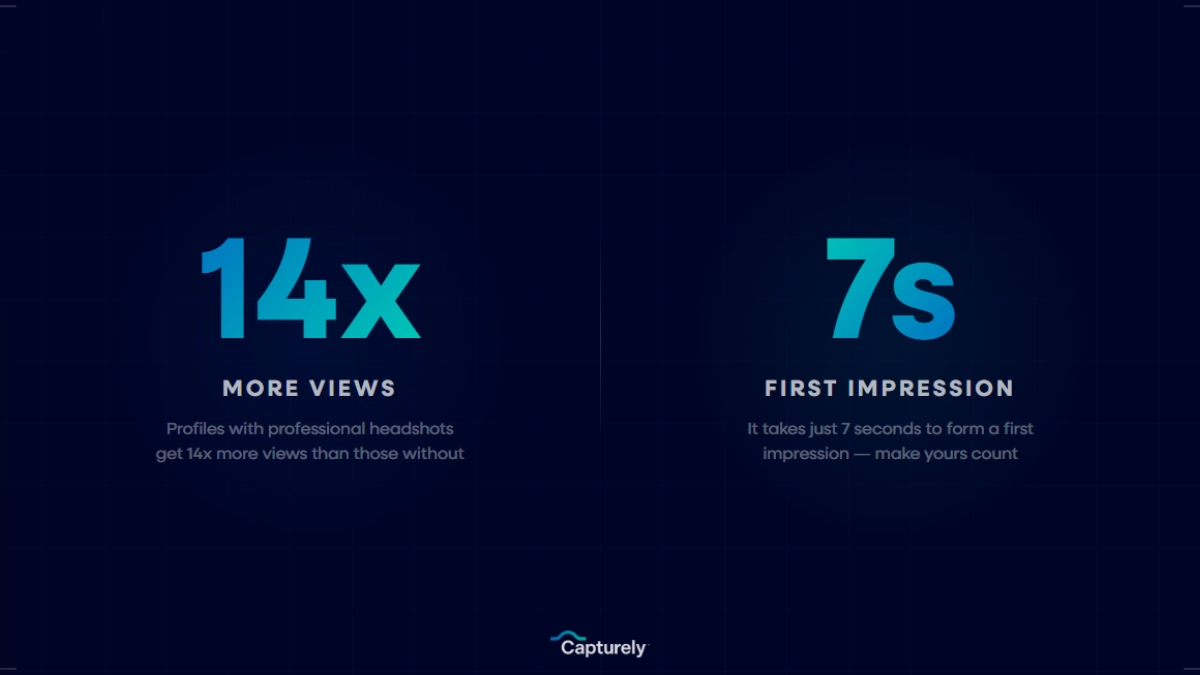
For merger situations specifically, the timing question is even more loaded. Research from KPMG found that 83% of mergers that prioritized cultural alignment succeeded, compared to just 23% that didn’t (HR Daily Advisor, 2025). Unified headshots won’t fix a broken culture. But they’re one of the most visible, tangible signals that “we’re one team now” — and that signal matters during the anxiety of integration.
Planning a rebrand or merger? Capturely delivers consistent, on-brand headshots for your entire team — no matter how distributed — in as little as 10 minutes per person, with 24-hour delivery. Get an instant quote →
Step-by-Step: How to Roll Out Rebrand Headshots
Whether you’re integrating two companies or refreshing one, the process follows the same seven steps. Each step includes the common mistakes we see teams make — and how to avoid them.
Step 1: Lock Your New Brand Guidelines for Headshots
Before anyone sits in front of a camera (or holds up a phone), you need clear answers to these questions:
- Background: What color(s) match your new brand? Solid color? Gradient? Custom branded background?
- Style: Formal or approachable? Jacket required or business casual acceptable?
- Framing: Head-and-shoulders, mid-torso, or environmental?
- Retouching: Light polish or heavy retouching? Skin smoothing? Blemish removal?
- File specs: Resolution, aspect ratio, file format, naming convention?
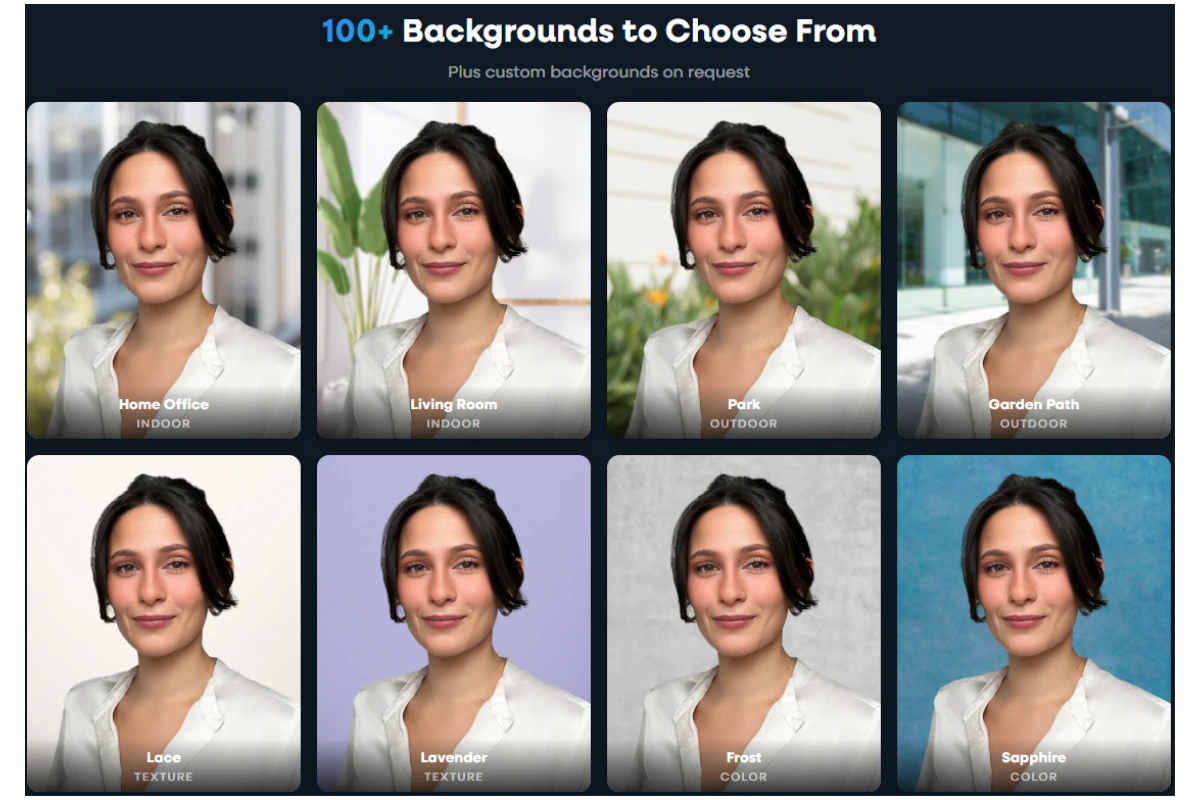
For mergers: this is where legacy brand tension shows up. Company A had navy backgrounds and formal poses. Company B had light gray backgrounds and casual smiles. You need one standard now — and that decision should come from whoever owns the new brand guidelines (usually the CMO, Creative Director, or brand agency).
John Lord at Novant Health explained the delay on their end: the holdup wasn’t dissatisfaction with the process — it was internal debate over which background color to use. Get alignment on this first. It’s the decision that stalls everything else.
Capturely clients choose from 98+ background options, and custom branded backgrounds are available for a one-time $200 fee — useful if your new brand requires a specific hex code or gradient that isn’t in the standard library.
Step 2: Audit What You Have
Before capturing new photos, inventory what exists. For a merger, this means cataloging headshots from both legacy companies. For a rebrand, it means identifying which employees have current photos and which don’t.
Build a simple spreadsheet:
| Employee | Department | Current Headshot? | Matches New Brand? | Priority |
|---|---|---|---|---|
| Sarah Chen | Sales (Legacy Co. A) | Yes — navy bg, 2023 | No — wrong background | High (client-facing) |
| Marcus Williams | Engineering (Legacy Co. B) | Yes — casual, 2021 | No — wrong style | Medium |
| Priya Patel | Marketing (New hire) | None | N/A | High (no photo at all) |
This audit tells you the scope of work. In most mergers, you’re replacing every headshot from both companies. In a rebrand, you might keep recent photos that happen to align with the new style — but in practice, starting fresh gives the cleanest result and strongest signal that the rebrand is real, not cosmetic.
Step 3: Prioritize by Visibility
You probably can’t photograph 500 people in a single week. Prioritize by external visibility:
- C-suite and senior leadership — Their photos appear on the website, in press releases, on investor materials, and in every pitch deck. These need to go live at launch or immediately after.
- Client-facing teams — Sales, account management, customer success. Their headshots show up in proposals, email signatures, and LinkedIn. Clients will notice if their account manager’s headshot doesn’t match the new brand.
- Provider directories and public listings — Especially critical in healthcare. Patients choose providers based partly on their directory photo (Willis & Todorov, Princeton, 2006 — trustworthiness judgments form in 100ms from a face).
- Marketing and recruiting teams — They represent the brand externally. Inconsistency here sends a “do as I say, not as I do” message.
- All remaining employees — Internal directories, Slack profiles, Teams photos. Less urgent but still matters for cultural cohesion.

Jeff Maldonado, VP at AmeriLife — which manages a national network of insurance agents — explained why consistency across distributed teams matters: “Our agents are everywhere — they’re national. We had no mechanism to ensure their headshots met our brand standards. Capturely solves that. We now have standards of formatting, consistent delivery, and everyone’s been on the nose of where we needed to be.”
Step 4: Choose a Process That Scales
This is where most rebrand headshot projects fall apart. The traditional approach — hiring a photographer to visit each office for photo days — worked when companies had one or two locations. After a merger, you might have 15 offices across 8 states and 200 remote employees. Coordinating in-person photo days at that scale is the reason people describe headshot projects as “herding cats.”
| Method | Cost per Person | Timeline for 500 People | Works for Remote? | Consistent Results? |
|---|---|---|---|---|
| In-person studio sessions | $150–$450 | 3–6 months (scheduling across locations) | No | Varies by photographer/location |
| On-site photo days (each office) | $100–$300 + travel | 2–4 months | No | Varies by photographer |
| Self-guided virtual (no photographer) | $25–$60 | 4–8 weeks | Yes | Inconsistent — no direction |
| Virtual with live photographer | $45–$79 | 2–4 weeks | Yes | Consistent — same process for everyone |
The math is straightforward. For a 500-person organization, traditional in-person headshots cost $75,000–$225,000 and take months. Virtual headshots with a live photographer cost $22,500–$39,500 and can be completed in weeks. During a rebrand where you’ve already spent $50,000–$500,000 on brand strategy, design, and collateral (Frontify, 2025), the per-person cost of headshots determines whether you can afford to include everyone or just leadership.
Rachel Alex Crist at The Ray captured the discovery moment: “I didn’t know a company like this existed and there is lots of inconsistencies. So as we’re trying to build our brand to that next level of professionalism, as soon as I saw the email, I was like, oh, this might be a perfect option to add some level of consistency and some base standard.”
For a deeper breakdown of all headshot service options and pricing, see our professional headshot pricing guide.
Step 5: Communicate the Rollout to Both Teams
Communication during a merger is already strained. 33% of acquired employees leave within the first year — nearly 3x the normal attrition rate (MIT Sloan, 2019). Your headshot rollout message is landing in a workplace where people are anxious about their roles, skeptical of changes, and drowning in transition emails.
Two rules for rebrand headshot communications:
Rule 1: Frame it as a benefit, not a task. Don’t send “All employees must complete new headshots by March 15.” Instead: “We’re investing in professional headshots for every team member — yours to use on LinkedIn, email signatures, and anywhere you need a polished photo. It takes 10 minutes and the photos are yours to keep.”
Rule 2: Acknowledge the transition. In a merger, people from the acquired company may feel like they’re being erased. Address this directly: “We want every person on this team — regardless of which company you came from — to have photos that represent who we are together now.”
Here’s a communication template you can adapt:
Subject: Your new professional headshot (free, 10 minutes, from your phone)
Hi [Team/Company Name],
As part of our [rebrand/integration], we’re providing every team member with a new professional headshot that reflects our updated brand. Here’s how it works:
- Click the scheduling link below and pick a time that works for you
- A professional photographer will guide your session live via your phone’s camera (about 10 minutes)
- You’ll receive 3 professionally retouched photos within 24 hours
- The photos are yours — use them on LinkedIn, your email signature, and anywhere else
[Scheduling Link]
Priority deadline: [Date] for client-facing teams. All other teams: [Date + 2 weeks].
For the full playbook on driving participation, including the multi-touch communication sequence, see our employee headshot participation guide. And for the operational framework behind running a team-wide headshot program, check the HR manager’s guide to headshot programs.
Step 6: Capture and Deliver
Execution day. Whether you’re running in-person photo days or virtual sessions, a few things determine whether you get 95% completion or 60%.
Make it absurdly easy. The fewer steps between “I should do this” and “it’s done,” the higher your completion rate. Virtual headshot sessions that take 10 minutes, require no app download, and let employees schedule their own time slot remove nearly every friction point.
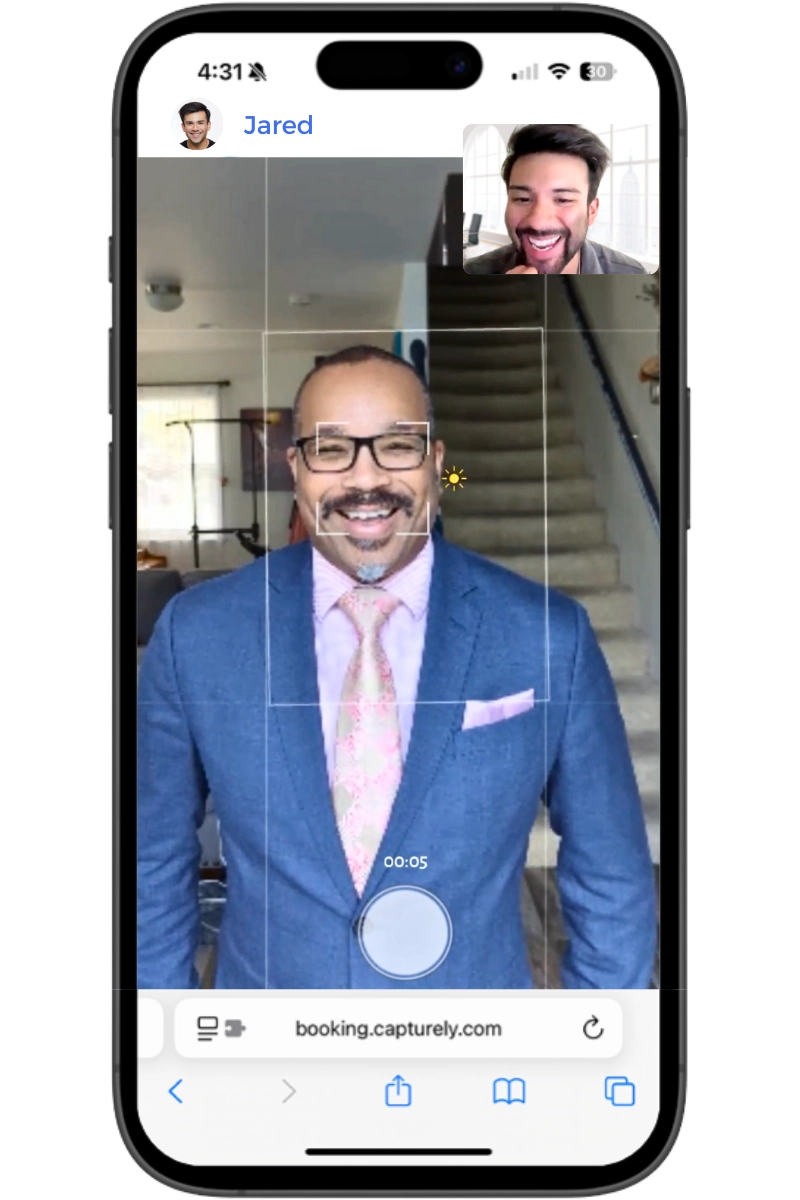
Give people a deadline, but build in buffer. Set a priority deadline for client-facing teams (leadership, sales, account management) and a later deadline for everyone else. JT Healy at Crum & Forster described the energy: “Everyone’s really excited about this. I mean, this is kind of like company wide. So, I think people are finally excited to get rid of their 1994 headshot.”
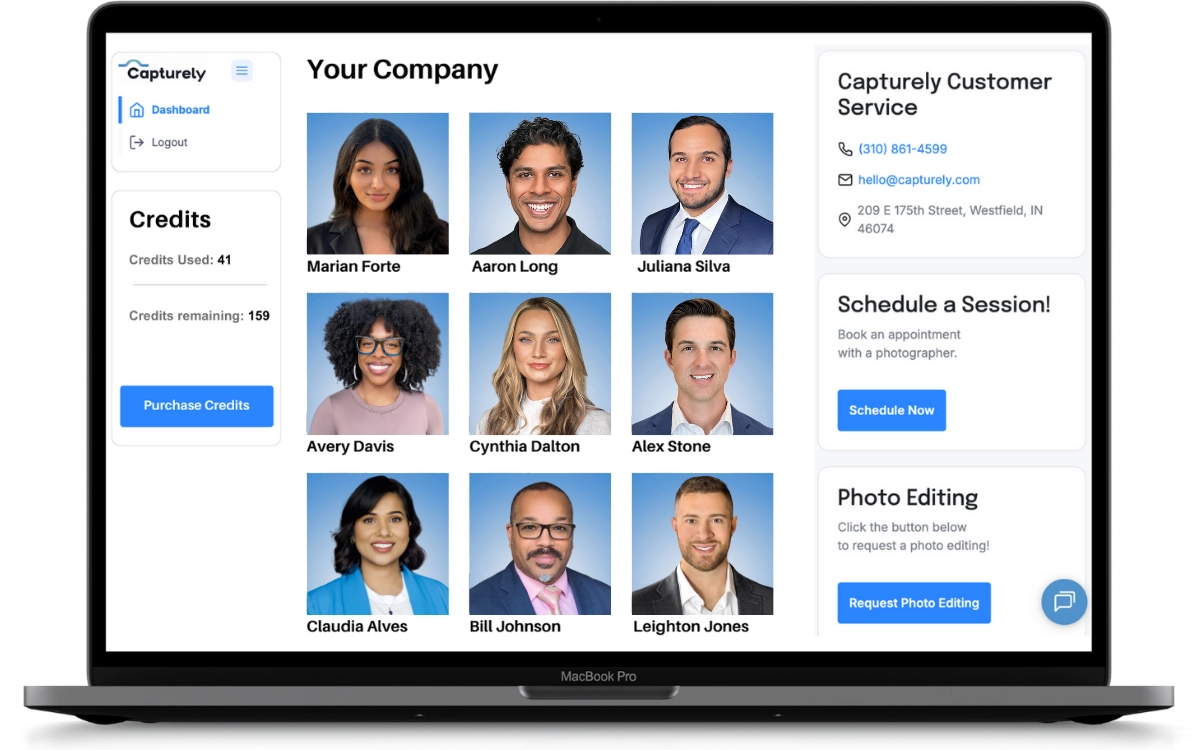
Track progress in real time. An admin dashboard showing completion by department lets you target follow-ups instead of mass-emailing the entire company. Katie Pacheco at Crum & Forster monitored it live: “When I went to the dashboard on that day, you could see the usage ticked up in terms of scheduling. So, we did get adoption after that email.”
At Capturely, each session produces 3 professionally retouched headshots (left angle, right angle, straight-on) within 24 hours. For a 500-person organization, that means all photos can be in hand within 2–4 weeks of opening the scheduling window — fast enough to align with most rebrand launch timelines.
Merging teams or refreshing your brand? Capturely handles everything — scheduling, live photographer sessions, retouching, and delivery — for distributed teams of any size. 765+ reviews at 4.9 stars. See pricing for your team →
Step 7: Deploy Across Every Touchpoint
New headshots don’t help if they sit in a shared drive. Build a deployment checklist for where headshots need to go:
- Website team page and about page — The most visible spot. Update on launch day or as close to it as possible.
- Provider directories — Healthcare, legal, financial services. These often require manual updates with specific photo specs.
- LinkedIn profiles — Employees update their own, but share the photos with a note: “Your new headshot is attached — here’s the one optimized for LinkedIn (400x400px).”
- Email signatures — Coordinate with IT to push updated templates with new headshots.
- Internal systems — Slack, Microsoft Teams, HRIS profiles, org charts, intranet.
- Sales and marketing collateral — Pitch decks, proposals, case studies, event materials.
- Digital asset management (DAM) — If you use a system like Canto or Brandfolder, upload the approved photos centrally so teams pull from one source of truth.
Merrick at a major food and agriculture company described their integration: “Right now we have a flow where whenever someone does the photo shoot with Capturely, it automatically will flow into our asset management system. And that’s been great.”
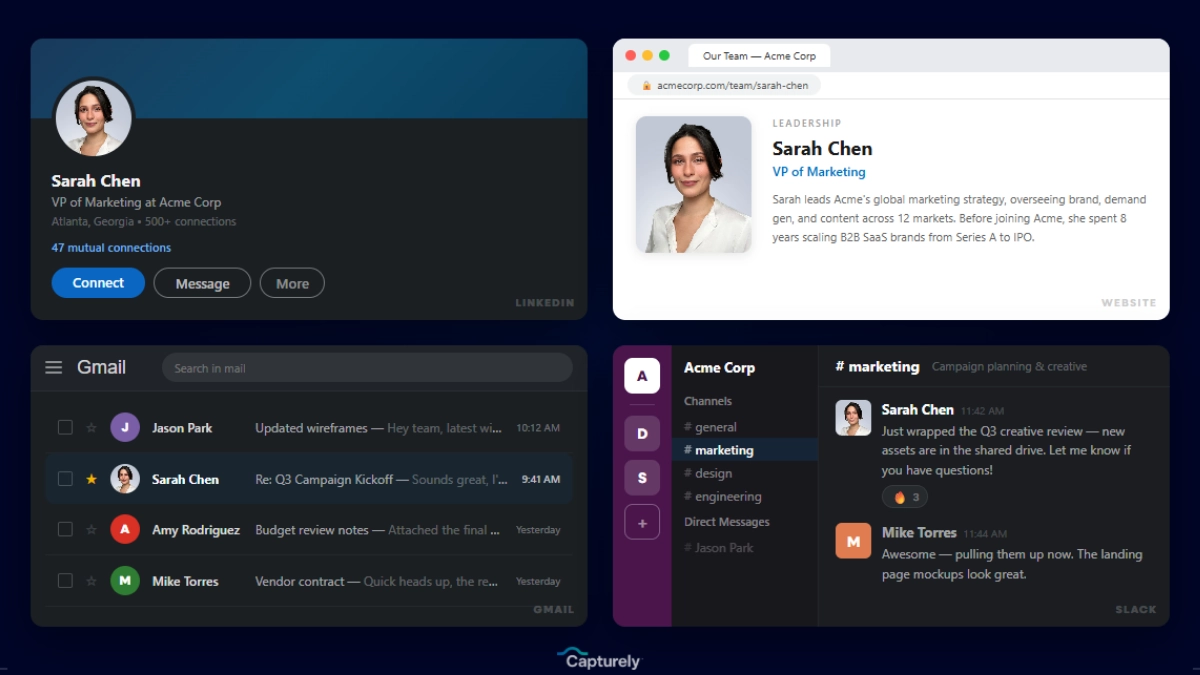
The goal: within 30 days of brand launch, zero touchpoints show the old headshots. That’s when the rebrand actually feels complete — when every face matches the new identity, everywhere.
The Hidden Cost of Waiting: Visual Inconsistency After a Merger
Some companies treat headshots as a “nice to have” — something to get to eventually, after the big-ticket rebrand items are done. That’s a mistake.
Between 50% and 75% of post-merger integrations fail to meet their objectives, with cultural misalignment cited as the primary cause (Instill, 2024). Visual inconsistency is a symptom of that misalignment. When Company A’s employees still have their old headshots and Company B’s employees have theirs — different backgrounds, different styles, different quality — it reinforces the feeling that “we’re still two separate companies.”
The tangible costs stack up:
- Brand dilution: Clients see the old look alongside the new one and wonder if the merger is going smoothly
- Cultural fragmentation: Employees from the acquired company feel like second-class citizens when only the acquirer’s headshots are updated first
- Lost productivity: Marketing and HR staff spend months chasing stragglers instead of doing strategic work
- Credibility gaps: Prospects research your team online before meetings — 80% of clients do (Capturely, 2026) — and mismatched headshots suggest a company that can’t execute on details
Sarah DiVito at Allucent put it simply: “We’ve been really happy with the service. It’s been a really helpful way to close some gaps in getting consistent images for our website and other collateral that we use.” The “gaps” she’s talking about are exactly what appear when headshots get deprioritized during a transition.
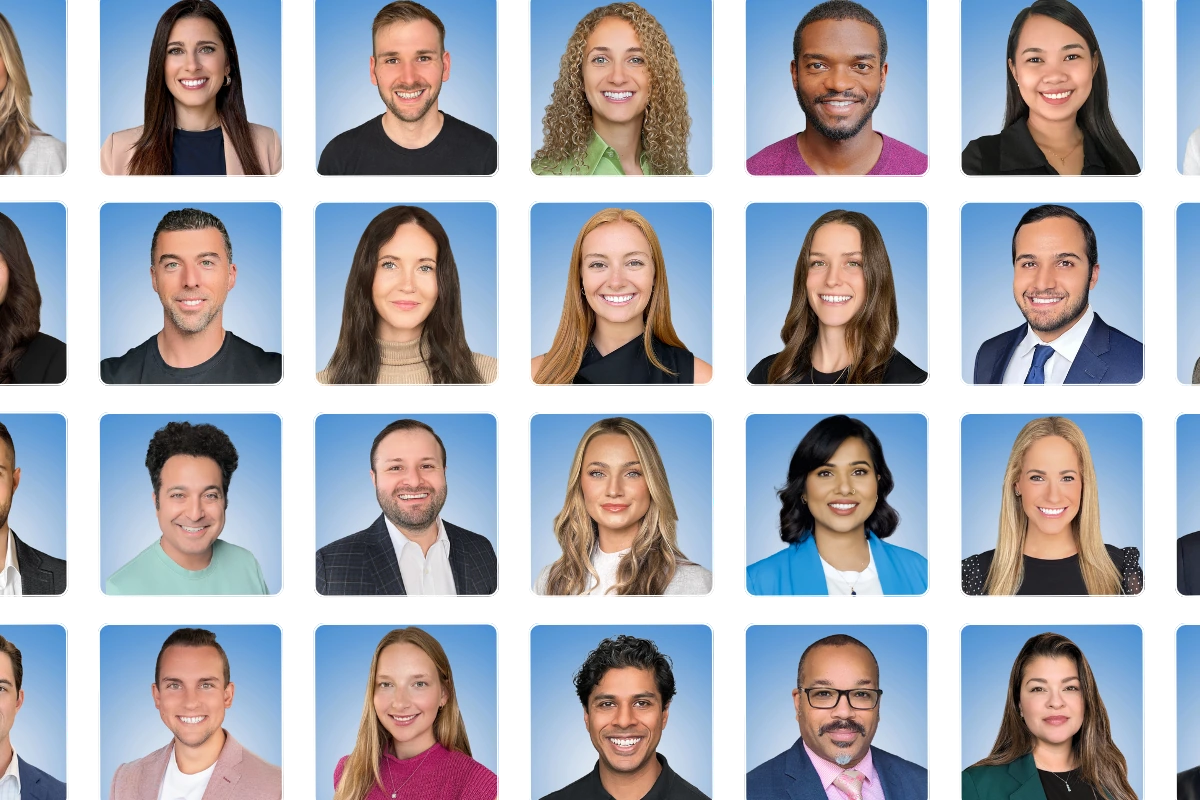
Rebrand Headshots for Specific Industries
Different industries face different challenges when updating team photos during a rebrand or merger. Here’s what to watch for in the verticals where we see the most M&A-driven headshot projects.
Healthcare (Provider Directories)
Healthcare M&A is relentless — over 1,400 healthcare deals were announced in 2024 alone. When health systems merge, provider directories become the frontline of the brand transition. Patients choosing a doctor look at that directory photo and form a trustworthiness judgment in 100 milliseconds. Mismatched headshots across a newly merged system — some from the old brand, some from the new — erode the trust you’re trying to build.
Security matters here too. Capturely accesses only the phone’s camera via API — no access to photos, storage, contacts, or personal data on the device. That minimal footprint passes enterprise security reviews at organizations like UnitedHealth Group and HCA Healthcare. For a deeper look at healthcare-specific considerations, see our healthcare headshots guide.
Financial Services and Insurance
Financial services leads all sectors in M&A activity. Agent networks — like AmeriLife’s national network of insurance agents — face the hardest consistency challenge: thousands of independent or semi-independent agents who each have their own headshot (or no headshot at all). A rebrand means bringing every agent into alignment with new brand standards, regardless of where they sit.
Technology
Tech companies rebrand frequently — both from M&A and from strategic pivots (see Jaguar’s 2024 rebrand, Eventbrite’s 2025 refresh, and countless SaaS company name changes). Tech teams are also the most distributed, making in-person photo days impractical. The upside: tech employees tend to be comfortable with virtual tools and adopt virtual headshot sessions quickly.
How to Handle the “We Already Have Headshots” Objection
During a rebrand, some employees will push back. “My headshot is fine.” “I just got one last year.” “Do I really have to do this again?”
Their frustration is valid. Nobody loves having their photo taken, and doing it again feels redundant. But here’s the argument that works:
Show them what “fine” looks like next to the new standard. Pull up the team page with half old-brand headshots and half new. The contrast makes the case better than any memo. As Julia Smyth-Young at MAS Labor put it: “That’s fantastic. I love it. I just love the idea of consistency.”
If you need to convince leadership that re-doing headshots is worth the investment, frame it in ROI terms. The rebrand probably cost six figures. Leaving old headshots on the website is like renovating your storefront and leaving the old sign up. The per-person cost of new headshots ($45–$79 with volume pricing) is a rounding error on the total rebrand budget — but the visual impact is disproportionately high because headshots are what people actually look at on a team page.
Browse professional headshot examples to see the range of styles that work for different industries and brand personalities.
Post-Rebrand: Keeping Headshots Current Going Forward
A rebrand is a reset button. But it only stays consistent if you build headshots into your ongoing processes. Otherwise, you’ll be right back where you started in two years — a mix of on-brand photos and whatever new hires submitted from their phone library.
- Build headshots into onboarding. Every new hire gets a session in their first two weeks. Tracy Murphy at Lojistic built it into her workflow: “I have a template that I send to new hires saying, the first thing you do please set up a session. And then it’s nice because we’re notified when the session is complete and the picture’s ready.”
- Use session credits for ongoing coverage. Buy credits that cover turnover and new hires for 12 months, so headshot updates don’t require a new procurement process each time.
- Set a refresh cadence. Every 2–3 years, offer updated headshots company-wide. People change. Hairstyles change. Weight changes. A photo that was great in 2024 may not represent someone well in 2027.
- Store centrally. Keep all approved headshots in a DAM or shared drive with clear naming conventions. When marketing needs a photo for a press release, they shouldn’t have to email the employee.
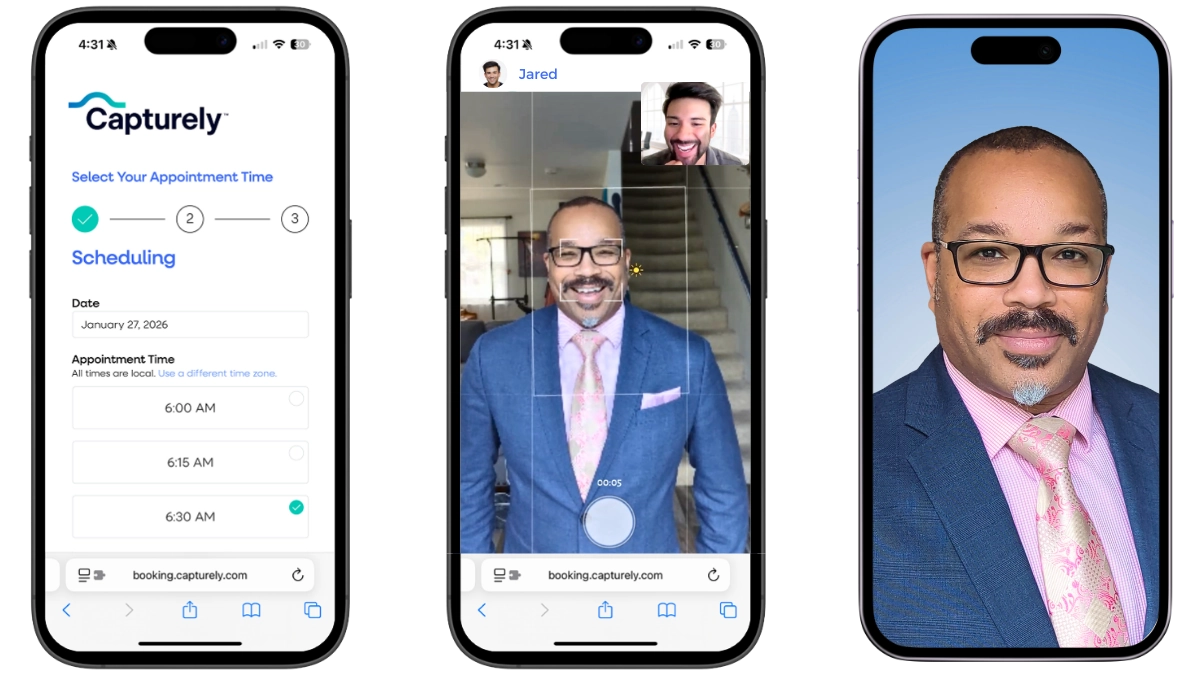
For a complete operational framework for managing ongoing headshot programs — budgeting, compliance, vendor selection, and metrics — read the HR manager’s guide to team headshot programs.
Frequently Asked Questions
How long does it take to get new headshots for an entire team after a rebrand?
With virtual headshot sessions, a 500-person organization can complete all sessions in 2–4 weeks from opening the scheduling window. Each session takes about 10 minutes per person, and 3 professionally retouched photos are delivered within 24 hours. In-person photo days across multiple offices typically take 3–6 months due to scheduling and travel logistics. The fastest approach: virtual sessions with live photographer direction, self-scheduling, and an admin dashboard tracking completion.
Should we get new headshots before or after a rebrand launch?
The ideal approach is capturing headshots 2–4 weeks before launch so everything goes live simultaneously — new website, new headshots, new collateral. If brand guidelines aren’t finalized yet, capture within the first two weeks post-launch. Avoid waiting more than 30 days after launch, as every week with mismatched headshots reinforces the old brand identity with clients, candidates, and partners.
How much do rebrand headshots cost for a large team?
Costs range dramatically by method. Traditional in-person studios charge $150–$450 per person, meaning a 500-person team costs $75,000–$225,000. Virtual headshots with a live photographer run $45–$79 per person with volume discounts, putting the same team at $22,500–$39,500. Self-guided virtual services cost $25–$60 per person but produce inconsistent results without professional direction. Compare all options in our headshot pricing guide.
How do you get employees from both companies to participate in post-merger headshots?
Frame the headshot as a benefit (“free professional photo for your LinkedIn and career”), not a mandate. Have leadership from both legacy companies go first and share their results. Acknowledge the transition directly — people from the acquired company may feel their identity is being erased. Virtual sessions from home remove the location barrier entirely. Set tiered deadlines: client-facing teams first, everyone else within two weeks. Track completion via an admin dashboard and send targeted reminders to non-responders, not mass emails.
What’s the biggest mistake companies make with rebrand headshots?
Treating them as an afterthought. Companies invest six figures on brand strategy, logo design, and website redesign — then leave 200 mismatched headshots on the team page for months. The team page is often the second or third most-visited page on a company website. Outdated headshots there undermine every other rebrand investment. The fix: include headshots in the rebrand project plan from day one, not as a Phase 2 item that keeps getting pushed back.
Do we need to replace headshots that are only a year old?
If the background, style, or framing doesn’t match your new brand guidelines — yes. A headshot from last year with the old brand’s navy background next to a new headshot with the updated teal background creates visual inconsistency that undermines the rebrand. The per-person cost ($45–$79) is negligible compared to the total rebrand investment. Think of it this way: you wouldn’t keep the old logo on half your business cards to save money on reprinting.
How do you maintain headshot consistency after the initial rebrand rollout?
Build headshots into new hire onboarding — every employee gets a session in their first two weeks. Use session credits valid for 12 months to cover turnover without a new procurement cycle. Store all approved photos centrally in a digital asset management system. Set a company-wide refresh cadence every 2–3 years. Track coverage by department using an admin dashboard so gaps are visible, not hidden.
Can virtual headshots really match the quality of in-person studio sessions?
Yes — when a live photographer is directing the session. Virtual headshots use the phone’s rear camera (36–48 megapixels), not the selfie camera, with a professional photographer coaching posture, lighting, and expression in real time. Combined with professional retouching and 98+ background options, the results are studio-grade. Capturely has delivered 100,000+ headshots this way for Google, Netflix, McKinsey, and UnitedHealth Group. The key is live direction — self-guided virtual services without a photographer produce noticeably weaker results.
Your rebrand isn’t finished until every headshot matches. Get an instant quote — configure your team’s new look, see volume pricing, and start scheduling in under 30 seconds. Get your instant quote →