Corporate headshots are professional photographs of a company’s employees — head and shoulders, consistent backgrounds, controlled lighting — used on company websites, LinkedIn profiles, email signatures, provider directories, and internal platforms like Slack and Teams. When every person on your team page has the same style and background, your brand looks like it pays attention. When they don’t, it doesn’t.
Last updated: March 15, 2026 · Written by Brian Confer, Co-founder & COO at Capturely
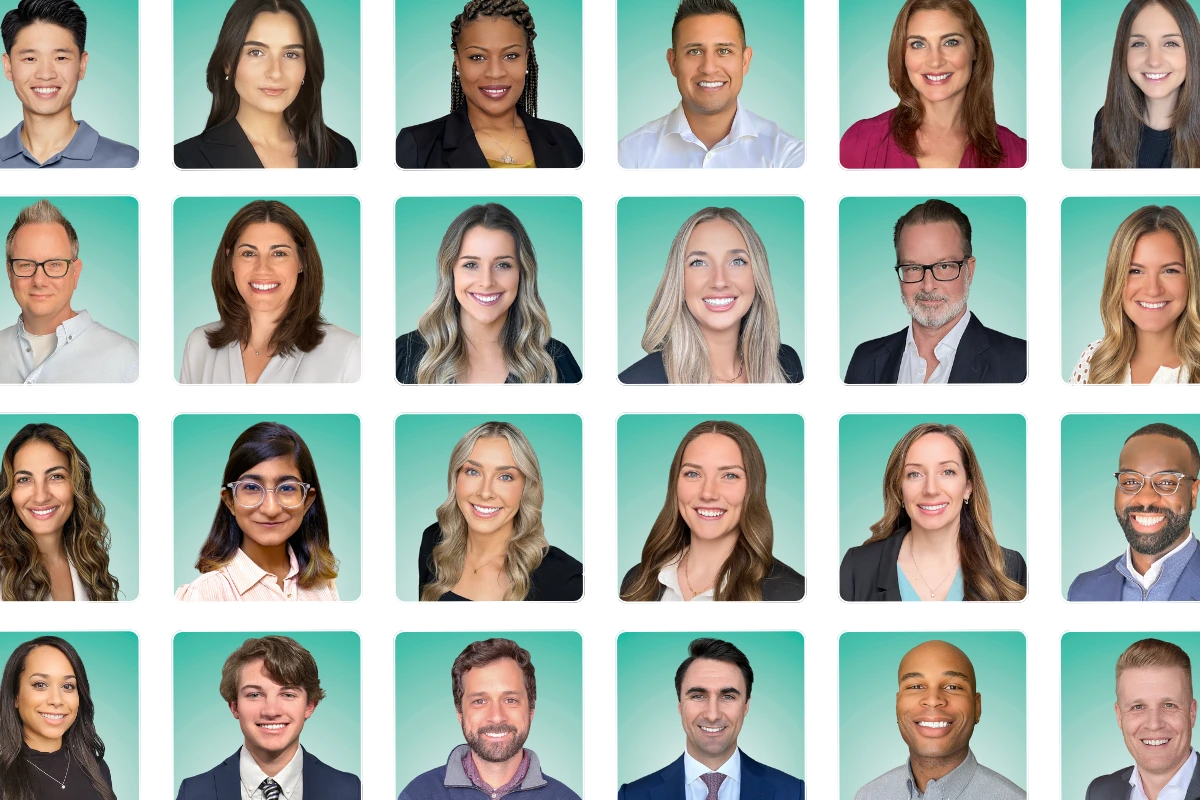
That gap between “consistent” and “chaos” is where most companies live. And it costs more than they think.
This guide covers what makes corporate headshots work, why most organizations struggle to get them right, and the approaches that actually solve the problem at scale — based on patterns from over 100,000 headshots Capturely has delivered for companies like Google, McKinsey, UnitedHealth Group, and AmeriLife.
The Short Answer
Corporate headshots are standardized professional photographs of every employee in an organization, shot with consistent backgrounds, lighting, and framing to create a unified visual identity. The best corporate headshot programs share three things: consistent styling across every employee, a logistics model that doesn’t collapse at scale, and a process that people actually complete.
In 2026, the most common approaches are:
- Traditional in-person studios: $150–$450/person, requires scheduling and travel
- On-demand marketplace photographers (Snappr): $89–$200/person, still in-person
- Self-guided virtual services (Headshots.com): $25–$60/person, no live photographer
- AI headshot generators (HeadshotPro, BetterPic): $29–$59/person, not real photographs
- Live virtual with a real photographer (Capturely): $45–$79/person, real photos, real direction
The coordination challenge — getting every employee photographed with the same look, on a reasonable timeline, without someone in HR losing their mind — is the real problem. Not the photography itself. The rest of this guide addresses that head-on.
For the full guide covering all types of professional headshots — not just corporate — see our complete professional headshots guide.
Why Corporate Headshot Consistency Actually Drives Revenue
You already know your team page should look professional. But “should” doesn’t get budget approved. Numbers do.
Consistent brand presentation increases revenue by up to 33%, according to research from Marq (formerly Lucidpress). Companies with consistent branding are 3.5x more likely to enjoy strong brand visibility. And customers who visit your About Us page spend 22.5% more than those who don’t.
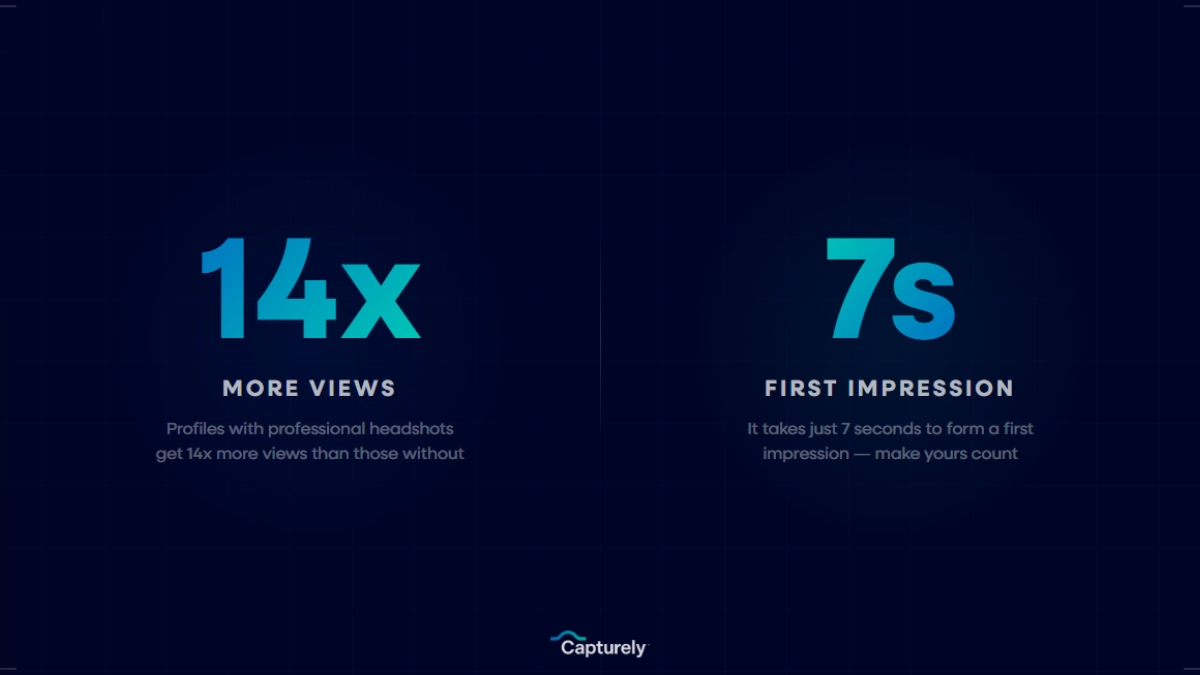
Your team page is doing more work than you realize. 52% of website visitors want to see “about us” information when they land on a company homepage. B2B buyers research 2–7 websites before making purchasing decisions, and 76% say site design is the most important factor influencing that decision. When a prospect lands on your team page and sees a hodgepodge of headshots — some professional, some from 2015, one that’s clearly a selfie from a car — they’re making judgments about your attention to detail before your sales team ever gets a chance to speak.
Here’s the stat most people overlook: 94% of first impressions of a website are design-related. Not content. Design. Visual consistency in your corporate headshots isn’t a vanity project — it’s a trust signal. A uniform team page communicates “we invest in our people and our brand.” A fragmented one communicates that you’ll get to it eventually.
And inconsistency has a quantifiable cost beyond perception. Brands with inconsistent presentation need 1.75x more media spend to achieve the same results. You’re literally paying more for less impact when your visual identity is fragmented across your team.
Want to see what consistent looks like? Get a free instant quote for your team — configure your look, see pricing, done in 30 seconds. Get your instant quote →
The Corporate Headshot Coordination Problem
Here’s what nobody tells you about corporate photography: the photos are the easy part. The logistics are where everything falls apart.
We’ve heard some version of the same story from hundreds of organizations. It goes like this:
Someone in marketing or HR gets assigned “headshots.” They research photographers, find a decent one, book a date. They send calendar invites. Then the follow-up emails. Then the reminder emails. Photo day arrives and 30% of the team can’t make it — conflicts, travel, “forgot.” The other 70% shows up, gets photographed, and the photographer leaves.
But now 30% of your team has no headshots. Next month, five new hires start. The Chicago office still hasn’t been scheduled. Three people who did show up hate their photos and want reshoots. Six months later, your team page is a patchwork — some professional shots, some from 2018, at least two cropped from wedding photos, and one that’s unmistakably a selfie.
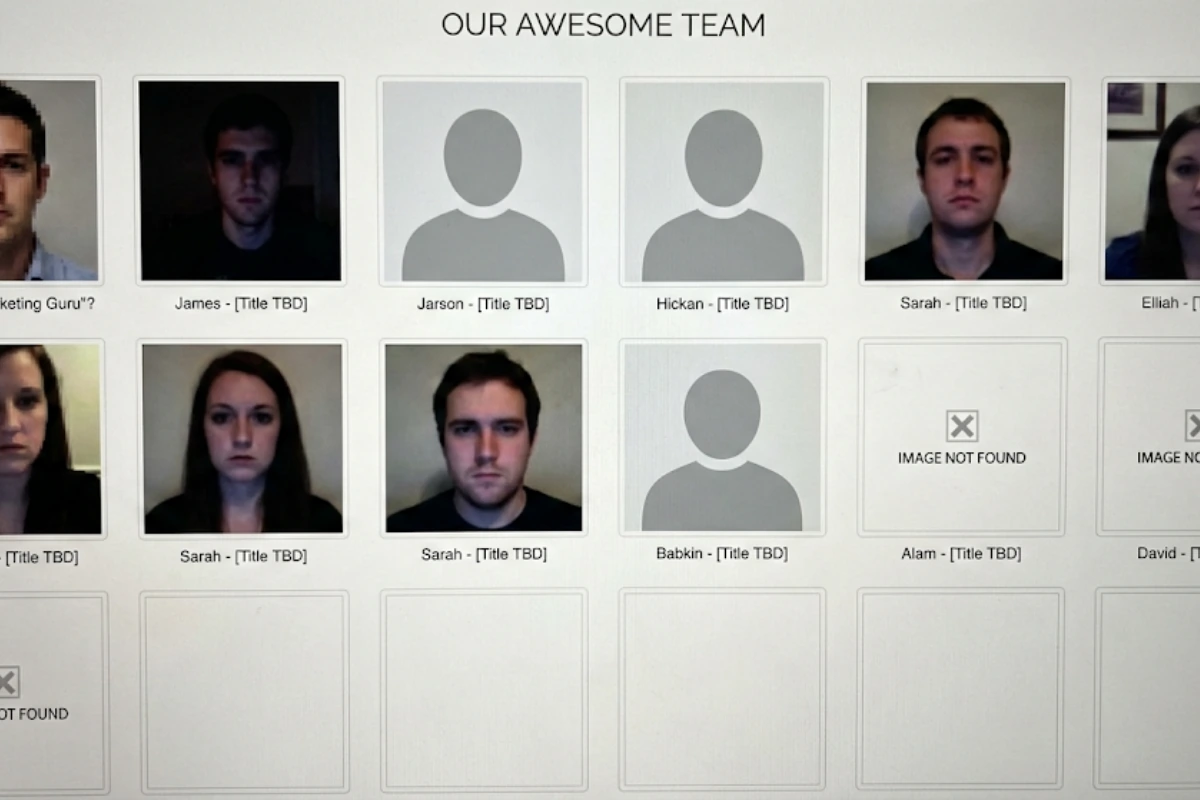
This isn’t an exaggeration. These are real things we hear on discovery calls:
“The headshots were from the 90s. Nobody liked their photos. We spent a tremendous amount of time and money and it was a waste.”
“I get a dollar for every wedding photo that was like 15 years old with the wife or the husband cut out.”
“We bring a photographer into the office… there’s so much turnover that the following week, there’s six people who missed out.”
The problem isn’t that organizations don’t value headshots. It’s that the traditional approach — book a photographer, coordinate a photo day, chase stragglers — doesn’t work for how companies operate in 2026. Teams are distributed. 79% of remote-capable employees now work hybrid or fully remote, according to Gallup. Turnover is constant. By the time you finish one round of headshots, you need another one.
5 Ways Companies Get Corporate Headshots (Compared)
There’s no single right answer here. But understanding the trade-offs prevents you from choosing an approach that works for your first 50 employees and breaks at 500.
1. Traditional Studio Photography
Book a photographer, set up in your office or at their studio, photograph everyone who shows up. This is the default. For a single office with 20 people who can all be available on the same day, it works.
Where it breaks: multiple offices, remote employees, new hires joining after photo day, and the administrative time to coordinate. A 50-person company burns 10–20 hours of admin time just on scheduling. Factor in the photography itself ($150–$450/person) and lost productivity (2–3 hours per employee for travel, waiting, and the session), and photographing 100 people realistically costs $50,000–$88,000 all-in.

2. On-Demand Marketplace (Snappr)
Snappr matches you with local photographers on demand. Better than managing your own vendor relationships, but still in-person, still requires local availability, and consistency varies when different photographers handle different offices. Pricing runs $89–$200+ per session.
Good for companies concentrated in a few major metros. Falls short for distributed teams where not every city has a Snappr photographer available.
3. Self-Guided Virtual (Headshots.com, Snapbar)
Employees receive a link and follow a video guide to take their own headshot with their phone. No live photographer. Photos go through editing and come back in about three days.
The concept is sound — virtual, scalable, no logistics. But without a live photographer directing the session, quality drops fast. We hear the same complaint from companies switching away: “We’re not really loving the process… it’s really difficult to get the right picture for them to approve.” Employees take their photo, submit it, get rejected, redo it. That rejection cycle kills participation and frustrates everyone involved.
4. AI Headshot Generators (HeadshotPro, BetterPic)
Upload selfies, receive AI-generated images styled to look like professional headshots. Fast and cheap ($29–$59/person).
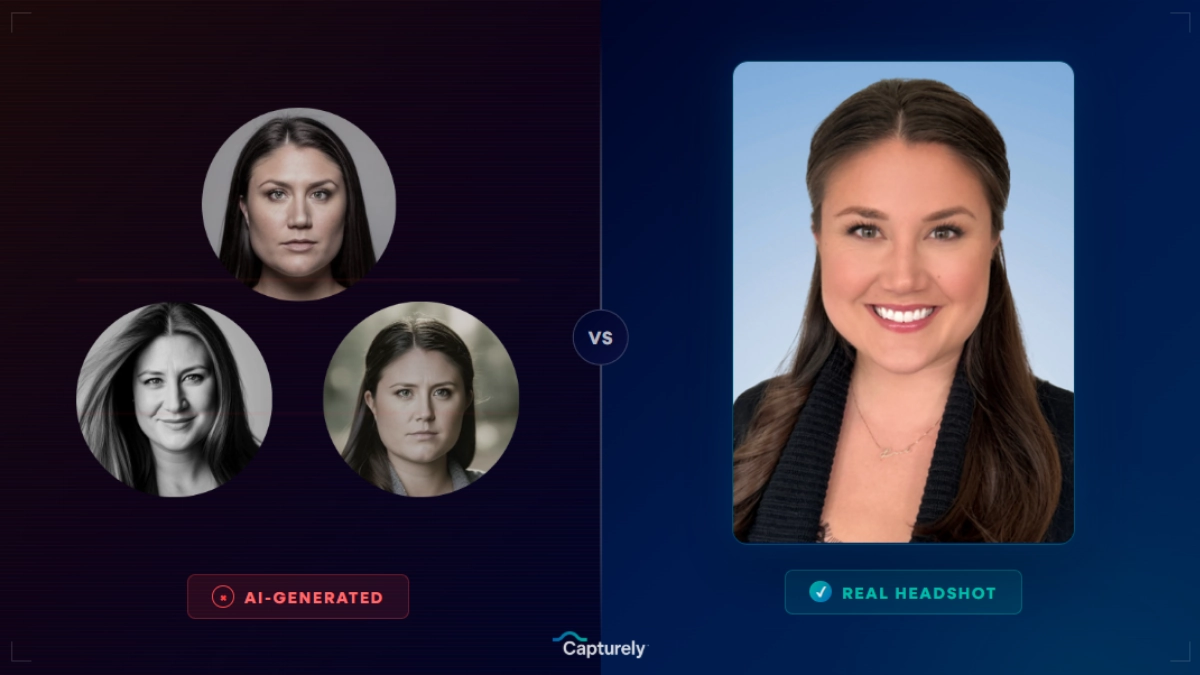
But these aren’t photographs. They’re digital fabrications. For corporate use, the gap between the AI version and reality creates a trust problem that most people underestimate until their first client video call. Research shows 38% of viewers describe AI-generated professional photos as “soulless.” Multiple enterprises now prohibit AI-generated headshots for client-facing roles. If your organization does face-to-face client work — and most do — this matters. (Full breakdown: AI headshots vs. real headshots.)
5. Live Virtual With a Real Photographer
Each employee receives a secure link, opens it on their phone, and connects with a professional photographer who directs the session in real time through the rear camera. Ten minutes. 24-hour delivery. Same background, same style, same quality — whether the employee is in Manhattan or rural Montana.
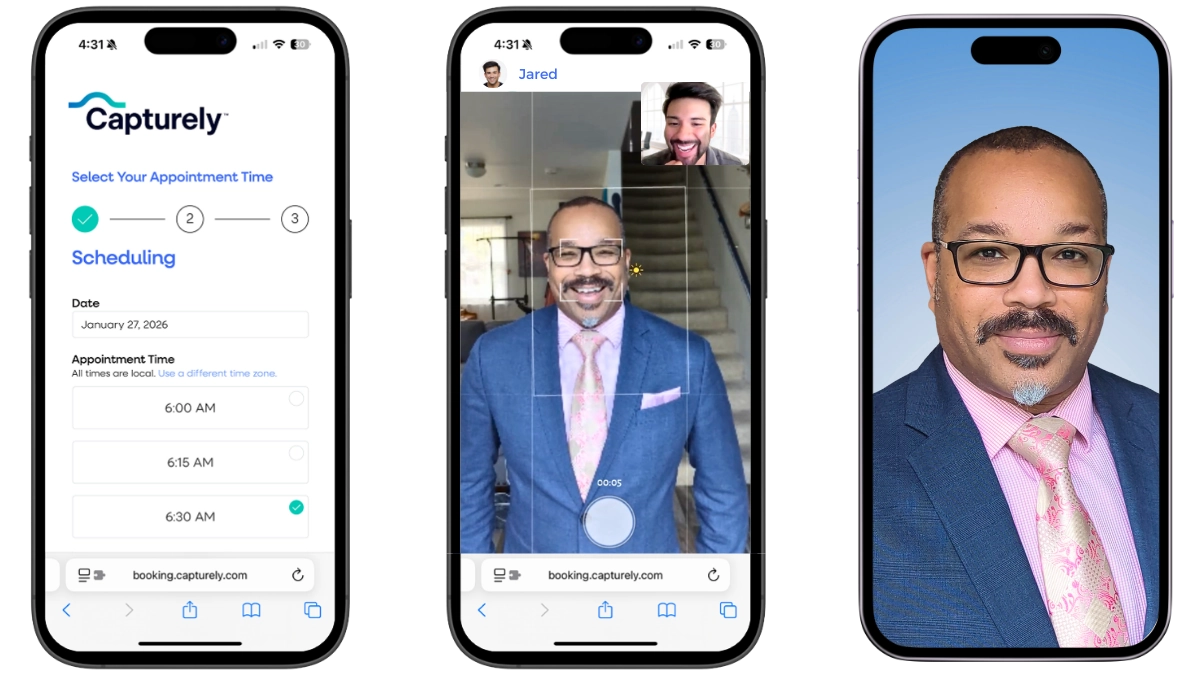
This is the model Capturely built for enterprise teams. Why it works for corporate headshots specifically:
- Consistency: Same photographer standards, same backgrounds, same retouching — regardless of employee location
- Zero logistics: No scheduling spreadsheets, no conference room bookings, no travel coordination
- 98% satisfaction: The live photographer catches lighting issues, posing problems, and tense expressions in real time — which keeps reshoot rates under 2%
- Ongoing coverage: Session credits last 12 months, so new hires and role changes are covered continuously
Quick Comparison
| Factor | Traditional Studio | On-Demand (Snappr) | Self-Guided Virtual | AI Generator | Live Virtual (Capturely) |
|---|---|---|---|---|---|
| Real Photos | Yes | Yes | Yes | No | Yes |
| Live Photographer | Yes | Yes | No | No | Yes |
| Works for Remote | No | No | Yes | Yes | Yes |
| Consistent Results | Varies | Varies | Low | Medium | High |
| Per Person Cost | $150–$450 | $89–$200 | $25–$60 | $29–$59 | $45–$79 |
| Turnaround | 1–3 weeks | 3–7 days | 3 days | Minutes | 24 hours |
| Admin Dashboard | None | Basic | Basic | None | Full |
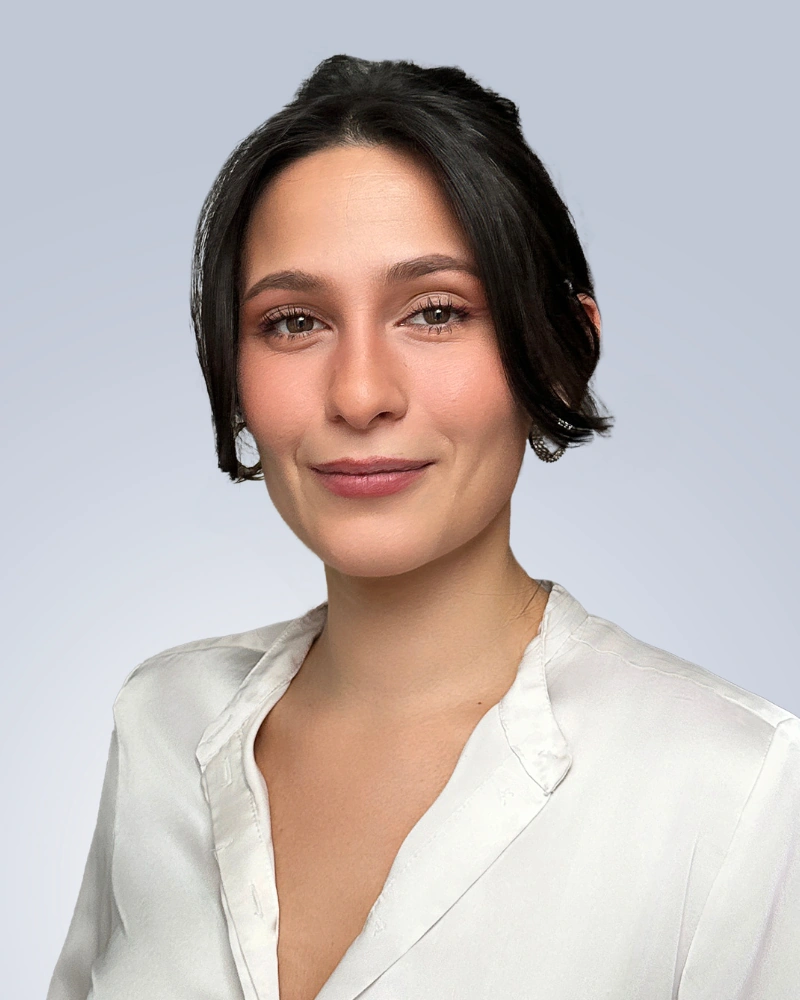
For a full comparison of every option, see our guide on where to get professional headshots. For detailed pricing by method, see how much professional headshots cost.
How Live Virtual Corporate Headshots Actually Work
If you haven’t seen a virtual headshot session, the concept sounds unlikely. A phone camera producing professional corporate headshots? Here’s exactly what happens, step by step.
Step 1: Admin sets up the program. Choose backgrounds (98+ options), cropping style, delivery preferences, and branding standards. Takes about 15 minutes. Custom branded backgrounds are available for a $200 one-time setup fee.
Step 2: Employees receive a link. No app download. No account creation. Just a secure URL they open on their phone’s browser.
Step 3: Employee connects with a photographer. A professional photographer appears on screen — like a video call — and the employee switches to the rear camera. Not the selfie camera. The rear camera, which captures at 36–48 megapixels.
Step 4: The photographer directs everything. “Turn slightly left. Chin down a touch. Relax your shoulders. Good — hold that.” They’re watching the feed in real time, coaching posture, adjusting positioning relative to light sources, and catching the natural expression at exactly the right moment. This is the part that self-guided services and AI tools cannot replicate. It’s also why reshoot rates stay under 2%.
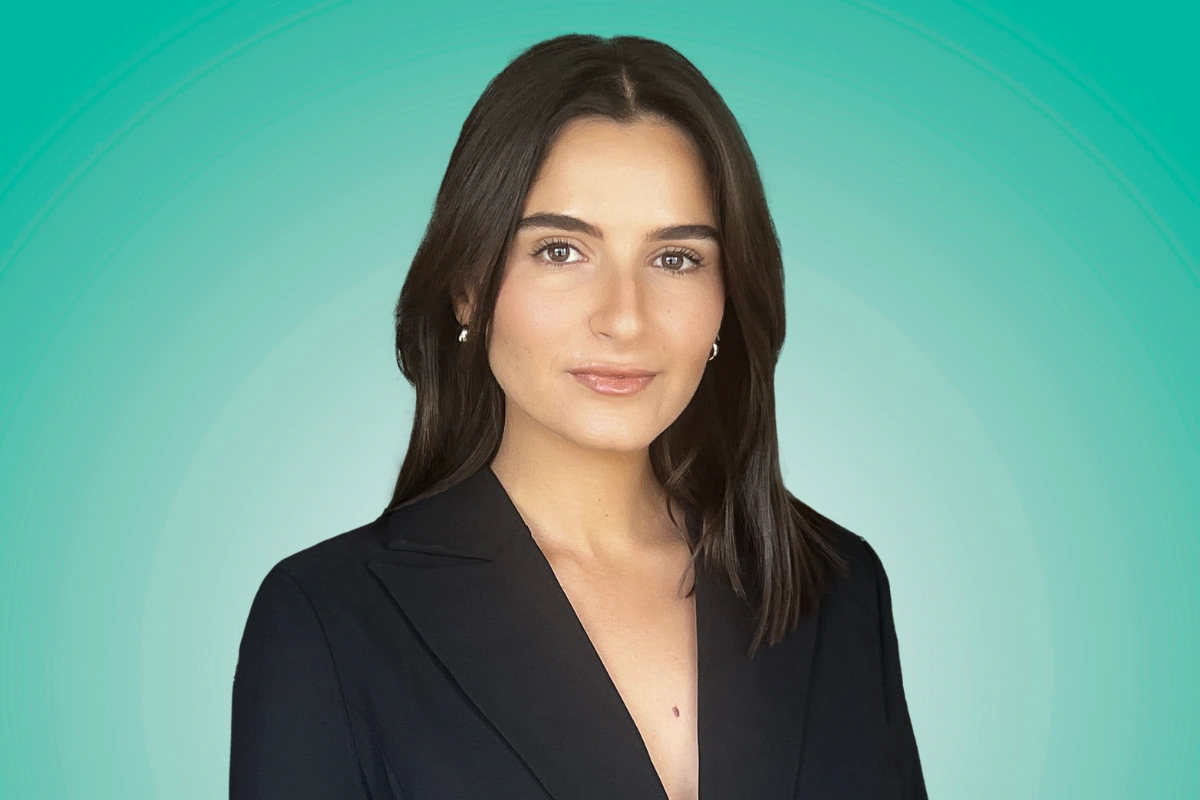
Step 5: Professional retouching and delivery. Within 24 hours, the employee receives three fully edited headshots — left angle, right angle, and straight-on. The admin sees them in the dashboard. Minor blemish removal, skin tone evening, color correction. Not filters. Professional retouching that looks like you on a good day.

The whole thing takes about 10 minutes. No travel. No scheduling gymnastics. No conference room takeovers. That’s how Google, Netflix, McKinsey, Paramount, Capital One, and hundreds of other organizations handle corporate headshots for distributed teams — with over 1,500 five-star reviews and a 4.9-star average to show for it.
For an in-depth look at virtual sessions — including how phone cameras achieve studio-quality results — see our guide on virtual headshots for remote teams.
See it in action. Book a free demo session and experience a virtual corporate headshot firsthand — or get an instant quote for your team in under 30 seconds. Get started →
Managing Corporate Headshots at Scale
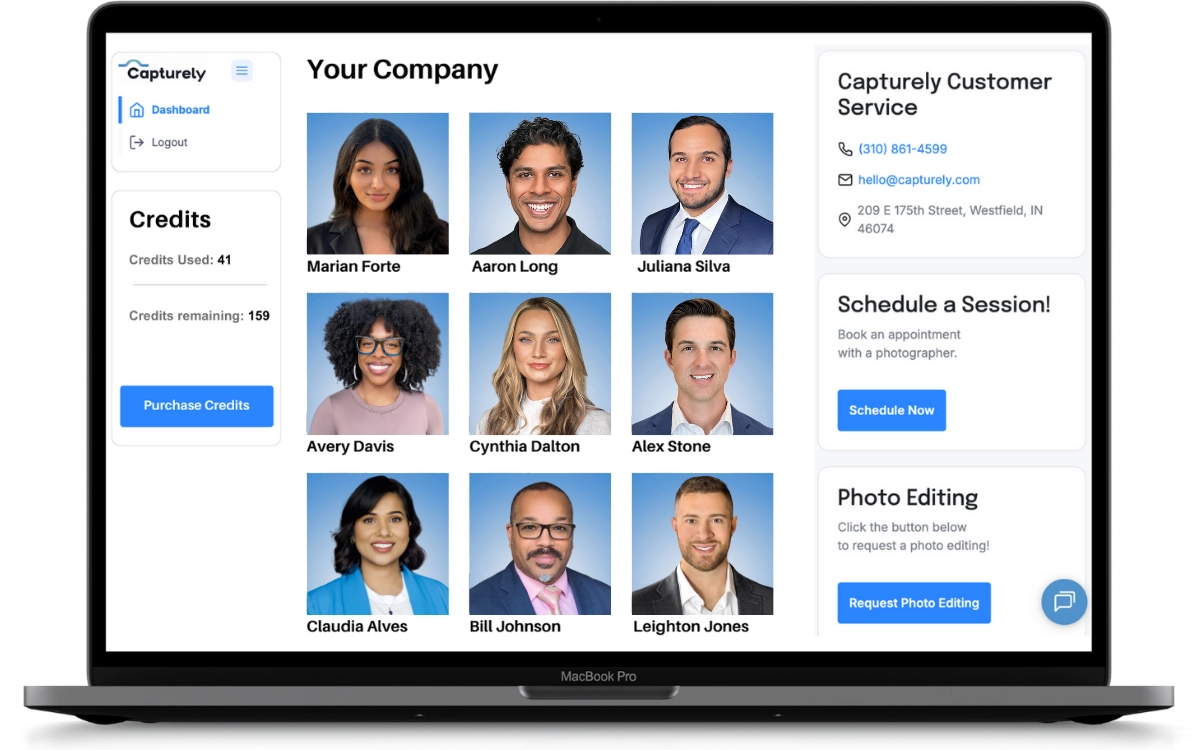
Getting 500 people photographed is one challenge. Managing the program — tracking who’s done, who hasn’t, downloading files, enforcing brand standards — is another entirely. This is where most headshot solutions fall apart, because they’re photography services that never thought about the admin experience.
An admin dashboard changes the entire equation:
Scheduling visibility — See who has booked, who’s completed their session, and who needs a nudge. No more manual tracking spreadsheets or email chains.
Background and style controls — Set the background, cropping, and retouching preferences once. Every employee gets the same look automatically. No individual decision-making means no inconsistency.
Download management — Access all completed headshots from one portal. Download individually or in bulk. Share directly with your web, marketing, or HR teams.
Notifications — Alerts when sessions complete, when photos are delivered, when credits are running low.
Credits model — Buy session credits in bulk, use them over 12 months. New hires, promotions, rebrands, leadership changes — just use a credit. No new contracts, no repurchasing every time someone joins the team.
This is what Jeff Maldonado at AmeriLife described when he said: “We had no mechanism to ensure their headshots met our brand standards. Capturely solves that. We now have standards of formatting, consistent delivery, and everyone’s been on the nose of where we needed to be.”
For a full walkthrough of building a headshot program from scratch — including budget approval, rollout communication, and ROI measurement — see the HR manager’s guide to team headshot programs.
Choosing Backgrounds for Your Corporate Headshots
The background is the fastest way to unify — or fragment — your corporate headshots.
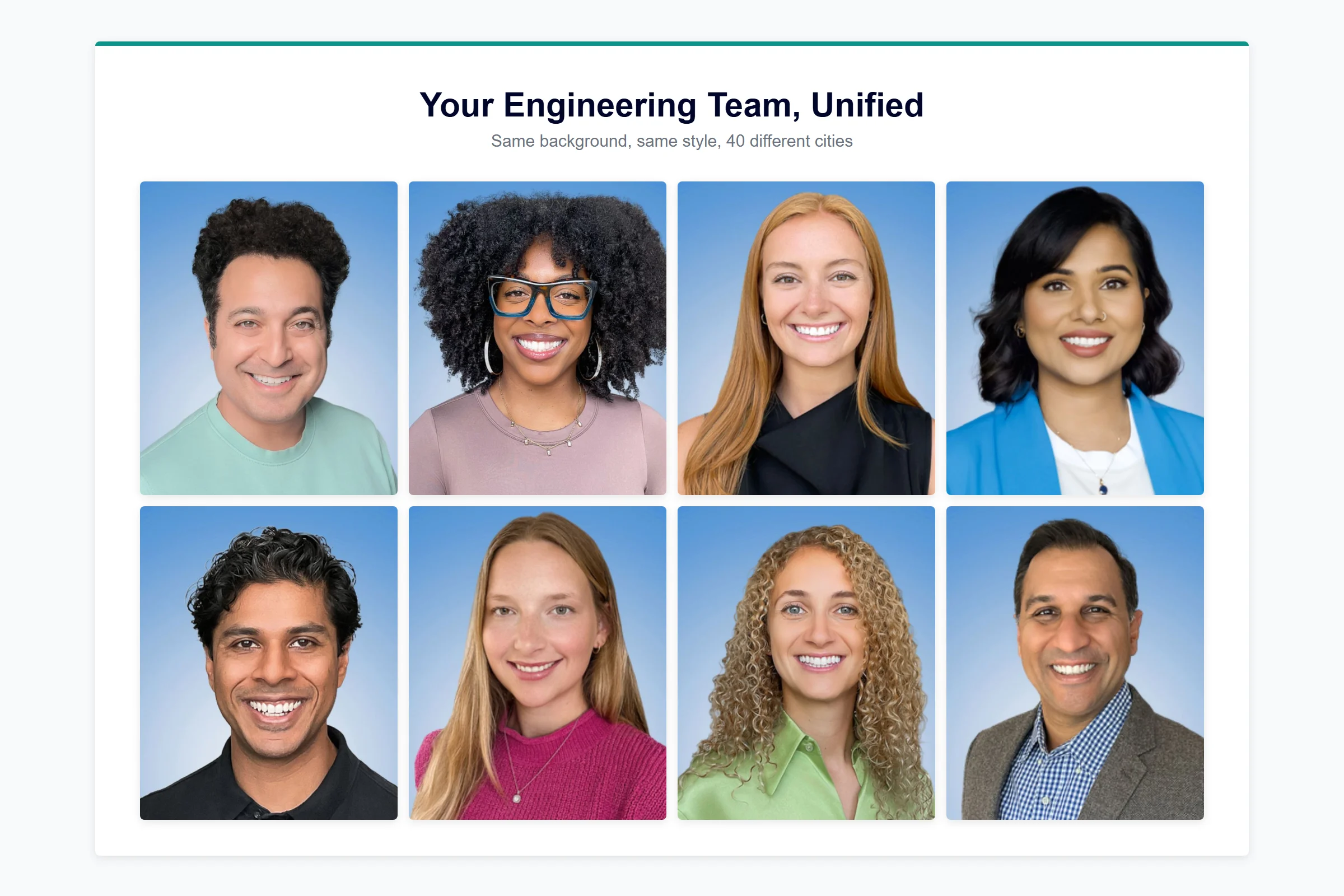
When employees get photographed by different photographers, in different cities, over different years, backgrounds become a mess. Gray here, blue there, someone’s got a bookshelf, someone else is standing in a parking garage. It looks like you grabbed a bunch of random photos and stuck them on a page. Because that’s exactly what happened.
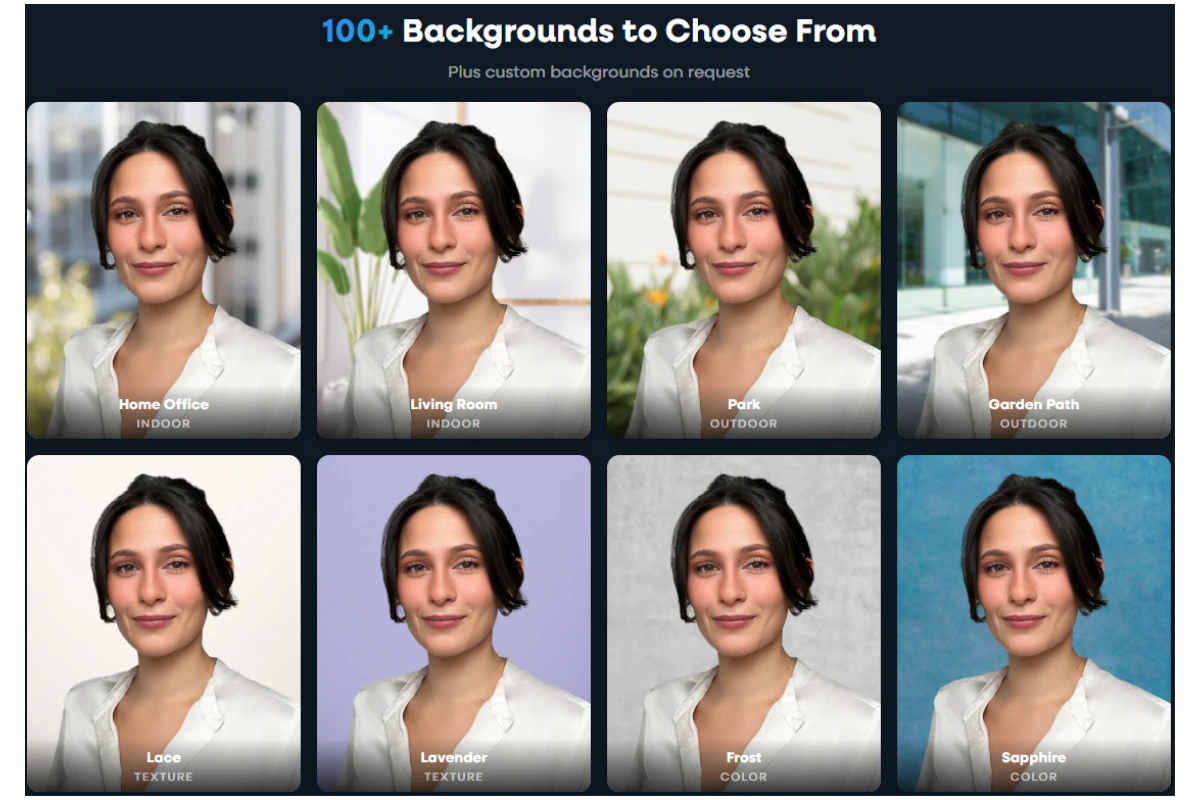
Consistent backgrounds fix this instantly. The most popular choices for corporate headshots:
White or light gray — Universal, clean, modern. Works for every industry and reproduces well at any size. The safest pick if you’re not sure.
Navy or charcoal — Authority and depth. Common in financial services, law, and consulting. Creates strong contrast with lighter clothing.
Teal or blue gradient — More distinctive than a solid color without being distracting. Increasingly popular with companies that want polish with personality.

Custom branded — Your company’s exact brand colors or gradient, applied uniformly to every headshot. The gold standard for organizations with strict visual guidelines. Capturely offers custom branded backgrounds for a $200 one-time setup, with 98+ other options included at no additional cost.
Which background you choose matters less than choosing one and applying it consistently across every employee. That’s the entire point. For a full visual guide with examples, see professional headshot backgrounds.
Frequently Asked Questions
What are corporate headshots?
Corporate headshots are standardized professional photographs of employees within an organization, taken with consistent backgrounds, lighting, framing, and retouching. They’re used on company websites, LinkedIn profiles, email signatures, internal directories (Slack, Teams, HRIS), and client-facing materials like proposals and pitch decks. Unlike casual or personal photos, corporate headshots are designed to present a unified, professional visual identity across the entire organization.
How much do corporate headshots cost?
Costs vary by method. Traditional in-person studios charge $150–$450 per person in most cities. On-demand services like Snappr run $89–$200+. Self-guided virtual services charge $25–$60. AI generators cost $29–$59 but produce fabricated images, not real photographs. Live virtual services with a professional photographer, like Capturely, range from $45–$79 per person depending on team size, with up to 45% savings for larger teams. For a complete breakdown, see our professional headshot cost guide.
How do you get consistent headshots for a remote team?
Virtual headshot services solve this by giving every employee the same experience regardless of location. With a live virtual service, each person connects with a photographer through their phone, gets directed through a 10-minute session, and receives professionally retouched headshots within 24 hours — all with the same background, framing, and retouching standards. This eliminates the inconsistency that comes from using different local photographers in different offices.
Should our company use AI-generated headshots?
For most corporate applications, AI-generated headshots create more problems than they solve. They’re digital fabrications that approximate employee appearances — not actual photographs. This creates noticeable gaps on video calls when the real person doesn’t match their headshot. Research shows 38% of viewers describe AI-generated professional photos as “soulless.” Many enterprise organizations now prohibit them entirely. If your team does client-facing work or operates in high-trust industries like healthcare, financial services, or consulting, real photographs are the better investment. Full analysis: AI headshots vs. real headshots.
How often should companies update corporate headshots?
Every 18–24 months, or whenever an employee’s appearance changes noticeably. Public-facing roles — executives, client-facing staff, provider directories — may need updates every 12 months. The best approach is building headshots into your onboarding process so new employees are photographed in their first week, then running annual refresh cycles using a credits model that covers ongoing needs without repurchasing.
How do I organize headshots for a large team?
Start with a service that provides admin tools — scheduling management, background presets, and delivery tracking. Set brand standards upfront (background, cropping style, retouching level). Distribute session links through internal communications. Use a credits model so new hires are covered without repurchasing. For a step-by-step playbook including communication templates and budget-approval frameworks, see the HR manager’s guide to team headshot programs.
What background is best for corporate headshots?
There’s no single “best” — it depends on your brand and industry. White and light gray are the most versatile, working across every industry. Navy and charcoal add authority for financial and legal firms. The most important decision is choosing one background and applying it consistently across every employee, so your team page has a unified look. Full visual guide: professional headshot backgrounds.
Can you take professional corporate headshots with a phone?
Yes. Modern smartphone rear cameras capture at 36–48 megapixels — more than enough for professional headshot resolution. The camera hardware is not the bottleneck. Lighting, composition, and direction are. That’s why live virtual headshot services pair smartphone capture with a professional photographer who coaches each employee through posing, lighting, and expression in real time. The technology is already in everyone’s pocket. The skill is in the photographer.
Your Team Page Is Your First Impression
Every prospect researching your company sees your team page. Every candidate evaluating whether to apply looks at it. Every client deciding whether to trust you with their business forms an impression from it.
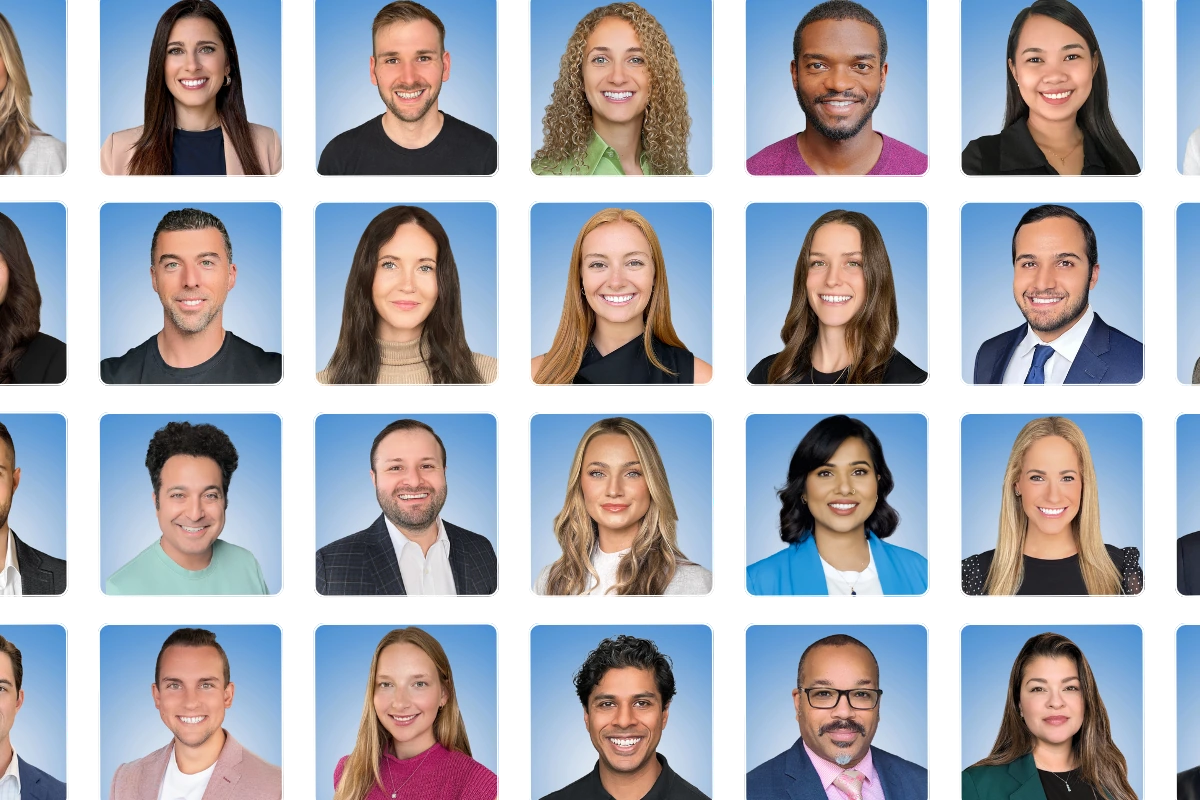
Consistent, professional corporate headshots don’t just look better. They signal competence, attention to detail, and investment in your people. And with live virtual headshot services, getting that consistency no longer requires the logistical chaos that used to make it impossible.
Ready to fix your team page? Get a free instant quote for consistent, professional corporate headshots — or book a demo to see it yourself. Real photographers. Real photos. 10 minutes per person. 24-hour delivery. Get your instant quote →