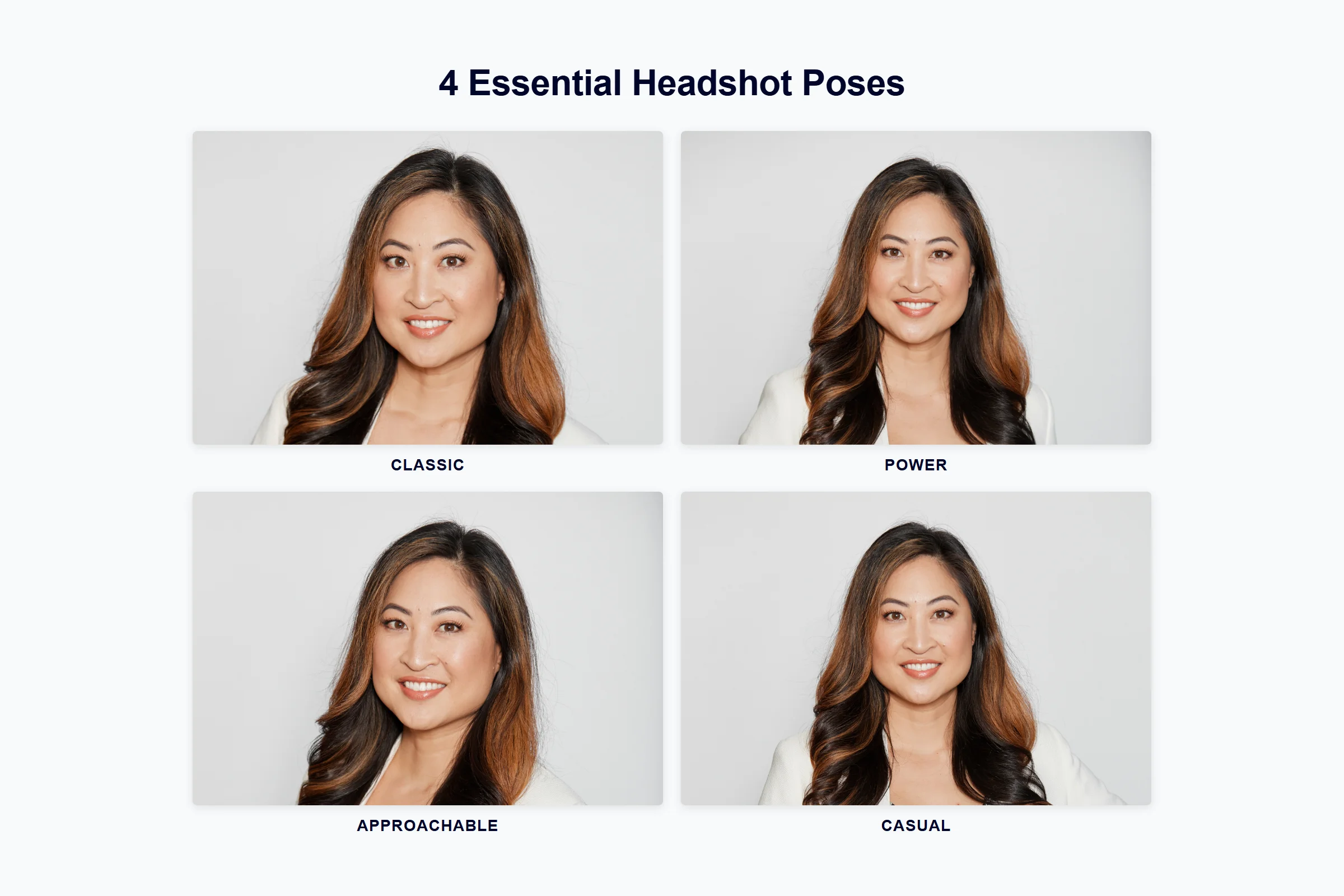
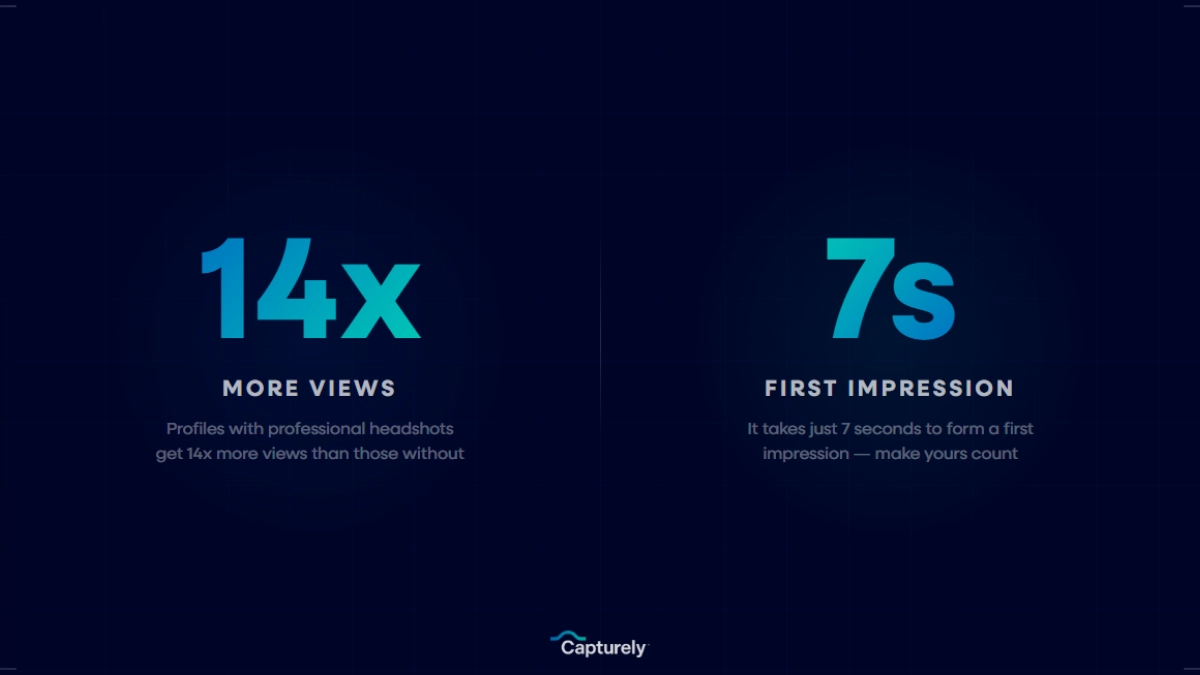
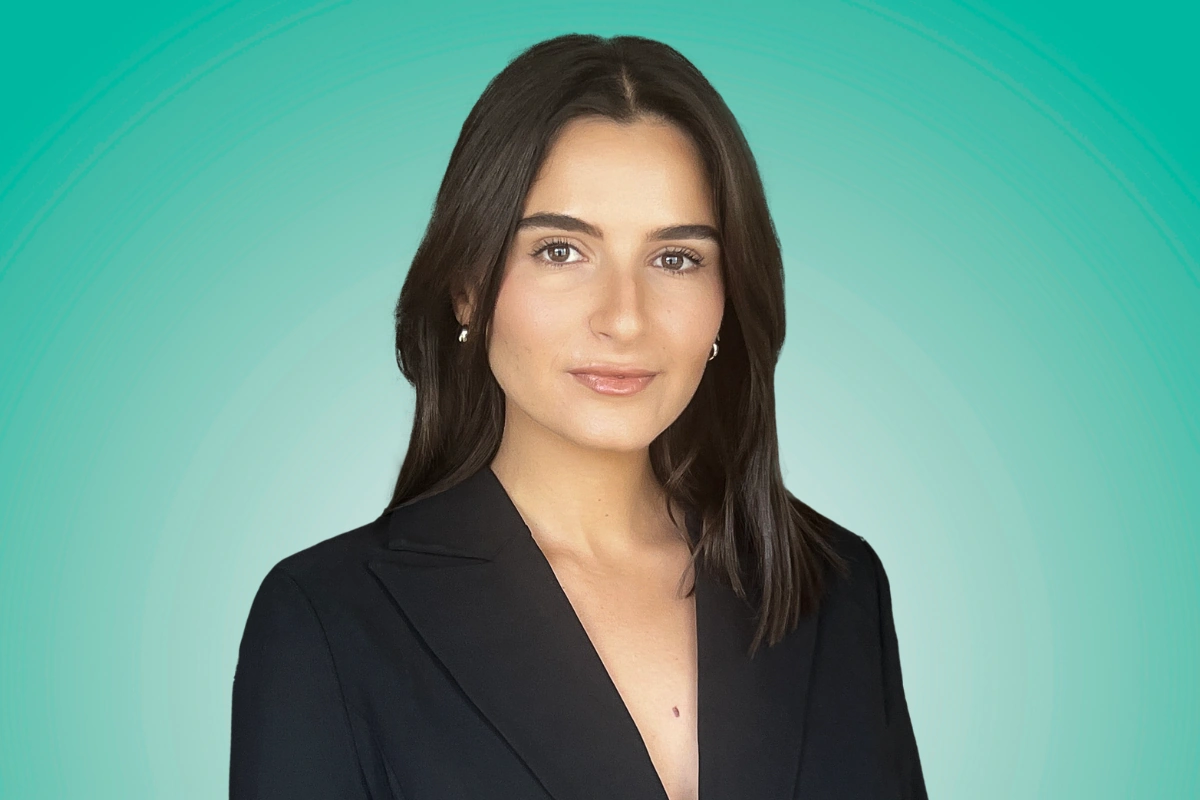
The best LinkedIn photo shows your face filling 60% of the frame, uses soft natural lighting, features a solid or subtly branded background, and captures a genuine smile with visible teeth. Profiles with professional photos receive 14x more views and up to 36x more messages (LinkedIn, 2024) — making your profile picture the single most impactful element on your entire LinkedIn page.
Last updated: March 2026
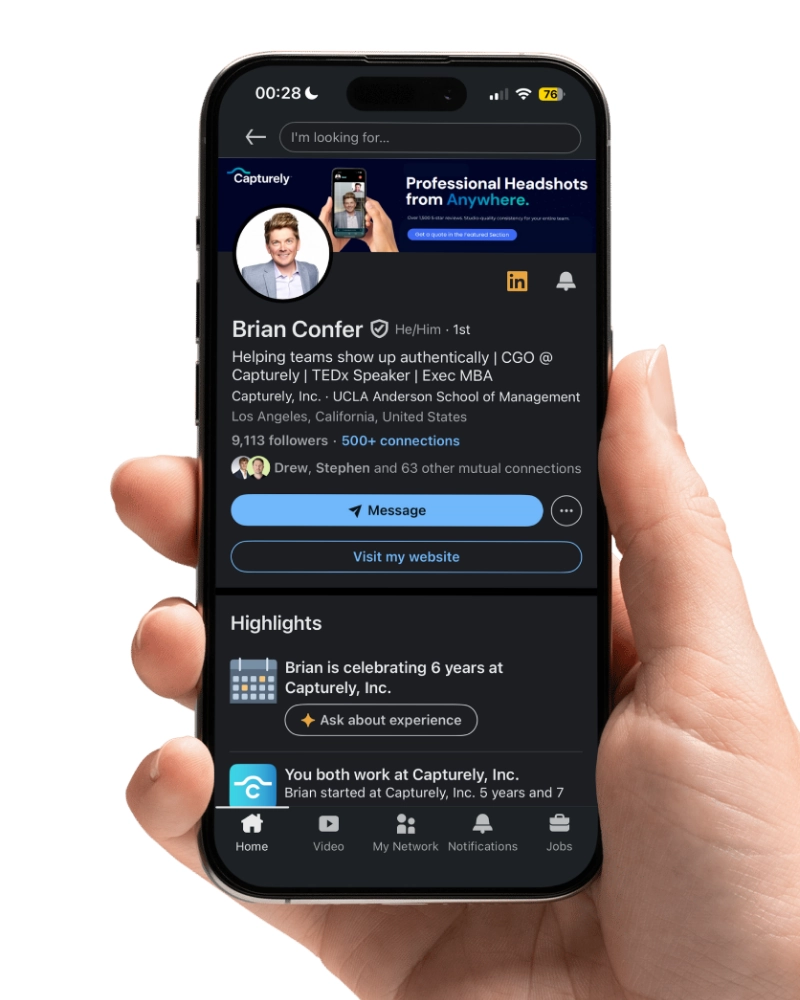
That stat surprises people. Not your headline, not your experience section, not your 47 endorsements for Microsoft Excel. Your photo. It’s the first thing recruiters see in search results, the tiny circle next to every comment you leave, and the image that pops up when someone gets your connection request. Get it wrong and people scroll past. Get it right and they click.
This guide covers the research behind what actually works — drawn from PhotoFeeler’s analysis of 60,000+ photo ratings, LinkedIn’s own platform data, and our experience directing over 100,000 professional headshots at Capturely.
Why Your LinkedIn Photo Matters More Than You Think
People form trait judgments from a face in 100 milliseconds — one-tenth of a second. That’s not a metaphor. Princeton researchers showed participants faces for 100ms and found they formed reliable assessments of trustworthiness, competence, and likability in that window. Longer viewing time didn’t change the judgment; it only increased confidence in it (Willis & Todorov, Psychological Science, 2006).
Alexander Todorov, the Princeton psychologist behind that study, put it bluntly: “We decide very quickly whether a person possesses many of the traits we feel are important, such as likeability and competence, even though we have not exchanged a single word with them” (Princeton, 2006).
On LinkedIn specifically, the numbers are hard to argue with:
- 14x more profile views for profiles with a photo vs. without (LinkedIn, 2024)
- 36x more messages from recruiters and connections (LinkedIn, 2018)
- 9x more connection requests with a professional photo (LinkedIn, 2018)
- 88% of business owners dismiss profiles without a picture outright (Passport-Photo.Online, 2025)
Recruiters spend 19% of their LinkedIn profile viewing time looking at the photo alone (TheLadders Eye-Tracking Study, 2018). On a 7.4-second average profile scan, that’s roughly 1.4 seconds spent deciding whether your face signals “worth talking to” or “keep scrolling.”
Ravi Davda, CEO of Rockstar Marketing, doesn’t mince words: “I ignore any profile that doesn’t have one. If they haven’t taken 5 minutes to put a profile photo up, I can’t take them seriously” (Passport-Photo.Online, 2025).
The takeaway isn’t vanity. It’s math. A strong LinkedIn headshot is the single cheapest way to multiply your profile’s performance.
The 7 Rules of a Great LinkedIn Photo
Most LinkedIn photo advice is vague. “Look professional.” “Be approachable.” That’s like telling someone to “write good copy.” The PhotoFeeler research team analyzed 60,000+ ratings across 800 profile photos and quantified exactly what moves perception (PhotoFeeler, 2023). Here are the seven factors that actually shift the needle.
1. Your Face Takes Up 60% of the Frame

LinkedIn displays your photo as a small circle — roughly 56 pixels in search results and comments, 200 pixels on your profile page. If your face is too small in the original image, you become an unrecognizable blur at the sizes that matter most. LinkedIn’s own guidelines recommend your face fill at least 60% of the frame (LinkedIn, 2024).
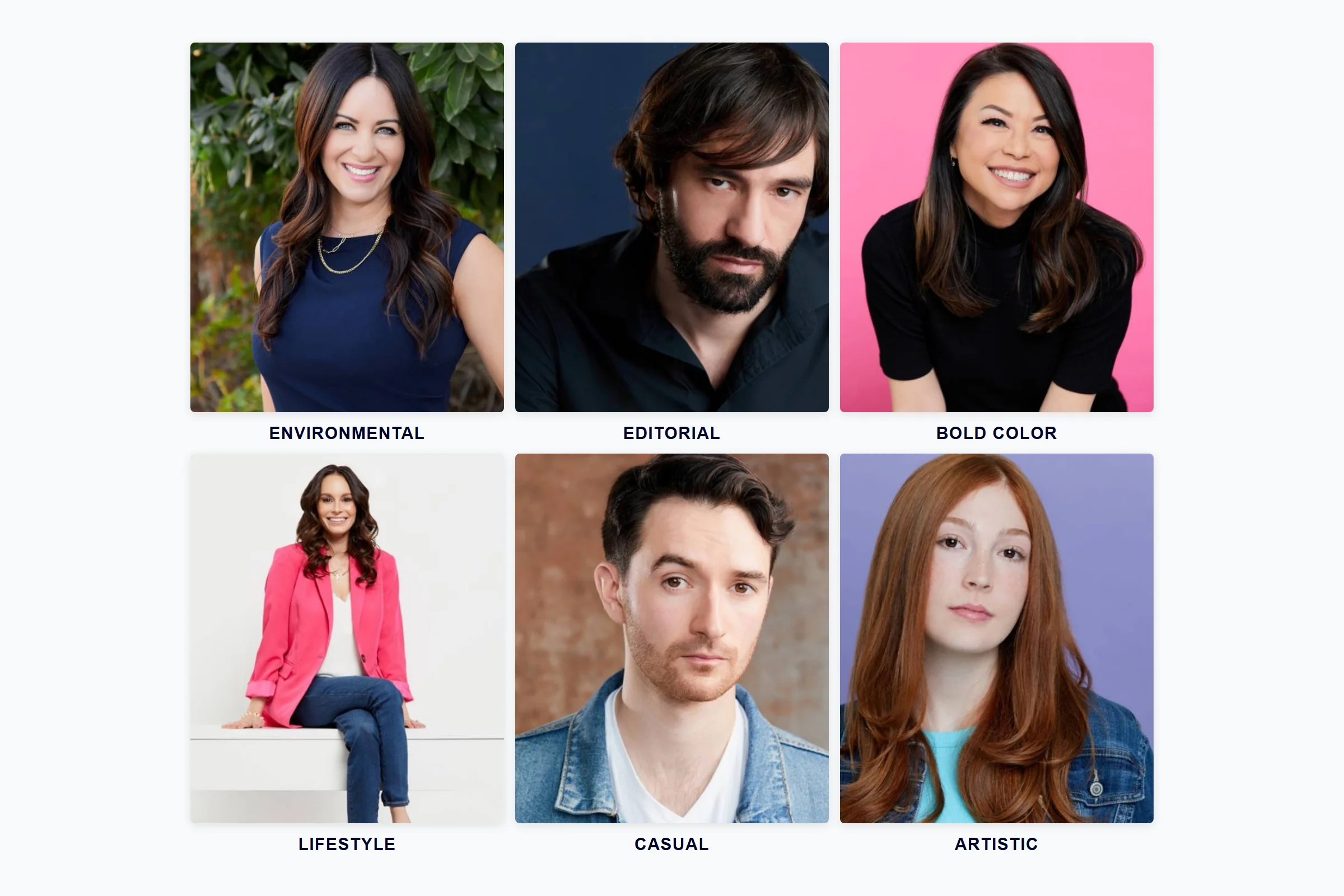
Head and shoulders framing works best. Leave a sliver of space above your head and crop just below your shoulders. Avoid full-body shots, waist-up photos, or environmental portraits where you’re a small figure in a larger scene. Those look great on a website — they disappear on LinkedIn.
2. Use a Solid or Subtly Branded Background
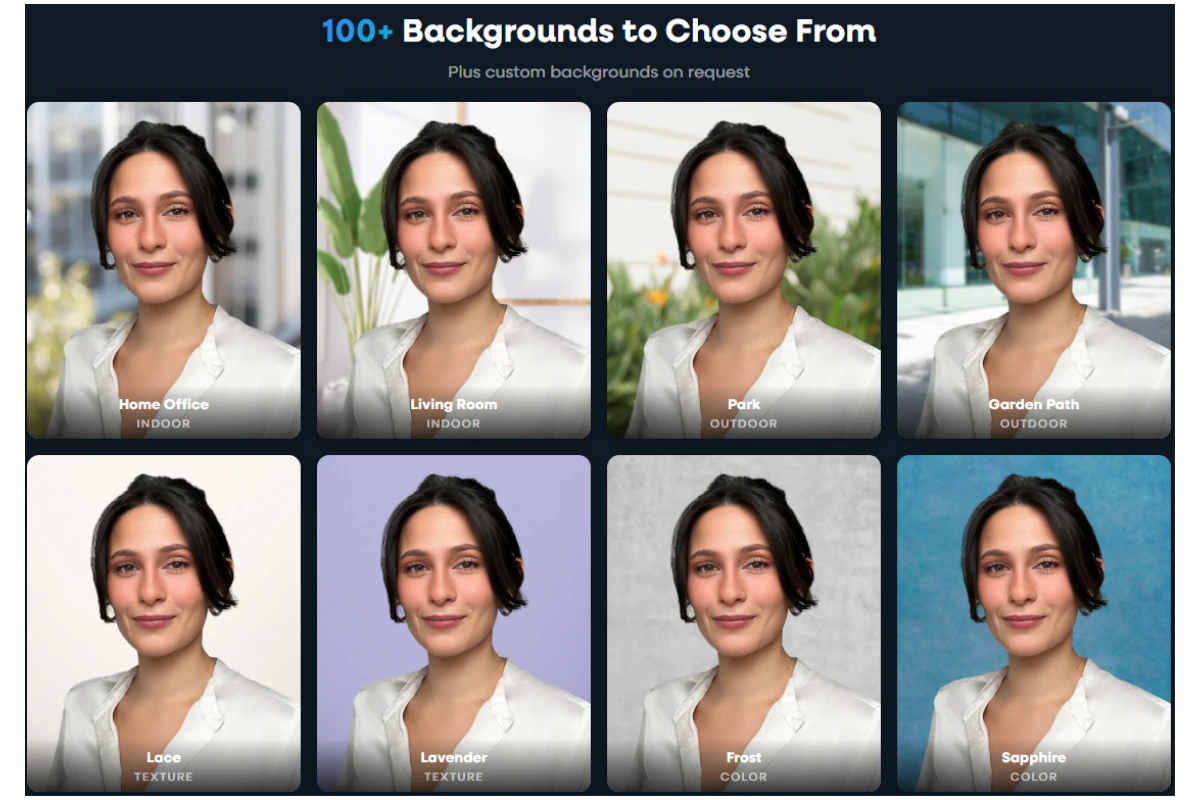
Busy backgrounds compete with your face for attention. Coffee shops, office lobbies, cityscapes — they add noise to a 56-pixel circle. Solid backgrounds keep the focus where it belongs.
The best LinkedIn photo backgrounds are solid neutrals (gray, navy, white) or muted tones (soft blue, teal). Capturely offers 98+ background options including custom branded backgrounds for organizations that want visual consistency across their team. If you’re shooting DIY, a blank wall works. Just make sure there’s enough contrast between your clothing and the background — a dark suit against a dark wall makes you disappear.
For a deeper look at background selection, our headshot backgrounds guide covers color psychology and industry-specific recommendations.
3. Smile With Teeth Showing
This one’s backed by hard data. In PhotoFeeler’s study, smiling with visible teeth produced a +1.35 boost to likability — the single largest positive shift of any variable tested (PhotoFeeler, 2023). Formal dress increased perceived competence by +0.94. Defined jawline shadow added +0.24. But nothing moved the needle like a genuine, teeth-showing smile.

The key word is genuine. A forced grin reads as anxious. A subtle closed-mouth smile reads as guarded. The sweet spot is what photographers call the “Duchenne smile” — the one that reaches your eyes, creates natural crow’s feet, and lifts your cheeks. A good photographer gets this out of you through conversation, not by saying “say cheese.”
4. Keep It Current (Within 2 Years)
An outdated photo creates a trust gap the moment someone meets you on a video call or in person. If you’ve changed your hairstyle, gained or lost weight, started wearing glasses, or aged more than a couple of years since your photo was taken, it’s time for a new one.
The standard recommendation is every 2–3 years. But any significant appearance change warrants an immediate update. The photo should look like you today — not the version of you from 2019 that you happen to like better.
5. Upload at Least 640×640 Pixels
LinkedIn’s minimum upload size is 400×400 pixels, but that’s a floor, not a target. LinkedIn compresses every uploaded image, and JPEG files suffer the most — double compression creates visible artifacts and fuzzy edges. For the sharpest result:
- Upload at 800×800 pixels or larger in PNG format (lossless, survives compression better)
- Keep file size under 8 MB (LinkedIn’s maximum)
- Use a 1:1 square aspect ratio to prevent auto-cropping
- Maximum upload: 7,680 x 4,320 pixels
Source: LinkedIn Help Center
| Spec | Recommendation |
|---|---|
| Minimum upload | 400 x 400 px |
| Recommended upload | 800 x 800 px (PNG format) |
| Maximum upload | 7,680 x 4,320 px |
| Max file size | 8 MB |
| Aspect ratio | 1:1 (square) — LinkedIn crops non-square uploads |
| Display shape | Circle (corners get cropped) |
| Best file format | PNG (lossless) > JPEG (lossy) |
6. Get the Lighting Right
Bad lighting is the single most common problem in DIY LinkedIn photos. Overhead room lights cast shadows under your eyes and chin. Direct sunlight makes you squint. Mixed light sources (window + lamp) create uneven color casts that make your skin look sickly.
The fix is simpler than most people think: face a large window with indirect light. No direct sun — overcast days or a north-facing window work best. Position yourself 2–4 feet from the window and turn off every indoor light in the room. That single window becomes a massive, soft light source that wraps around your face evenly.
PhotoFeeler’s data confirms this matters: dark or underlit photos produced a –0.38 drop in likability, while photos with high color saturation (from mixed lighting) reduced perceived competence by –0.31 (PhotoFeeler, 2023).
7. Be the Only Person in the Photo
This should go without saying, but 28% of recruiters specifically flag cropped group photos as unprofessional (SalesSo, 2026). If someone else’s shoulder, arm, or drink is visible in your LinkedIn photo, start over. The same goes for pets, children, and scenery that makes you a small element in a larger picture.
Your LinkedIn photo has one job: show your face, clearly and professionally. Everything else is a distraction.
Get all 7 rules right in one session. Capturely’s live photographers coach your posture, expression, and lighting in real time — 10-minute virtual session, 3 edited photos in 24 hours, 98+ backgrounds. Book your LinkedIn headshot →
LinkedIn Photo Mistakes That Cost You Connections
Seventy-one percent of recruiters have rejected a qualified candidate because of their LinkedIn profile picture (Passport-Photo.Online, 2025). Not because of qualifications. Not because of experience. Because of the photo. Here are the mistakes that trigger that reaction.
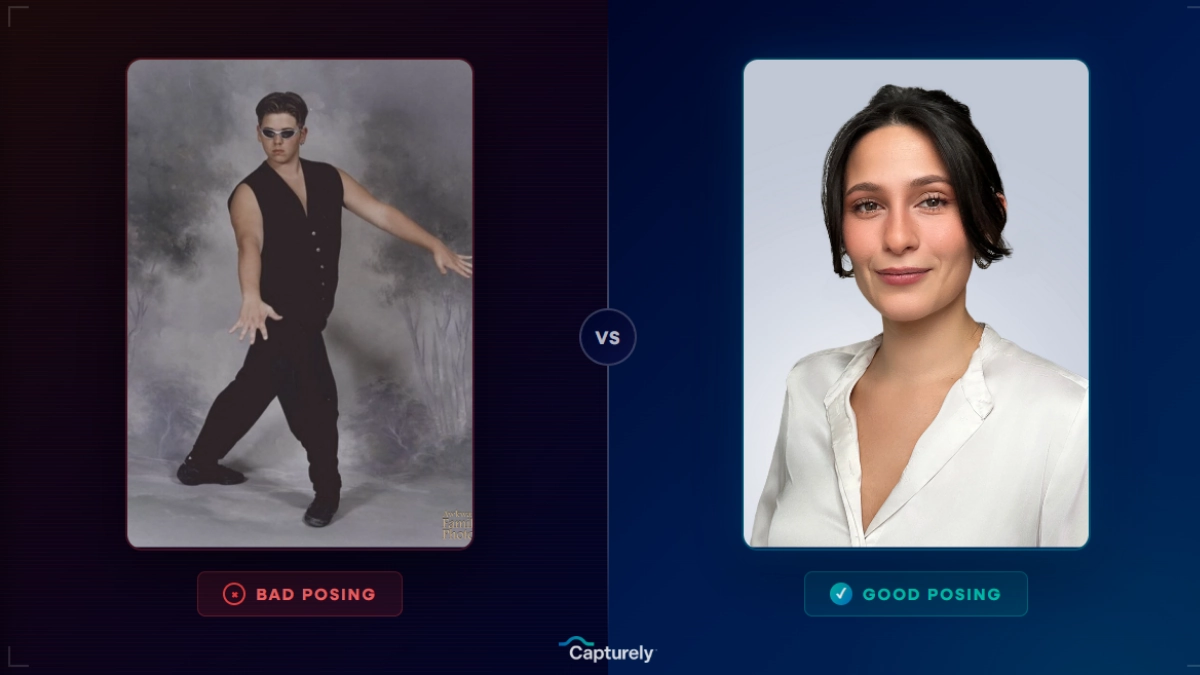
Using a selfie. Front-facing phone cameras (12 MP on most phones) produce noticeably lower quality than rear cameras (36–48 MP on iPhone 16, up to 200 MP on Samsung Galaxy S25). Worse, the wide-angle lens at close range distorts your face — making your nose look larger and your ears smaller. Professional headshots score 76% higher in perceived competence than selfies.
Sunglasses or hats. PhotoFeeler’s data shows sunglasses drop likability by –0.36 (PhotoFeeler, 2023). People need to see your eyes to form trust judgments. If you wear prescription glasses, keep them — but get the glare handled properly.
Cropped group shots. Someone else’s arm around your shoulder, a drink cropped out of frame, a wedding backdrop. These signal that you didn’t care enough to take a dedicated photo.
AI-generated headshots. Here’s the trap: 76.5% of recruiters preferred AI headshots when they didn’t know they were AI. But 66% reported “trust destruction” after discovering photos were AI-generated (SalesSo, 2026). Separately, 38% of people describe AI headshots as “soulless” (PhotoFeeler, 2024). The risk isn’t that AI photos look bad — it’s that they look too perfect, and the moment someone meets you on video and you look different, trust evaporates. For a deeper analysis, see our breakdown of AI headshots vs. real photography.
Photos older than 3 years. If you’ve changed since the photo was taken, every video call starts with a credibility gap.
No photo at all. LinkedIn profiles without photos are 7x less likely to appear in search results (LinkedIn, 2018). You’re effectively invisible.
DIY vs. Professional LinkedIn Photos: An Honest Comparison
You don’t necessarily need a photographer. But you should understand what you’re giving up when you go DIY — and what you’re paying for when you go pro.
| Method | Cost | Quality | Turnaround | Best For |
|---|---|---|---|---|
| DIY (phone, rear camera) | Free | Decent — if you nail the lighting and have a friend direct you | Instant | Budget-conscious, short-term placeholder |
| AI headshot generator | $19–$79 | Polished but not real — 66% recruiter trust loss when discovered | Minutes | Low-stakes internal profiles only |
| Traditional studio | $150–$450+ | High — controlled lighting, pro lenses, full retouching | 1–4 weeks | Executives, actors, high-stakes roles |
| Capturely virtual session | $79/session ($45–$79 for teams) | Professional — live photographer directs via rear camera (36–48 MP) | 24 hours | LinkedIn, email sig, company directories, team rollouts |
The biggest difference between DIY and professional isn’t equipment — it’s direction. When you’re taking your own photo, you can’t see your own face. You don’t know if your chin is tilting too far down, if your smile looks forced, or if the lighting is casting a shadow under your left eye. A photographer sees all of that in real time and corrects it.
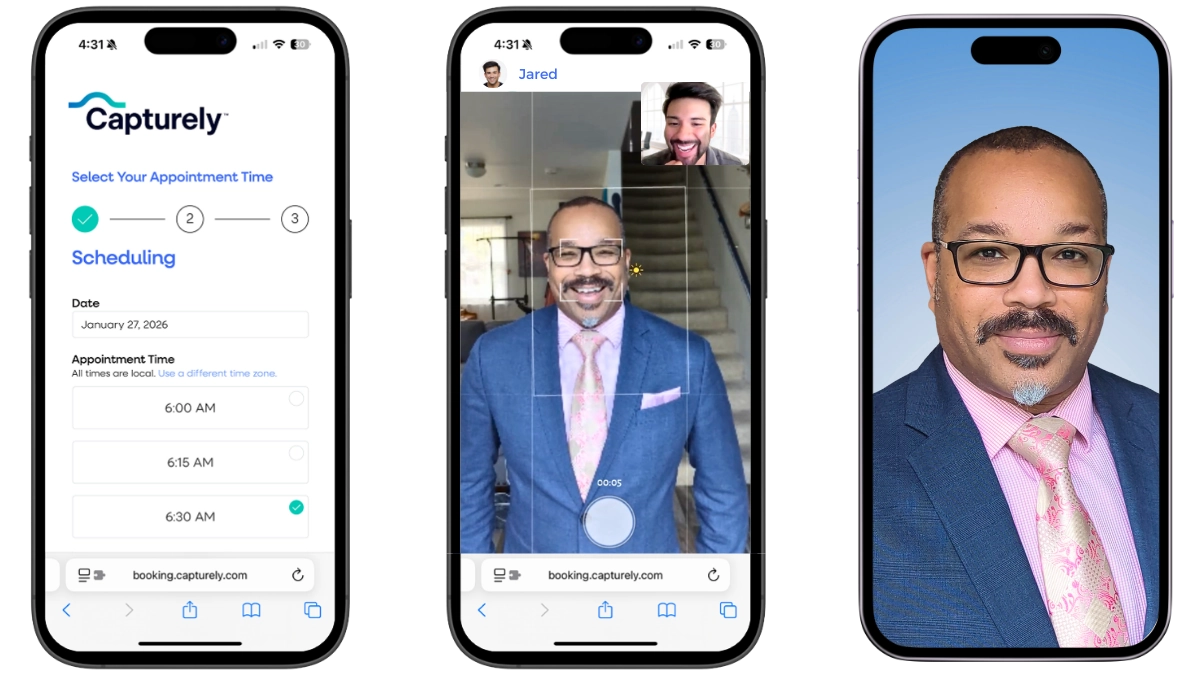
Capturely’s virtual sessions solve this without the scheduling and travel friction of a studio visit. You open a link on your phone, connect with a live photographer who coaches your posture, expression, and lighting in real time using your phone’s rear camera, and receive 3 fully edited headshots within 24 hours. No app download. Choose from 98+ backgrounds. The happiness guarantee means unlimited retouching until you’re satisfied.
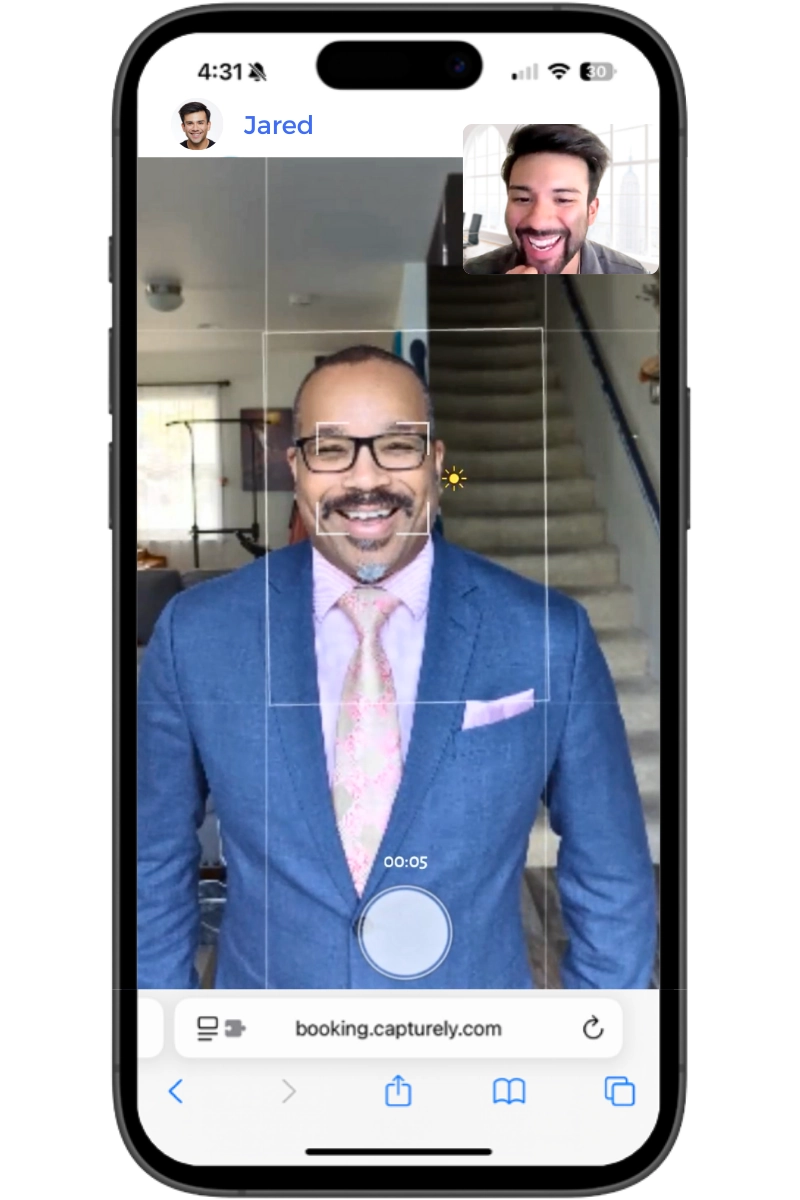
If you do go DIY, use your phone’s rear camera (not the selfie cam), prop it on a stack of books or a tripod at eye level, face a window with indirect light, turn off all indoor lights, and have someone else tap the shutter while talking to you. Take at least 30 shots. Your best expression will be somewhere in the middle of the set, not the first frame or the last.
For more on the complete shooting process, our guide on how to take professional headshots walks through lighting, posing, and editing step by step.
Skip the guesswork. Capturely’s 10-minute virtual sessions deliver LinkedIn-ready headshots with live photographer direction. 765+ reviews at 4.9 stars. Teams at Google, Amazon, McKinsey, and Capital One trust it. Get your headshot →
How to Update Your LinkedIn Photo
Updating your LinkedIn profile picture takes about 30 seconds once you have the photo ready. Here’s the process.
- Get your photo ready. Square crop (1:1 ratio), at least 800×800 pixels, PNG format for best quality. Face should fill 60% of the frame.
- Go to your LinkedIn profile. Click your profile photo or the camera icon overlaying it.
- Select “Change photo.” Upload your new image. LinkedIn will let you reposition and resize within the circular crop.
- Adjust the crop. Make sure your face is centered and your forehead isn’t cut off. Check that the circle crop doesn’t clip important elements.
- Add filters (optional). LinkedIn offers built-in filters — Spotlight and Classic are the most natural. Skip anything heavy-handed.
- Set visibility. Choose who can see your photo: your connections, your network, or all LinkedIn members. For maximum visibility, choose “All LinkedIn members.”
- Save. LinkedIn may notify your network of the update (check your settings if you want to control this). That notification burst often drives a temporary spike in profile views.
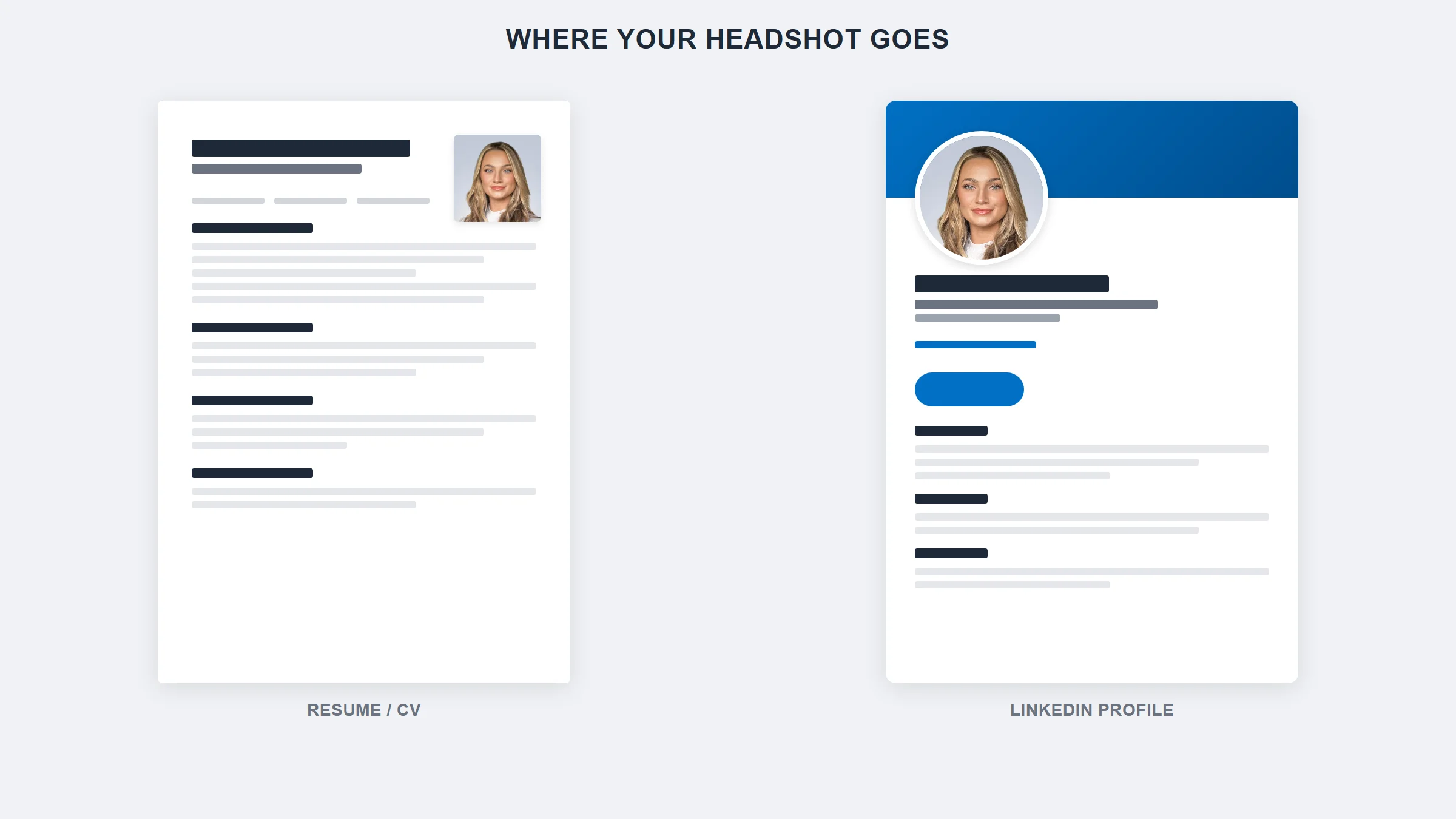
If you’re updating photos for an entire team, our guide on updating team LinkedIn headshots covers the coordination and rollout strategy. And for the full picture of where your headshot delivers value beyond LinkedIn, see our breakdown of where to use professional headshots.
What to Wear in Your LinkedIn Photo (By Industry)
Wardrobe has a measurable impact on how your LinkedIn photo performs. PhotoFeeler’s research found that formal attire increased perceived competence by +0.94 and influence by +1.29 on a normalized scale — the biggest positive shift after smiling with teeth (PhotoFeeler, 2023).

The rule of thumb: dress one level above your industry’s daily norm.
| Industry | What to Wear | What to Avoid |
|---|---|---|
| Finance, Law, Consulting | Dark suit, solid tie (optional), white or light blue shirt | Bright colors, casual fabrics, novelty ties |
| Healthcare | White coat or polished business attire, muted colors | Scrubs (too casual for LinkedIn), busy patterns |
| Technology, Startups | Smart casual — blazer over crew neck, structured jacket, solid colors | Graphic tees, hoodies (unless that IS your brand) |
| Creative, Design, Media | Personality-forward but polished — interesting textures, bold solids, accessories with intention | Looking like you tried too hard; anything that competes with your face |
| Education, Nonprofit | Business casual — blazer, cardigan, or structured top in warm tones | Overly corporate; anything that creates distance |
| Real Estate | Polished and approachable — blazer, open collar, jewel tones | Too formal (creates intimidation); too casual (undermines trust) |
Stick to solid colors in navy, charcoal, black, or jewel tones. Avoid busy patterns and shiny fabrics — matte textiles like wool and cotton photograph cleanly. For a complete wardrobe guide with specific outfit recommendations, see what to wear for professional headshots.
LinkedIn Photo Tips for Specific Situations
Career Changers
If you’re transitioning industries, your photo should reflect where you’re going, not where you’ve been. Moving from finance to tech? Swap the suit for smart casual. The photo signals your identity before your headline does.
Job Seekers
Amanda Augustine, Certified Professional Career Coach at TopResume, summarizes it: “Studies have found that your LinkedIn profile is 40 percent more likely to be clicked on if it contains a headshot” (TopResume, 2024). If you’re actively job hunting, a professional photo isn’t optional — 95% of recruiters use LinkedIn for hiring (Jobvite, 2024). For the resume photo question specifically, our resume photo guide covers when to include one and when to skip it.
Personal Brand Builders
If LinkedIn is a core channel for your personal brand, your profile photo and banner should work as a visual unit. The photo handles personal connection; the banner handles context (what you do, who you serve, your signature visual style). Coordinate the color palette. For the full visual identity strategy, see our guide on personal branding photography.
Team Rollouts
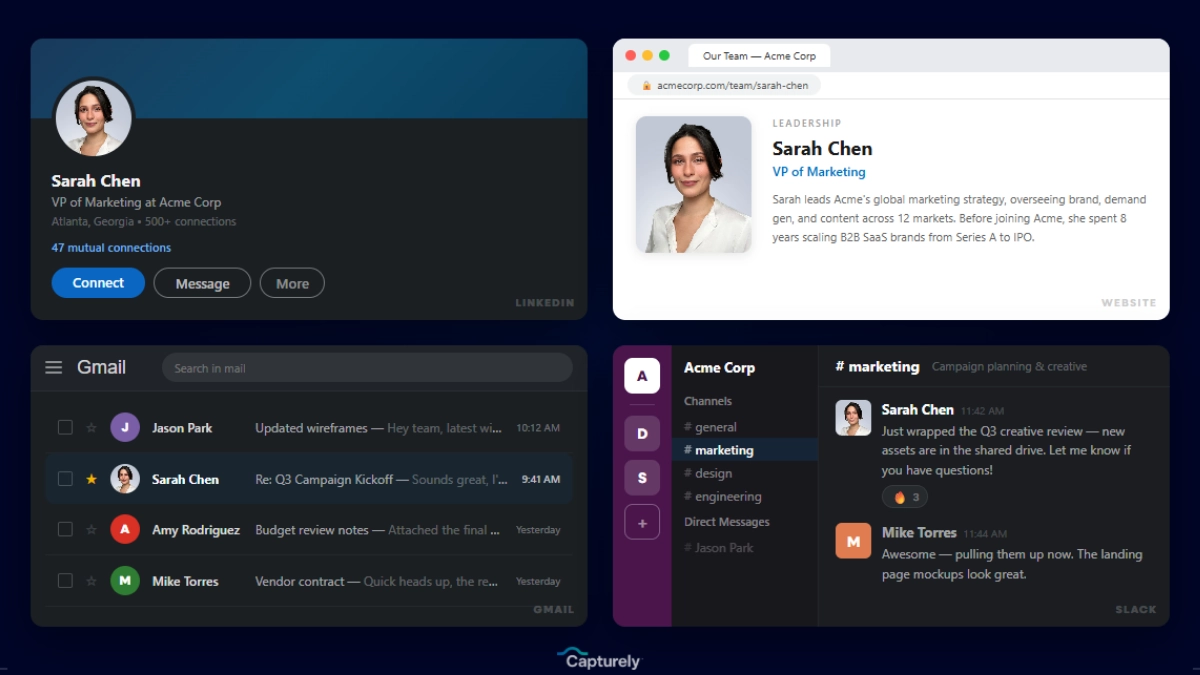
When everyone on your team updates their LinkedIn headshots at the same time with consistent style and backgrounds, it creates a visual signal of organizational professionalism that individual photos can’t match. Capturely handles this at scale — teams at Google, Netflix, Amazon, and McKinsey use it to maintain visual consistency across hundreds of profiles. For posing tips specific to corporate settings, see how to pose for corporate headshots.
Frequently Asked Questions
What makes a good LinkedIn profile picture?
A good LinkedIn profile picture shows your face filling 60% of the frame against a solid or muted background, with soft natural lighting and a genuine smile showing teeth. PhotoFeeler’s analysis of 60,000+ ratings found that smiling with teeth is the single biggest likability booster (+1.35), while formal attire increases perceived competence by +0.94 (PhotoFeeler, 2023). Upload at 800×800 pixels minimum in PNG format for the sharpest result after LinkedIn’s compression.
Does your LinkedIn photo affect getting hired?
Yes, measurably. Profiles with professional photos receive 14x more views and up to 36x more messages from recruiters (LinkedIn, 2024). Seventy-one percent of recruiters have rejected a qualified candidate based on their profile picture (Passport-Photo.Online, 2025). Recruiters spend 19% of their profile-viewing time on the photo alone, forming trust judgments in 100 milliseconds (TheLadders, 2018; Willis and Todorov, 2006).
What size should a LinkedIn profile picture be?
LinkedIn requires a minimum of 400×400 pixels and accepts up to 7,680×4,320 pixels with a maximum file size of 8 MB. For the best quality after compression, upload an 800×800 pixel image (or larger) in PNG format at a 1:1 square aspect ratio. LinkedIn displays the photo as a circle, so center your face and avoid placing important elements near the corners.
Can I use an AI-generated headshot on LinkedIn?
LinkedIn does not prohibit AI headshots, but the risk is real. While 76.5% of recruiters initially preferred AI-generated photos when they didn’t know the origin, 66% reported trust destruction after discovering photos were AI-generated (SalesSo, 2026). Additionally, 38% of people describe AI headshots as soulless (PhotoFeeler, 2024). The moment you appear on a video call looking different from your photo, credibility suffers. A 10-minute virtual session with a real photographer eliminates that risk.
Should I smile in my LinkedIn photo?
Yes — and show your teeth. PhotoFeeler’s research across 60,000+ ratings found that a teeth-showing smile produced the single largest positive impact of any variable tested: +1.35 to likability (PhotoFeeler, 2023). The smile needs to be genuine, reaching your eyes with natural crow’s feet. A forced grin reads as anxious. A closed-mouth smile reads as guarded. This is why live photographer direction helps — they get authentic expressions through conversation.
How often should I update my LinkedIn photo?
Every two to three years at minimum, or immediately after a significant appearance change (new glasses, different hairstyle, weight change). An outdated photo creates a credibility gap the moment someone meets you on video. LinkedIn also notifies your network when you update your profile photo by default, which can drive a temporary spike in profile views — making photo updates a low-effort visibility strategy.
What is the best background for a LinkedIn photo?
Solid, muted colors work best — gray, navy, white, soft blue, or teal. PhotoFeeler found that background color itself had no statistically significant impact on ratings (PhotoFeeler, 2023), but busy or cluttered backgrounds reduced overall perception because they competed with the face for attention. Solid backgrounds keep the viewer’s focus on your expression and eyes, which is where trust judgments happen. Capturely offers 98+ background options including custom branded backgrounds for teams.
Ready for a LinkedIn photo that gets clicks? Capturely’s virtual sessions deliver 3 professionally edited headshots in 24 hours. $79/session, live photographer direction, 98+ backgrounds, happiness guarantee. 765+ reviews at 4.9 stars. Schedule your session →