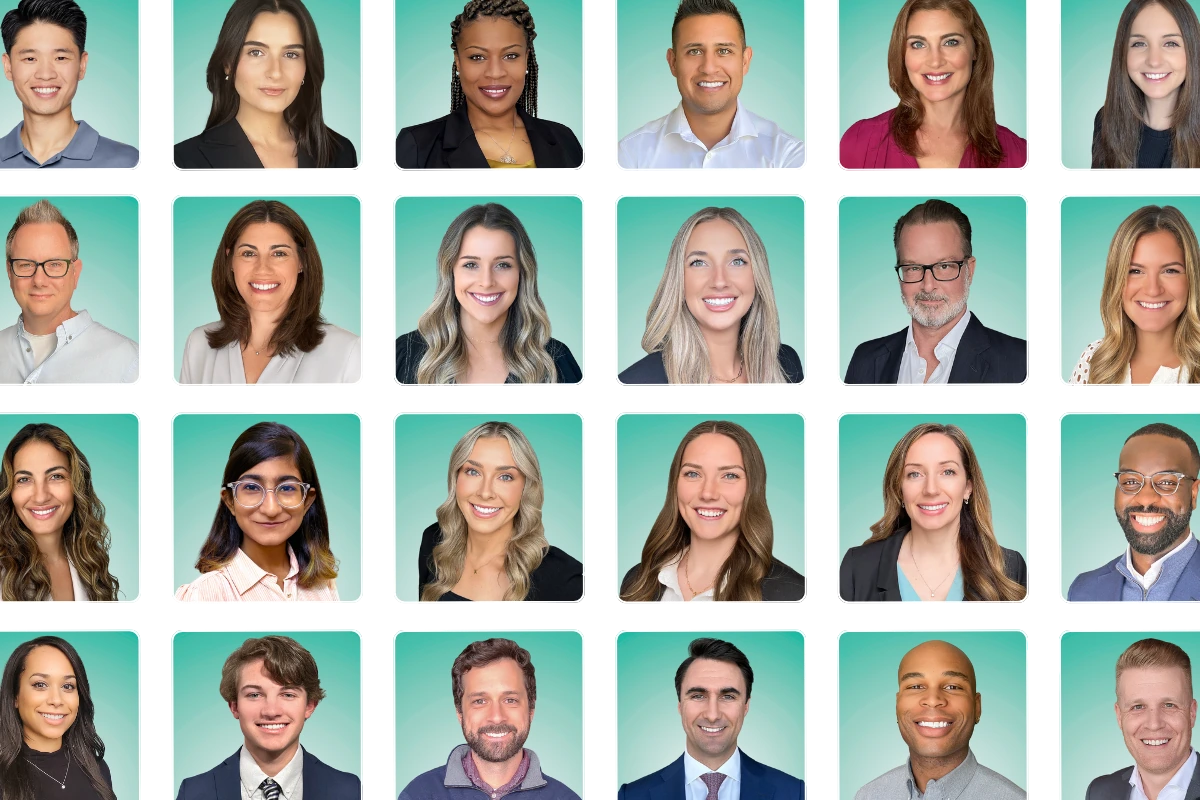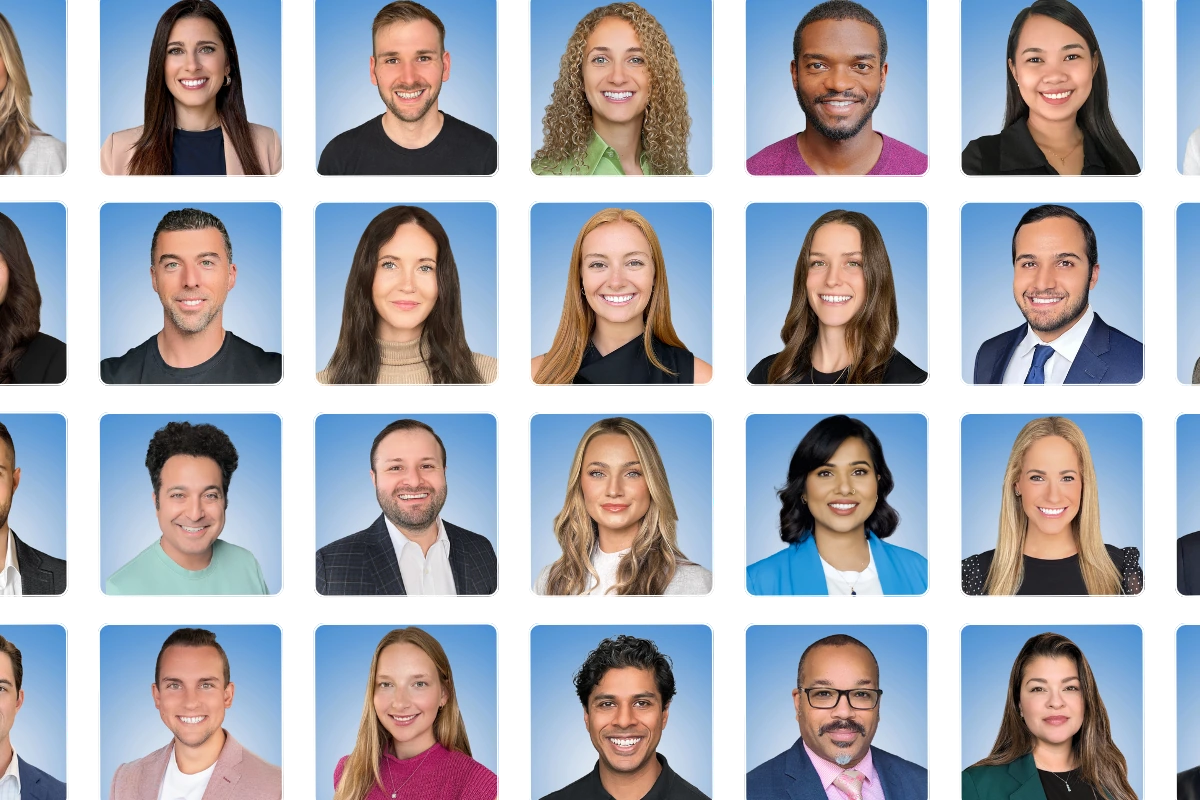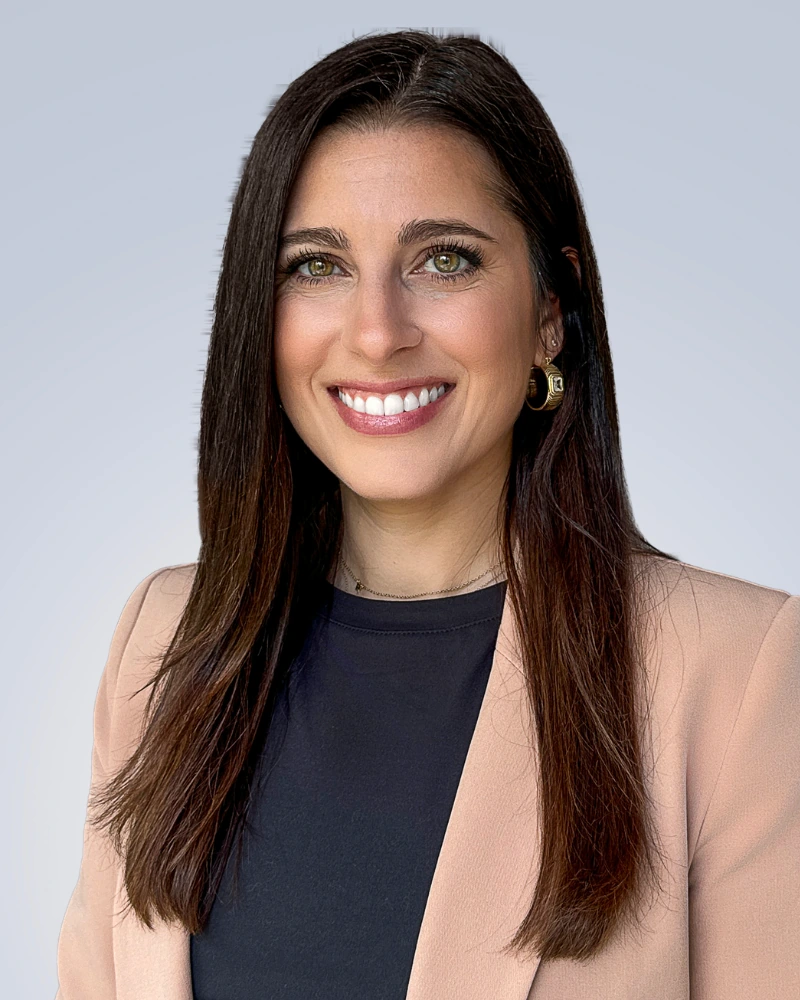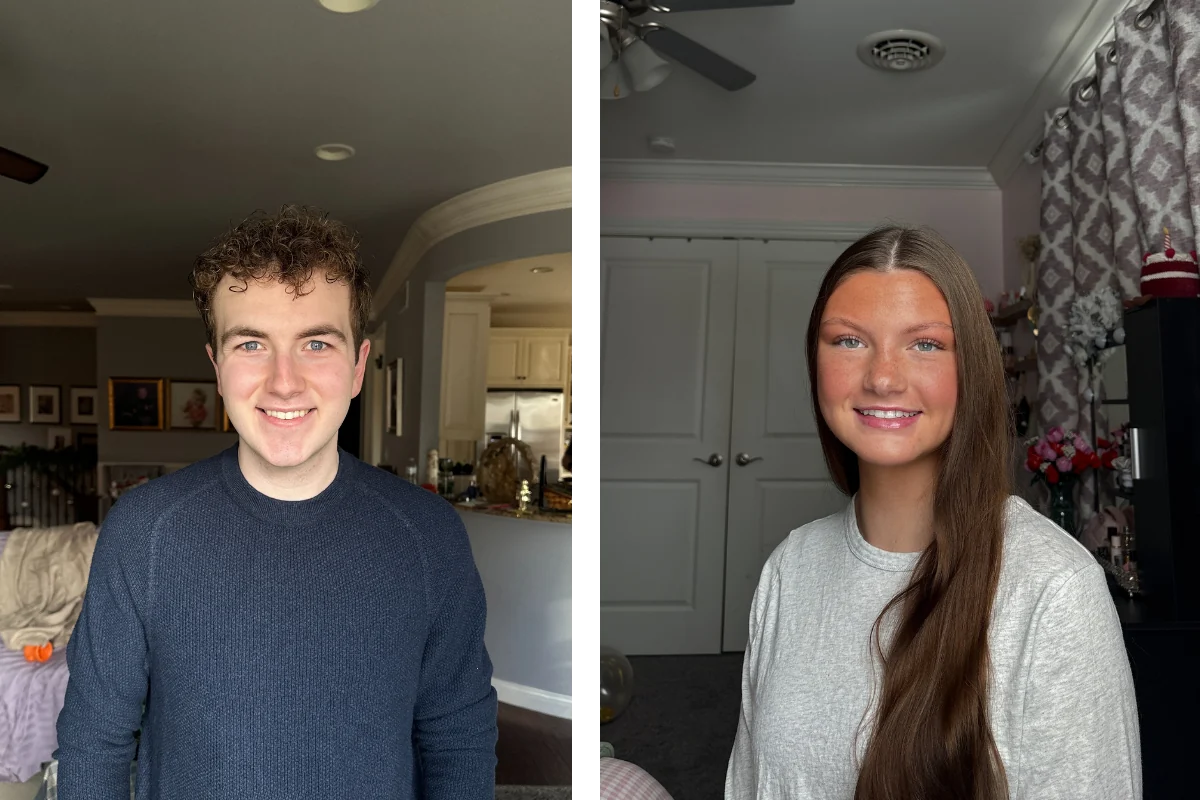
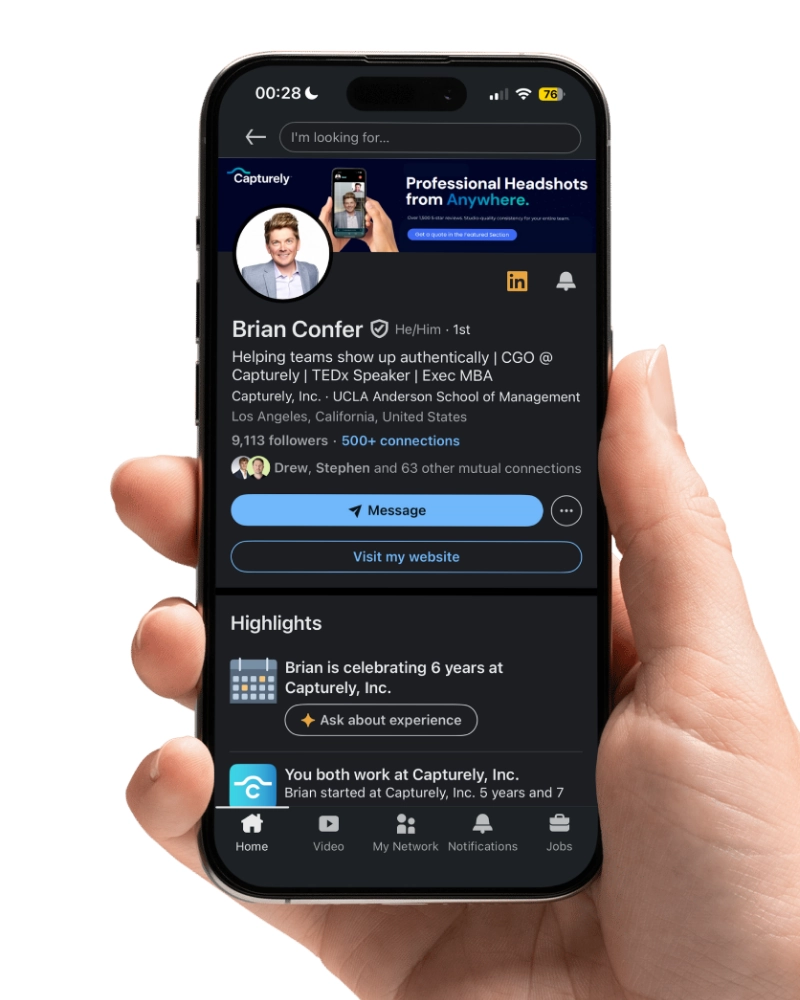
A professional headshot for LinkedIn is a high-resolution, head-and-shoulders photograph taken against a clean background with proper lighting — designed to make you look competent, approachable, and trustworthy within a 200-pixel circle. The best LinkedIn headshots share seven elements: a genuine smile showing teeth, your face filling 60% of the frame, direct eye contact, a clean solid-color background, clothing one level above your daily norm, soft natural lighting, and a photo taken within the last two years.
Last updated: March 15, 2026 · Written by Brian Confer, Co-founder & COO at Capturely

That matters more than most people realize. LinkedIn’s own data shows profiles with a photo get up to 21x more views, 9x more connection requests, and 36x more messages. Princeton researchers found that people form trustworthiness judgments from faces in just 100 milliseconds. A tenth of a second. Before anyone reads your headline or your experience, they’ve already decided whether you look like someone worth knowing.
Yet 45% of LinkedIn’s 1.2 billion members still don’t have a profile photo at all. And among those who do, half haven’t updated theirs in over three years.
This guide covers what actually makes a headshot for LinkedIn perform — backed by PhotoFeeler’s analysis of 60,000+ profile photo ratings, LinkedIn’s own platform data, and patterns from over 100,000 headshots Capturely has delivered to professionals at Google, McKinsey, Capital One, and hundreds of other organizations. For a broader look at all types of professional headshots beyond LinkedIn, see our complete professional headshots guide.
Why Your LinkedIn Headshot Drives More Than You Think
LinkedIn publishes remarkably specific data about what happens when you add a professional photo to your profile. The numbers aren’t subtle.
- 21x more profile views — LinkedIn’s official member blog, first-party data
- 14x more likely to be viewed — LinkedIn’s talent blog, the most conservative figure they’ve published
- 9x more connection requests — same dataset as the 21x stat
- 36x more messages — from LinkedIn’s profile completeness research
- 7x more likely to appear in search results — LinkedIn’s algorithm treats a photo as a completeness signal

Those aren’t marketing claims from a photography company. That’s LinkedIn telling you, on their own blog, that the single fastest way to improve your profile performance is adding a professional photo.
Here’s the part that should make you uncomfortable: an eye-tracking study of 30 professional recruiters found they spend 19% of their total LinkedIn viewing time looking at the profile photo. Almost a fifth of their attention goes to that tiny circle. And 86% of recruiters form an opinion about candidates within seconds of viewing a profile — the photo is the first thing their eyes go to.
The stat that really matters: 67% of recruiters say they won’t message candidates with unprofessional profile photos. Not “might not.” Won’t. Your headshot isn’t just shaping first impressions. It’s filtering you out of conversations you never know about.
7 Elements of the Best Headshot for LinkedIn
We’ve analyzed over 100,000 headshots. PhotoFeeler has analyzed 60,000+ ratings across 800 profile photos. LinkedIn itself has published guidance. Across all of these sources, the same seven elements keep showing up. None of them are surprising. Most of them are ignored.
1. A Teeth-Showing Smile
PhotoFeeler’s data is unambiguous. A smile showing teeth boosts your Likability score by +1.35 — the single largest positive impact of any element they tested. It also increases Competence (+0.33) and Influence (+0.22). A closed-mouth smile? Only about half the Likability benefit and no meaningful impact on anything else.

LinkedIn’s own recommendation matches: smiles that show teeth were rated twice as likable as closed-mouth smiles. Not a forced grin. A natural, genuine smile where your teeth are visible.
The exception: if you work in a field where gravity and authority matter more than approachability — certain law specialties, senior finance roles — a confident closed-mouth expression can work. But for 90% of professionals on LinkedIn, show your teeth.
2. Face Fills 60% of the Frame
LinkedIn crops every profile photo into a circle. That circle displays at roughly 200 pixels on desktop and even smaller on mobile. If your face is a tiny speck inside a landscape of background, nobody can see your expression, your eyes, or anything that builds connection.
The standard: your face should fill approximately 60% of the frame. Head-and-shoulders crop. Close enough to read your expression, far enough to show what you’re wearing.
PhotoFeeler quantified the cost of getting this wrong. Full-body shots reduce perceived Competence by -0.29 and Influence by -0.29. Extreme close-ups (face only, no shoulders) reduce Likability by -0.21. The sweet spot is the traditional headshot crop — top of shoulders to just above the top of your head.
3. Direct Eye Contact
Look into the camera lens. Not off to the side. Not down. Not at something just past the camera. Into the lens.
Eye contact triggers an oxytocin response in the viewer — the same bonding hormone released during face-to-face interaction. The Princeton study that found 100-millisecond trustworthiness judgments? Eye contact was a primary driver.
PhotoFeeler confirmed the opposite effect too: sunglasses (which block eye contact) reduce Likability by -0.36, and anything obscuring the face — hair, glare, shadow — reduces Competence by -0.29 and Influence by -0.31. Your eyes are the most important thing in your headshot. Don’t cover them.
4. A Clean, Simple Background
Here’s something most headshot advice gets wrong: the specific background color barely matters. PhotoFeeler found that background and setting context had no statistically significant impact on Competence, Likability, or Influence scores.
What does matter: keeping it simple. Solid-colored backgrounds boost trust ratings by 41% compared to cluttered or busy backgrounds. The goal isn’t finding the “perfect” color — it’s eliminating distractions so the viewer focuses on your face.

The most popular choices: white or light gray (universal, works everywhere), navy or charcoal (authority, common in finance and law), and blue or teal gradient (distinctive without being distracting). Pick one. The specific shade matters far less than the consistency and cleanliness. For a full visual guide with examples on each, see our professional headshot backgrounds guide.
5. Dress One Level Up
Formal dress produced the largest score gains of any single variable PhotoFeeler tested: +0.94 in Competence and +1.29 in Influence. Nothing else came close.
That doesn’t mean everyone needs a suit. It means dress one level above your daily norm. If you wear jeans and a t-shirt to work, shoot in a blazer over a solid-color shirt. If you wear business casual daily, add a jacket. If you normally wear scrubs, shoot in professional attire that reflects your expertise outside the exam room.

The universal rule: blue conveys trustworthiness and stability across every industry. Solid colors photograph better than patterns. Long sleeves always beat short sleeves. And avoid anything so eye-catching that it distracts from your face — loud prints, neon colors, large logos. For detailed wardrobe guidance by industry, see our guide on what to wear for professional headshots.
6. Soft, Natural Lighting
Lighting is where DIY headshots usually fall apart. Harsh overhead lighting creates raccoon-eye shadows. Direct flash makes skin look waxy. Fluorescent lights tint everything green. Backlighting turns you into a silhouette.
PhotoFeeler measured the cost: dark, underlit photos reduce Likability by -0.38. High color saturation — often caused by bad artificial light or aggressive editing — reduces Competence by -0.31 and Influence by -0.35.
The fix: face a large window. Natural, diffused light from the front is the single most reliable way to get flattering, professional-looking illumination without any equipment. This is actually one reason virtual headshot sessions work so well — a professional photographer can direct you to the best light source in your space in real time, catching problems a selfie-taker would miss.
7. A Recent Photo That Actually Looks Like You
A 2023 study by Passport Photo Online found that 50.26% of LinkedIn users have kept the same profile photo for three to six-plus years. Only 7% updated within the last year. And 56% of respondents said they’d met someone whose real appearance significantly differed from their LinkedIn photo.

That disconnect erodes trust fast. The whole point of a professional headshot is building confidence before the meeting. If you show up to a video call looking noticeably different from your profile, you’ve already broken the trust your headshot was supposed to create.
The standard: update every one to two years, or whenever your appearance changes meaningfully — new hairstyle, different glasses, significant weight change. If your headshot is more than three years old, it’s overdue.
Want a headshot that checks all seven boxes? Get a free instant quote for professional LinkedIn headshots — individually or for your whole team. Real photographers. 10 minutes. 24-hour delivery. Get your instant quote →
LinkedIn Headshot Mistakes Costing You Opportunities
Knowing what works is half the equation. Here are the mistakes we see most often — some obvious, some surprisingly common even among senior professionals.
The selfie. Front-facing phone cameras distort facial proportions at close range — wider face, larger nose, flatter depth. A study of 400 participants found professional headshots score 76% higher in perceived competence than selfies. And 63% of recruiters in a 2024 survey flagged selfie-style headshots as unprofessional. If you’re using a phone, always use the rear camera — it captures at 36-48 megapixels with better lenses and less distortion.
The cropped wedding photo. We’ve seen this hundreds of times. A beautiful photo from someone’s wedding, cropped down to just the face. Recruiters spot the telltale signs — formal attire that’s too dressy, outdoor lighting, a mysterious arm draped over a shoulder, pixelation from enlarging a small crop. 28% of recruiters flag cropped group photos as a rejection factor. Get a photo that was taken for professional use.
The time capsule. If your LinkedIn photo predates your current hairstyle by more than a few years, it’s working against you. Not just because you look different now — but because anyone who Googles you or meets you on Zoom will immediately see the gap. 67% of hiring managers are less likely to trust profiles with visibly outdated headshots.

The vacation background. A beach, a restaurant, a landmark. It screams “I couldn’t be bothered to take a real headshot, so here’s a photo from my trip.” Even if you look great in it, the context undermines your professionalism.
The over-filtered portrait. Heavy filters, skin smoothing, dramatic color grading. PhotoFeeler’s data shows high color saturation reduces Competence by -0.31 and Influence by -0.35. And 38% of viewers flag heavily smoothed images as untrustworthy. The goal is you on a good day — not you run through an Instagram filter.
The group crop. Cropping yourself out of a group photo is always obvious. There’s someone else’s shoulder in frame, the resolution is shot from enlarging, and the composition is off-center because you were standing on the edge. It takes 10 minutes to get a real headshot. Just do it.
The car selfie. Yes, the lighting can be decent in a car. No, it does not look professional. The seatbelt, the rearview mirror, the parking lot in the background — all of it communicates “I grabbed this while waiting in a drive-through.” Which is probably exactly what happened.
No photo at all. This is the biggest mistake on the list. 45% of LinkedIn users don’t have a profile photo. These profiles get 21x fewer views, 9x fewer connection requests, and 36x fewer messages. A LinkedIn profile without a photo is like a storefront with the lights off. People walk past. Any professional photo beats no photo.
LinkedIn Profile Photo Specs and Dimensions (2026)
LinkedIn is flexible on technical specs. But knowing the parameters prevents the frustrating experience of uploading a perfect headshot only to have LinkedIn compress it into a blurry mess.
| Specification | Requirement |
|---|---|
| Recommended dimensions | 640 x 640 px (minimum 400 x 400 px) |
| Ideal upload size | 800 x 800 px or higher for maximum clarity |
| Maximum file size | 8 MB |
| Aspect ratio | 1:1 (square) |
| Display format | Cropped to a circle on all devices |
| Supported formats | JPEG, PNG (PNG preserves more detail) |
| Face coverage | Face fills 60-70% of the frame |
The circular crop is the detail most people forget. LinkedIn doesn’t display your photo as a square — it cuts it into a circle, which means the corners of your image disappear. If any critical element (the top of your head, your shoulders) sits in the corner zone, it gets clipped. Center your face in the frame and keep important details away from the edges.
For your banner image (the wide background behind your profile photo), LinkedIn recommends 1584 x 396 pixels at a 4:1 ratio. On mobile, your profile photo overlaps the bottom-left corner of the banner, so place any design elements in the center-right area.
One more tip: PNG files preserve more detail than JPEG, especially in areas with high contrast like the edge of your face against the background. If you have the option, upload PNG.
How to Get a Professional Headshot for LinkedIn
You have four realistic options in 2026. Each one makes sense for a different situation.
Traditional Photography Studio
Book a local photographer, go to their studio, get photographed. This is still the gold standard for individuals who want maximum control over lighting, backdrop, and wardrobe changes. Expect to pay $150-$450 depending on your city and the photographer’s experience. Turnaround: one to three weeks for edited files.
Works for: individuals who want the best possible single headshot and don’t mind the scheduling and travel.
Falls short for: teams of any size. Coordinating studio visits for 20+ people across multiple cities is the logistical headache that keeps HR managers up at night. For a full pricing breakdown across every method, see our professional headshot pricing guide.
AI Headshot Generator
Upload 10-15 selfies, receive AI-fabricated headshots in minutes. Services like HeadshotPro and BetterPic charge $29-$59 per person. Fast, cheap, and increasingly realistic.
But they’re not photographs. They’re digital fabrications trained on your selfies. A 2022 study published in the Proceedings of the National Academy of Sciences found that people rated AI-synthesized faces as more trustworthy than real faces — which sounds like a win until you show up to a video call looking nothing like your profile photo. The trust advantage evaporates the moment reality doesn’t match the image. Multiple enterprises now prohibit AI-generated headshots for client-facing roles.
Works for: individuals on a tight budget with low-stakes use cases.
Falls short for: anyone in a high-trust industry (healthcare, finance, law, consulting) or any team that needs photos to actually look like the people in them.
Live Virtual Session With a Real Photographer
This is the option most people don’t know exists. You receive a secure link, open it on your phone, and connect with a professional photographer who directs the shoot in real time through the rear camera. No app download. No studio visit. Ten minutes.

This is what Capturely built — and it’s why companies like Google, Netflix, Amazon, and McKinsey use it for their teams. The photographer handles everything that goes wrong in DIY attempts: bad lighting, awkward posing, tense expressions, wrong camera angles. You get three fully retouched images delivered within 24 hours. $79/session for individuals, and teams save up to 45% at $45-$79/person.
Works for: anyone who wants real, professional-quality photos without leaving home. Especially strong for teams that need every employee’s LinkedIn profile looking sharp and consistent.
DIY at Home
Position yourself near a large window for natural light. Use a plain wall as your background. Have someone else take the photo using your phone’s rear camera (not the selfie camera) at arm’s length. Take 50+ shots and pick the best three.
It’s free, and with good natural light, the technical quality can be decent. But without a photographer catching the details — the slight head tilt, the shoulder angle, the micro-expression that reads as “confident” versus “tense” — most people end up with photos that are technically fine but don’t actually convey what they’re hoping for. If you go this route, our guide on how to take professional headshots walks through the process step by step.
Want to see the virtual option in action? Book a free demo session to experience it firsthand — or get an instant quote for your team in under 30 seconds. Get started →
Standardizing Professional Headshots for LinkedIn Across Your Team
Here’s the question most LinkedIn headshot guides never address: what if you’re not just getting one for yourself?
If you’re a Marketing Director or HR Manager responsible for your organization’s brand, your employees’ LinkedIn profiles are an extension of your company’s image. And right now, most of them are a mess — different backgrounds, different styles, different decades. One person has a studio headshot. Another has a cropped selfie. Three people have no photo at all.

This matters because employee-shared content gets 800% more engagement than the same posts from brand accounts. Your team’s LinkedIn presence is your most powerful marketing channel — and their headshots are the first thing anyone sees.
Standardizing headshots across a team means choosing one background, one framing style, and one retouching level — then getting everyone photographed with those same standards. The challenge is logistics: how do you get 50, 200, or 2,000 people photographed consistently when they’re in different cities, different time zones, and different schedules?
That’s the exact problem virtual headshot services solve. With Capturely, admins set the brand standards once — background, cropping, retouching — distribute session links, and every employee gets the same professional-quality result regardless of location. Session credits last 12 months, covering new hires and role changes without repurchasing. As Jeff Maldonado at AmeriLife put it: “We had no mechanism to ensure their headshots met our brand standards. Capturely solves that. We now have standards of formatting, consistent delivery, and everyone’s been on the nose of where we needed to be.”

For a full walkthrough of building a headshot program — including budget approval frameworks and internal communication templates — see the HR manager’s guide to team headshot programs. For a deep dive into corporate headshot consistency, see our corporate headshots guide.
Need consistent headshots for your team’s LinkedIn profiles? Get a free instant quote — configure your look, see volume pricing, done in 30 seconds. Real photographers. Real photos. 24-hour delivery. Get your instant quote →
Frequently Asked Questions
Do I really need a professional headshot for LinkedIn?
If you use LinkedIn for business development, job searching, or professional networking — yes. LinkedIn’s data shows profiles with a professional photo get 21x more views and 9x more connection requests. 67% of recruiters say they won’t message candidates with unprofessional photos. A professional headshot doesn’t require a studio visit — virtual sessions with a live photographer start at $79, and teams pay $45-$79/person — but using a selfie, a cropped group photo, or no photo at all is measurably hurting your results.
What size should a LinkedIn headshot be?
Upload at least 640 x 640 pixels in a 1:1 (square) aspect ratio. LinkedIn accepts images up to 8 MB in JPEG or PNG format. The minimum is 400 x 400 pixels, but higher resolution looks sharper — especially on desktop where the profile photo displays larger. LinkedIn crops all profile photos into a circle, so center your face and keep important details away from the edges of the frame.
Should I smile in my LinkedIn headshot?
Yes — with teeth showing. PhotoFeeler’s analysis of 60,000+ ratings found that a teeth-showing smile boosts Likability by +1.35, Competence by +0.33, and Influence by +0.22. LinkedIn’s own research confirms that smiles showing teeth are rated twice as likable as closed-mouth smiles. The exception is certain authority-heavy fields where a confident, neutral expression may be more appropriate — but for the vast majority of professionals, show your teeth.
Can I use an AI-generated headshot on LinkedIn?
LinkedIn doesn’t explicitly prohibit AI-generated headshots — their policy states profile photos should “reflect your likeness.” The bigger issue is authenticity. AI headshots are digitally fabricated images that approximate your appearance but aren’t actual photographs. When you show up to a video call looking different from your profile photo, it damages credibility immediately. Most enterprise organizations now prohibit AI-generated headshots for client-facing roles, and the in-person disconnect remains a problem regardless of how realistic the AI image looks.
How much does a professional LinkedIn headshot cost?
Traditional photography studios charge $150-$450 depending on the city. AI generators run $29-$59. Virtual sessions with a live photographer (like Capturely) cost $79/session for individuals, with team rates from $45-$79/person depending on volume. Each method involves different trade-offs between cost, quality, and convenience. For a complete breakdown, see our professional headshot cost guide.
How often should I update my LinkedIn headshot?
Every one to two years, or whenever your appearance changes noticeably — new hairstyle, different glasses, significant weight change. A 2023 study found 50% of LinkedIn users have kept the same photo for three to six-plus years, and 56% of respondents have met someone whose appearance significantly differed from their LinkedIn photo. If your headshot is more than three years old, it’s overdue. Roles with high external visibility — sales, consulting, executive leadership — should update annually.
What background color is best for a LinkedIn headshot?
PhotoFeeler’s data shows the specific background color doesn’t significantly impact Competence, Likability, or Influence scores — what matters is keeping it clean and uncluttered. Solid-colored backgrounds boost trust ratings by 41% compared to busy backgrounds. The most common choices are white or light gray (universal), navy or charcoal (authority), and blue or teal (distinctive). Pick a color that contrasts with your clothing and skin tone, and avoid anything distracting.
Can I take a professional headshot for LinkedIn with my phone?
Yes. Modern smartphone rear cameras capture at 36-48 megapixels — more than enough resolution for professional headshots. The camera hardware isn’t the limitation. Lighting, composition, and direction are. That’s why virtual headshot services pair smartphone capture with a professional photographer who coaches you through posing, lighting, and expression in real time. If going DIY, use the rear camera (not the selfie camera), position near a window for natural light, use a plain background, and have someone else hold the phone.
Your LinkedIn Photo Is Your Handshake
Every connection request, every recruiter search, every prospect researching your company — they all start with that tiny circle. A professional headshot for LinkedIn isn’t a vanity project. It’s the 100-millisecond handshake that determines whether someone clicks through to learn more or keeps scrolling.

The data is clear: professional photos drive dramatically more views, connections, and messages. The mistakes are avoidable. The specs are straightforward. The only real question is which method fits your situation — and for teams that want consistency without the logistics nightmare, a virtual headshot session with a real photographer makes the most sense.
Ready to upgrade your LinkedIn headshot? Get a free instant quote for professional headshots — individually or for your whole team. Real photographers. Real photos. 10 minutes per person. 24-hour delivery. Over 1,500 five-star reviews at 4.9 stars. Get your instant quote →